"Bounced" emails are the pits until you begin losing customers and revenue because of them. This extended resource covers the definition of bounced messages, the way to identify hard bounces from soft ones, the relation of SMTP error codes to issues associated with bounced communications, solutions, software suggestions (such as PushOwl), legal issues, as well as the 30/90 day plan to begin today.
1. Introduction to Email Bounces
What is an email bounce?
A bounce is any message that couldn’t be delivered to the recipient. When the mail servers refuse or are not able to accept an email message, they send it back with an SMTP code defining the reason, called an SMTP bounce or Delivery Status Notification.
Companies may use global
This negatively impacts the delivery process because bounces decrease the deliverability and reputation of the sender when there's continuous sending to invalid email addresses, leading to landing in the spam box and even IP or domain blacklisting, thus directly impacting revenue in emails such as conversions and cart recovery.
Sender reputation and cost analysis
Every bounce translates to a message to ISPs. High levels of bounces on the hard bounce front indicate that your list contains undeliverable messages, while a high soft bounce indicates that while your list contains undeliverable messages, opt-ins are in use, thus reducing bounce levels. Clean lists cost less and yield higher ROI than dirty lists.
2. Interpreting What a Hard Bounce Really is
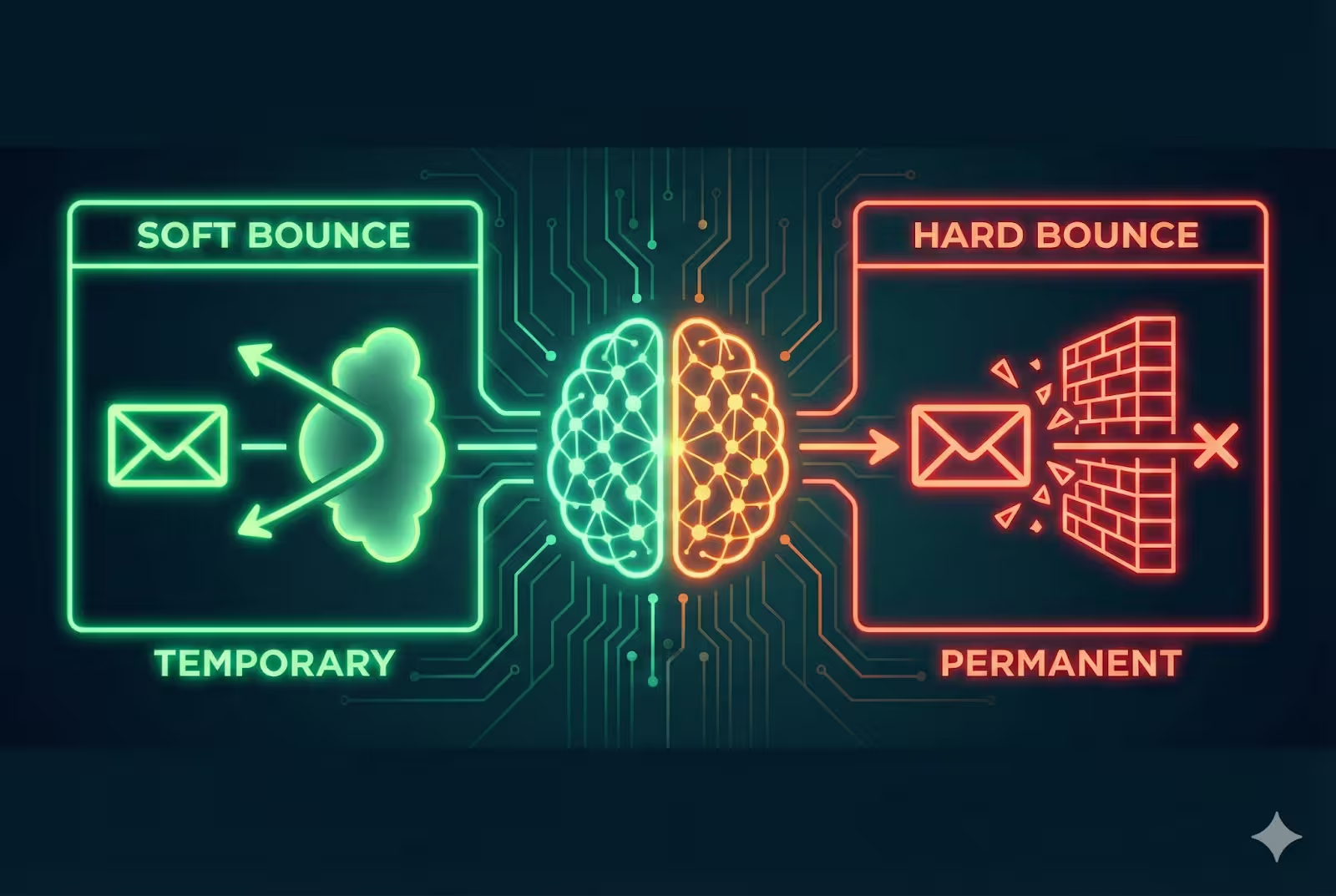
A hard bounce is an unreversible failure in delivery. After an address has been identified as an hard bounce, it should be suppressed or excluded from any future mailings.
Common causes
- Typos or misspellings in the email address: for example, "jonh@example.com" instead of "john@example.com”
- Non-existent domains: mail domains that have been removed or expired
- The message is blocked or rejected by the recipient: 550, 551, 553
- Authentication failure: Refused connections by MX/HELO at recipient end
- Role-based email addresses: sales@, info@, or others that may be blocked by filters.
- Accounts disabled since an employee left the company
SMTP Codes You’ll Encounter There are a number of 5xx SMTP response codes. These include 550 Mailbox unavailable and 553 Mailbox name not allowed. These messages are conclusive, meaning that a retry without change will also fail. 5xx responses, as determined by RFC 5321, should be regarded as permanent negative responses (IETF Datatracker).
Consequences
How to Identify Them: Hard bounce emails should either be removed or suppressed immediately. The bounce log created by your ESP/SMTP service provider and the use of SMTP error codes can help map activities like deleting, suppressing, and manually reviewing. In the event of discovering a massive group of 5xx error codes targeting the same domain, examine the sending auth or the reputation of the domain.
3. The Definition of Soft Bounces: Acknowledgment by
Soft bounces refer to temporary delivery problems. They tend to map to 4xx SMTP codes like 421 and 451, meaning “try again later.”
Common reasons:
- Recipient inboxes are full.
- Receivers Servers that are briefly congested
- Size of message larger than the capability of the receiver
- Greylisting (Temporary Rejection to Verify the Sending
- Issues on the receiver’s DNS & MX lookup system
SMTP codes and actions
Servers can retry the delivery as a temporary condition is indicated by 4xx codes. This is a soft bouncing issue, which will resolve itself if attempts succeed in the future. These can then be considered “stale” and should be handled when they turn up in attempts after a retry, especially in all campaigns. For more information on how to differentiate 4xx and 5xx codes, refer to RFC 5321. (IETF Datatracker)
4. Differences Between Hard & Soft bounces
Persist:
Soft - temporary; Retry and monitor; hard – permanent;
Reputation effect of bounce:
The Soft Bounce Reputation tends to deteriorate gradually, and this is perceived to be worse than that of Hard Bounce Reputation.
Examples may include but are not limited to:
Hard bounces deleted; soft bounces tried and/or suppressed; soft bounces suppressed after threshold.
SMTP semantics:
A 4xx response is a soft, or temporary, error; a 5xx response is a hard error, meaning it is unlikely that the message is to be delivered.
It might be useful to implement a small table in your CMS with a matrix on the difference between 4xx errors versus 5xx, and what to do based on those- whether to retry, wait, suppress, delete.
5. Specific Hard Bounce Causes and Solutions
Typos/misspellings: This can be prevented by using real-time validation on capture and double opt-in.
Expiring Domains: Automate a check for MX records, eliminating expired domains without MX records or ones that point to parking pages.
Recipient blocks: Encourage people to whitelist and check feedback loops; if bulk blocks are noticed, contact major providers directly.
Auth failures (SPF/DKIM/DMARC) Make sure SPF is signed, DKIM is signed, and there is a DMARC policy in place. It might lead
Role-based addresses: Refrain from sending marketing mail to role addresses or segment them in a different manner. “Most ESPs suppress role accounts by default."
Deactivated accounts: Suppression to occur after first hard bounce; removal after retention period.
Each of the above should have a checklist item to itself: detection (logs + codes), remediation (fix capture, update DNS, contact recipient), and policy (automated suppression after X failures)
6. Reasons for Specific Soft Bounces and Their Corresponding Solutions
- Full mailbox: Try again later. When that shows more than 2-3 times, mark it and alert the team.
- Server overflow: stagger send and use exponential backoff; pick send Windows to combine favorably with the receiver’s ISP.
- The size of emails, keeping a small campaign and optimizing images and payload size.
- Spam Filter
- Soft Rejection
- QUALITY OF FILTERED SPAM MESSAGES
- BLACKLISTING
- AUTH "DNS Issues": Monitor the health of target domain MX/DNS records for issues, schedule retries based upon that. - rate limiting: need to pace email sends per target domain (need to factor in requirements for rate limiting when using Gmail, and perhaps when mailing from multiple domains/ips for a larger volume of emails).
7. Best Practices in Bounce Management
- Double opt-in should be conducted during the registration process in an effort to eliminate typos and phishing.
- Email address validation and syntax as well as domain name validation for valid email addresses prior to storing.
- It is important to monitor the bounce logs closely and make classifications according to bounce type as well as domain.
- Organize your list. Remove hard bounces immediately, and soft bounces to a rule that filters persistent soft bounces.
- Notify owners of bounces when bounce thresholds are not within expected ranges.
- Segment based on intent. For instance, transaction emails can be segmented from marketing emails. A transactional email has high deliverability requirements.
- Ensure authentication is tight: What I mean is that these should all be in place: SPF, DKIM, DMARC. - Feedback loops and filters: Subtract unsubscribes, complaints, and absence from the calculation.
8. How to Clean Up Bounced Emails from Your List
The Positive Aspect Now,
On identifying a hard bounce, the email address should be removed/ suppressed completely. Most email service providers automatically suppress hard-bounced messages; therefore, this feature should be enabled.
For soft bounces, use a monitoring window.Usually, this is set between attempts 3 and 6 or a maximum of 30 days. After this period where soft bounces are constantly being recorded, transfer this contact information to suppression and, if necessary, start a re-engagement campaign.
Mass management?
Lean on tools of validation and cleaning (see tools), as well as regular methods of deduping, normalizing, and verifying. When necessary, notify your subscribers just before deletion with re-engagement emails to provide one final chance.
9. Bounce Metrics through Email
What is bounce rate?
Bounce Rate formula: (Bounced Emails / Sent Emails) x 100.
The ideal bounce rate should be below 2%, and the hard bounce should be below 1% for an established list. But individual industries may vary. Hence, it is necessary to compare it with your ESP data and industry data.
Trend observation & domain analyses The bounces on the screen change with time, campaigns, domains (like Gmail versus business domains), as well as list compilation methods (signup forms versus purchasing lists). Where a trend of delivery issues is noted on a particular domain, this could be an indication of filters on the domain as well as changes in policies. Performance on other metrics It is crucial to remove the bounce rates in understanding the open rates as well as the CTRs. In cases where high bounce rates are experienced, there is a likelihood of effects on the accuracy of the test or the suppression of engagement rates.
10. How to Configure your Email Tool’s Bounce Management
Here is a general, platform-neutral checklist and then some specifics related to PushOwl and Shopify.
- Platform-agnostic configuration
- Enable automatic suppression for hard bounces.
- Implement a retry strategy and a back-off policy on soft bounces.
- Turn on bounce reports, export logs periodically.
- Add alerts when the weekly bounce rate exceeds or falls below a certain threshold, such as 1.5%.
- Tools of validation tied with form submissions in real time by API.
PushOwl & Shopify details
Install PushOwl App Push + Email + SMS from the Shopify App Store, then integrate the app into an existing store to enable the functionality of delivering emails. PushOwl has the Basic Bundle that is free, which has limited impressions, about 500 web pushes monthly but has unlimited subscribers. There is also the usage-based pricing that usually costs about $19 monthly, depending on the bundle. All information about the pricing as well as setup of suppression lists and automations should be sought from the PushOwl website.Shopify Email will require that your domain enable SPF/DKIM either via Shopify or your ESP/DNS service to route transactional emails through your ESP or email service directly so that bounce management stays centralized. If you have PushOwl or something similar to Brevo (formerly Sendinblue), follow the directions inside the app to connect customers and enable the ‘Abandoned-cart/Recovery’ automation to tap native Bounce and Suppression Logic.
11. Mistakes In Bounce Management Practices
- Sending bounces until they affect the sender reputation.
- A good clean-up, eliminating active addresses just to swing the advantage again.
- Not looking into the root causes (for example, SMTP bounce data indicating obstacles on the send side and not the quality of the list).
- Ignoring soft bounced messages and allowing them to accumulate.
- Sending emails repeatedly to role mail addresses without proper authorization.
- Lack of Authentication: Without SPF, DKIM, or DMARC, it leads to bouncing and blocking of emails. - No solution to bounce recovery that requires a corrective approach when there is an unexpected jump in bounces.
12. Bounce Management for Different Kinds of Emails
Transaction emails:
Highest priority. Need to be sent on a dedicated IP/domain, with proper bounce handling.
Marketing campaigns:
Require highly aggressive list cleaning. Mini-testing, domain performance monitoring.
Abandon-cart and browse abandon emails
Send as a level of importance like the transactional mail but test the sending. Welcome campaigns and Re-engagement campaigns
Send the whole series of the welcome campaign and check early on within the welcome campaign, the first mail, and avoid permanent deletion via the use of Re-engagement campaigns.
13. Compliance & Bounce Management
Follow rules that matter: GDPR for consents and processing, CAN-SPAM for ease of opt-out options, CASL for consents if you market to Canadians. Clean your bounce data retention to a retention length necessary as it is required by deliverability and regulatory reasons. If you're handling data from Europeans, it is required to provide your reason behind bounce storage retention and be ready with a deletion form to erase on deletion request.
14. Bounce Management Technology and Tools
For validation services, in terms of email validation, one can look into: Verifalia, Kickbox, ZeroBounce, Hunter.io. These are described by the following facilities: Syntax Verification, MX Record Verification, Role Address Verification, Disposable Address Verification. Real-time validation on registration Mass validation on already established lists just before sending.
This entails the use of software scanning blacklists that assess domain/IP reputation along with the use of an ESP that provides direct SMTP bounce logs.
Characteristics of PushOwl:
PushOwl has a free version, test and scale versions based on the number of emails that flow back and forth. The more interesting thing about PushOwl is that it is actually a service that combines push notifications, email through Brevo, and SMS into a single solution that is quite effective for an ecommerce store.
15. The Future of Bounce Management
Expect more intelligent platforms that will be able to predict probable bounces, even before sending, via AI and ML. Better bounce data in ESPs' ability to respond automatically will follow. Authentication and a shift to first-party data mean a cut down on third-party cookies-so expect better deliverability. A cross-channel integration will be possible with a bounce, where a single bounce on email will lead to a re-engagement funnel via push notifications/SMS.
16. Summary & Action Plan
Overview
Karakoram’s Savant introduced the theory in the year 1966.
Hard bounces can be corrected, so these should be unsubscribed from the list as well.
Soft bounces are classified as temporary.
It is a good thing that the bounce rate should be 2% on average. It should be compared with the business average that Brevo gives.
Double opt-in verification, Real-time verification and authentication SPF/DKIM/DMARC, Suppression to keep on the good
30-Day Action Items
Set your ESP to automatically handle hard bounces.
Validate the sign-up forms in real-time.
Configure the environment for SPF/DKIM/DMARC correctly
Use your active list in a bulk verification task.
Roadmap of Activities
Month 1: Development of rules related to monitoring, alerting, and suppression
Month 2: Complete list audit , Initiate re-engagement campaign for low activity addresses
Month 3: Throttling based ons receiver domain, validation API integration with real-time streams. Ongoing : Deliverability reports on a monthly basis, domain/IP reputation check every quarter. Tools & success metrics - Tooling: pick a verification tool like zero bounce, kick box, verifalia, etc. You use Shopify, there is PushOwl that is a great notification tool, etc. PushOwl Help Center -Metrics: Total bounce rate, Hard bounce rate, Soft bounce rate, Delivery rate, Complaint rate, Delivery rate (to inbox).
About PushOwl
PushOwl is marketed as a one-stop-shop solution for marketing requirements using Shopify, along with web push, email, using Brevo integration, and SMS. It also comes with a free basic plan that is restricted in terms of impressions, along with unlimited contacts, while paid subscriptions commence from approximately $19 a month, depending upon utilization. PushOwl is described in their app details/doc, along with listing information for their Shopify store, indicating that their Basic, Plus, and Power plans enhance in terms of functionality, while also enhancing the number of impressions, along with PushOwl setup in Shopify. It is a free plan for business houses that use PushOwl, requiring scale-based paid subscriptions.