Most brands still miss a few key things when it comes to email marketing.
It occurs after you've hit "Send" on your email and before your customer has actually opened it.
This is when email providers like Gmail, Yahoo, Apple Mail, and Outlook take your intricately designed message and reinterpret the whole thing in their own way.
Fonts are generally resized, images are loaded or blocked, and the buttons may shift position. Dark mode changes colour, and on the mobile screen, the entire message shrinks into a narrow vertical frame.
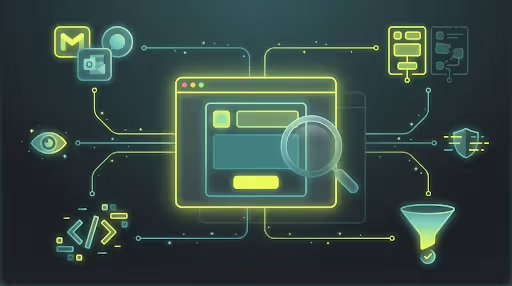
An email browser displays how your messages will render in the email environments of your customers across devices, settings like dark mode, resolutions, and form factors.
This visibility is particularly important for e-commerce brands, as small rendering issues such as obscured calls-to-action or blocked images quietly chip away at conversions and abandoned cart recoveries.
In other words, email browsers save money by making sure high-intent emails look great under real-world viewing circumstances.
What an Email Browser Helps You See (and Why It Matters)
An email browser provides email marketers with visibility on how their emails actually look within real inboxes across devices, email clients, and display modes. It shows exactly what happens to your message after it arrives in environments such as Gmail, Apple Mail, Outlook, or Yahoo. This is where layouts are redesigned, images may be blocked, and screen dimensions change.
This is important because emails are never opened under ideal circumstances. Mostly, they are opened on tiny mobile screens, in dark mode on slow networks, or within inboxes that limit how many images can be viewed and compress every layout down to the minimum screen size. An email browser allows you to see how your email fares in all these real-world situations, rather than assuming that what was designed is all the customer sees.
At its core, an email browser pulls forward disruptive questions that directly affect conversion:
- Can the email still be read at a glance?
- Is the primary call-to-action visible without obstruction?
- Are images loading properly or silently failing to load?
- Does dark mode reduce the contrast or clarity of text?
- Does the layout stay consistent across different inboxes?
These details may seem very minute details not contributing to your e-commerce journey, but they definitely shape the customer’s decision in seconds. When emails render cleanly, intent is preserved.
For e-commerce brands sending high-intent messages like abandoned cart reminders or price alerts, this visibility is critical. In case of poor visibility, customers disengage quietly, and revenue slips away without warning.
Email Editor vs Email Browser: Where Teams Get Confused
Both an email editor and a browser can give an email view. Hence, they are often used interchangeably.
However, in fact, they have quite different uses.
An email editor presents the email in a controlled design environment, while an inbox applies its own rules the moment the email is delivered. Final display of an email is affected by several factors: the size of the receiver's screen, how the email client responds, whether default settings are to send messages with dark backgrounds and light text, network status and speed, and user settings all influence how the email is ultimately displayed.
Thus, it is common for an email that looked in good shape when it was set up to appear rather disappointing after it has been sent to the customer. An email browser serves the purpose of simulating this real-world behaviour by allowing email marketers to view emails as they actually appear.
Email Editor vs Email Browser
Why Email Browsers Matter More for Ecommerce (and the Cost of Ignoring Them)?
E-commerce emails are very different from standard informational emails. The role of the e-commerce email is not to educate the person, but to remove friction in the process and drive immediate action.
1. E-commerce emails are intent-driven by nature
When an e-commerce customer opens an abandoned cart reminder, back-in-stock alert, or price-drop notification, they are already close to making a decision. The email's role is not to edu-tain or persuade at length, but instead to remove friction and make the next step obvious.
2. These emails are opened under imperfect conditions
Most of them are viewed on mobile devices, within minutes of arrival, and even customers are multitasking. Attention level isvery high and tolerance for confusion or delay is very low.
3. The Immediacy is a cause for immediate drop-off
If a CTA is pushed below the fold, a product image doesn't load, or the layout looks overly busy or isn't easily scannable, customers don't wait - they just close the email and move on.
4. Inbox environments are nearly always suboptimal
Dark mode, slow networks, blocked images, and compressed layouts abound. Email browsers, therefore, ensure that high-intent emails still function under these real-world conditions.
5. Most errors do not appear as error messages, but as silence
Problems are lower click-through rates, poor recovery performance, and lower conversions. Structural issues, such as buried CTAs, clipped discount banners, poor contrast, or overloaded layouts, quietly eat away at revenue over time if left uncorrected.
How to Solve Email Visibility and Conversion Drop-Off
Solving email performance issues begins with email visibility. E-commerce teams must see exactly how their emails are performing once they reach real-life environments like Gmail, Apple Mail, and Outlook, not just how they look during setup. This is where the email browser becomes a part of everyday workflow rather than an occasional check.
Inside PushOwl, Email Browsing is embedded right into the Email section of the dashboard. Teams can preview campaigns and abandoned cart emails as they actually appear on line, check layout structure, and confirm whether CTAs, product images, and essential data remain readable across devices.
This enables you to pick up snags in the workflow for things that will quietly hurt sales and should not go improperly, like CTAs, layouts in and out of mobile screens, and images blocked off by inbox settings. You can monitor how long it takes people to decide on ordering with your layout.
This is particularly important for high-intent emails such as abandoned cart reminders and back-in-stock alerts. These emails are opened quickly and often in imperfect viewing conditions. When teams can preview how an email will render before it goes live, recovery flows retain momentum instead of losing intent through follow-ups. Email navigation becomes part of campaign preparation, so every message is built with one eye on how it will actually perform the moment it lands.
Don’t Let Cart Abandonment Slip Through the Cracks
Not all cases of cart abandonment occur because customers have changed their minds. Much of the time, messages disappear silently in a reader’s hands. A mysterious CTA, a glitchy design, or a disappointing mobile rendering is enough to turn the sale against you.
PushOwl enables ecommerce brands to fix this before it hurts revenue. By making recovery emails visible to the team and showing what actually lands in users’ inboxes, PushOwl helps safeguard intent, increase abandoned cart recoveries, and drive more repeat revenue without forwarding workflows.