For any Shopify store owner, one of the best ways to build customer loyalty, retention, and brand recall is by driving visibility across multiple touchpoints through their customer journey.
To create such an experience for a customer, SMS is an especially powerful channel to utilize. According to Tabular, text messages regularly see open rates of around 95% - 98%, compared to roughly 20% - 25% for email. That is almost 5x visibility for the same amount of effort.
This makes understanding, integrating and optimizing SMS API an incredibly important function for a Shopify Store owner's success. This guide to SMS APIs covers all the basic knowledge needed for setting up a successful and smooth SMS API channel and is useful for Shopify founders, marketers and operators who want to use SMS to grow their business.
Introduction to SMS API
An SMS API is a programmatic layer where you can store triggers and manage text messages through an SMS gateway or provider concurrently.
As a Shopify merchant, this is how your business can send automated order alerts, shipping updates, and marketing promotions based on certain pre-identified events. This is basically your trump card to keep users engaged throughout their purchase journey.
These APIs are built with the objective of giving customers fast access to useful information, thereby cutting down the time spent by the customer from discovery to delivery. It also helps reduce uncertainty for the customer, since they are kept in the loop at all points of their order fulfillment.
SMS API integration with Shopify
Setting up the SMS integrations with your Shopify is super easy using either an app or a plugin, a gateway account and the API key or token which links the functions together.
Every authentication happens via an API Token (OAuth/bearer) which is stored in your Shopify app settings. This token is used to call the SMS provider’s API, thus activating specific pre-programmed functions.
Each message is routed through Shopify events (order created, fulfilled, refunded, etc), and the ID for the sender is customizable to ensure complete control over what a receiver sees as the sender ID. This enables brands to have multiple sender IDs to give a more personalized and polished experience.
So as a Shopify store owner, setting this up requires you to identify the right SMS provider and Plugin/App. Once you have this figured out, the dashboard of the App/Plugin will enable you to easily create triggers and their response messages, customize sender IDs, build message flows and much more. Creating this along with emails and push notifications makes your customer journey smooth and an omnichannel approach, using platforms like PushOwl, becomes the most effective customer engagement strategy.
Step‑by‑step setup guide
While the steps are relatively straightforward, it is important to configure and setup your SMS API properly to avoid any errors and breaks in SMS flow. A standard set up flow, Shopify + SMS API, would progress as explained below.
Step 1 - Choose the right Service Provider
After understanding your requirements, evaluate all the Shopify centered tools (e.g. PushOwl, Kalvio, Postscript, Recart etc.) on automation capabilities, delivery access and performance, compliance, pricing and any other specific use cases you would have. Spend some time on this, go through all the options to choose the best fit for you.
Step 2 - Install the App on Shopify
Install this app from your Shopify App Store and enable all the requested permissions to ensure that all relevant data like orders, customers, marketing opt-ins etc can be accessed by your app.
Step 3 - Create your Profile and Sender ID
Once you sign up, create a profile with your chosen provider, register your number or sender ID, and ensure that you have approval before making any SMS features live. This is especially important when you are sending SMS messages from a brand ID.
Step 4 - API Token integration
The provider will give you an option to generate an API Token (OAuth or equivalent). Generate an API Token and add this to your app settings in Shopify. Keep this information confidential and on a need to know basis only.
Step 5 - Create triggers and templates
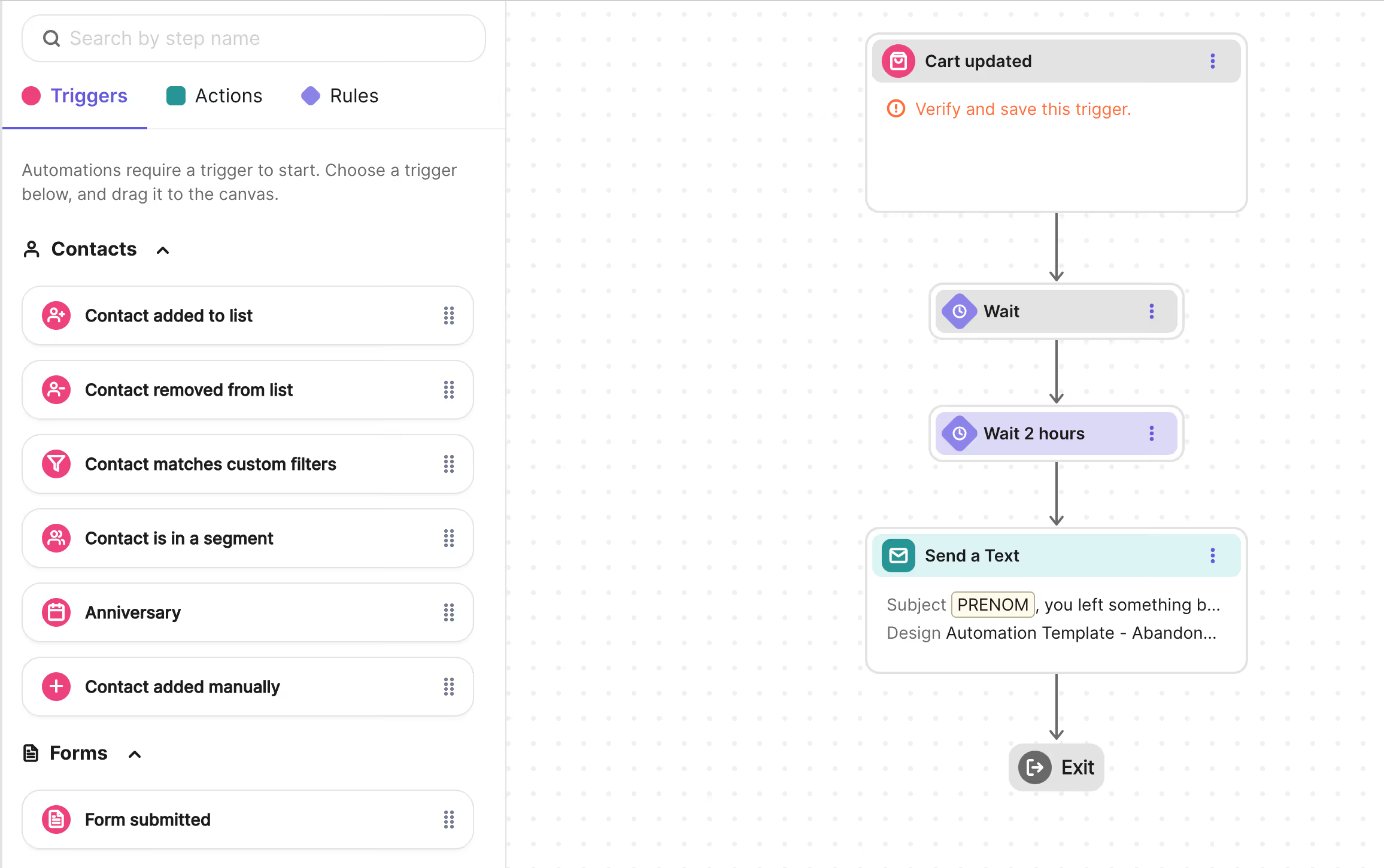
Choose from certain pre-designed templates ( new order, abandoned cart, delivered etc. ) or create new templates for your specific use cases. A trigger is the action that starts a particular flow, for example order placed can be a trigger that then starts the new order template flow. Each template is built with messages ( customizable ), and triggers which are actions that Shopify already tracks for you.
Step 6 - Test and Go Live
Test on your own number first to make sure your sender ID, formatting, delivery and message is correct and then roll out to a small user base before going to full scale. This avoids complications when moving to scale.
Automated SMS notifications
There are some core automation flows, which will most likely be preconfigured within your provider's dashboard. If not, it would be helpful to create these. Flows which you should set up are -
Order Confirmation: Once an order has been placed, an SMS would be sent to the user with the order details. This helps build trust with the customer.
Shipping Updates: Keep users informed about their delivery progress from dispatch to delivery. This helps reduce uncertainty in customers, and creates a better experience for them.
Abandoned Cart Recovery: Set up a solid reminder flow to push high-intent shoppers to complete their purchase. Even a simple 1-3 message flow can recover a good percentage of lost sales.
Welcome: If someone subscribes to your marketing communications, send them a welcome message with a discount code or product information. This can help drive their first purchase from you.
Marketing Communications: Have your opt-in users get alerts for sales, new launches, limited time offers etc. You should have these flows prepared so that your focus is only on the message of your specific marketing communication.
Review or Feedback: Set this up for a few days after successful deliveries, to improve your social proof, and improve your product. Prompting the user is more likely to generate a review or feedback than hoping for it to happen automatically.
SMS best practices & compliance
Due to heavy regulations around SMS, compliance and consent are mandatory.
Customer Consent: Get explicit opt-ins from your customers before sending any marketing texts. Even a simple checkout checkbox works, but getting their consent is mandatory.
TCPA / GDPR: TCPA ( US ) needs explicit written consent, standard send times ( typically 8:00 am to 9:00 pm ), and easy opt-out instructions. As for GDPR ( EU ) it is mandated to have a lawful basis for processing, transparency in data usage, and secure storing of personal data.
Content Guidelines: Make your brand easily identifiable, keep your messages to the point, and most importantly do not make any misleading claims or add hidden charges to the customer.
Opt-Outs: Use keyword based opt-outs, for example STOP/UNSUBSCRIBE and make sure the customer is aware of how to opt-out from your marketing communications.
Timing and Frequency: Understand different time zones to schedule your messages, avoid anything post 9:00 pm, keep a cap on your promos sent per customer. You do not want the customer to feel like your brand is spam.
Data Security: Keep API Tokens confidential, use HTTPS endpoints, and choose reliable service providers with security encryption and compliance.
Advanced SMS features
There is much more to SMS than just a one-way text delivery mechanism -
Dynamic Personalization: You can insert names, order values, links into each message using pre defined template variables.
Conditional Rules and Branching: Add conditional rules to your messages. For example “ If order value > 1500, then add membership offer; else add discount offer.”
WhatsApp Integration: Many providers let you combine the power of SMS and WhatsApp to get better media, templates and a two-way communication channel.
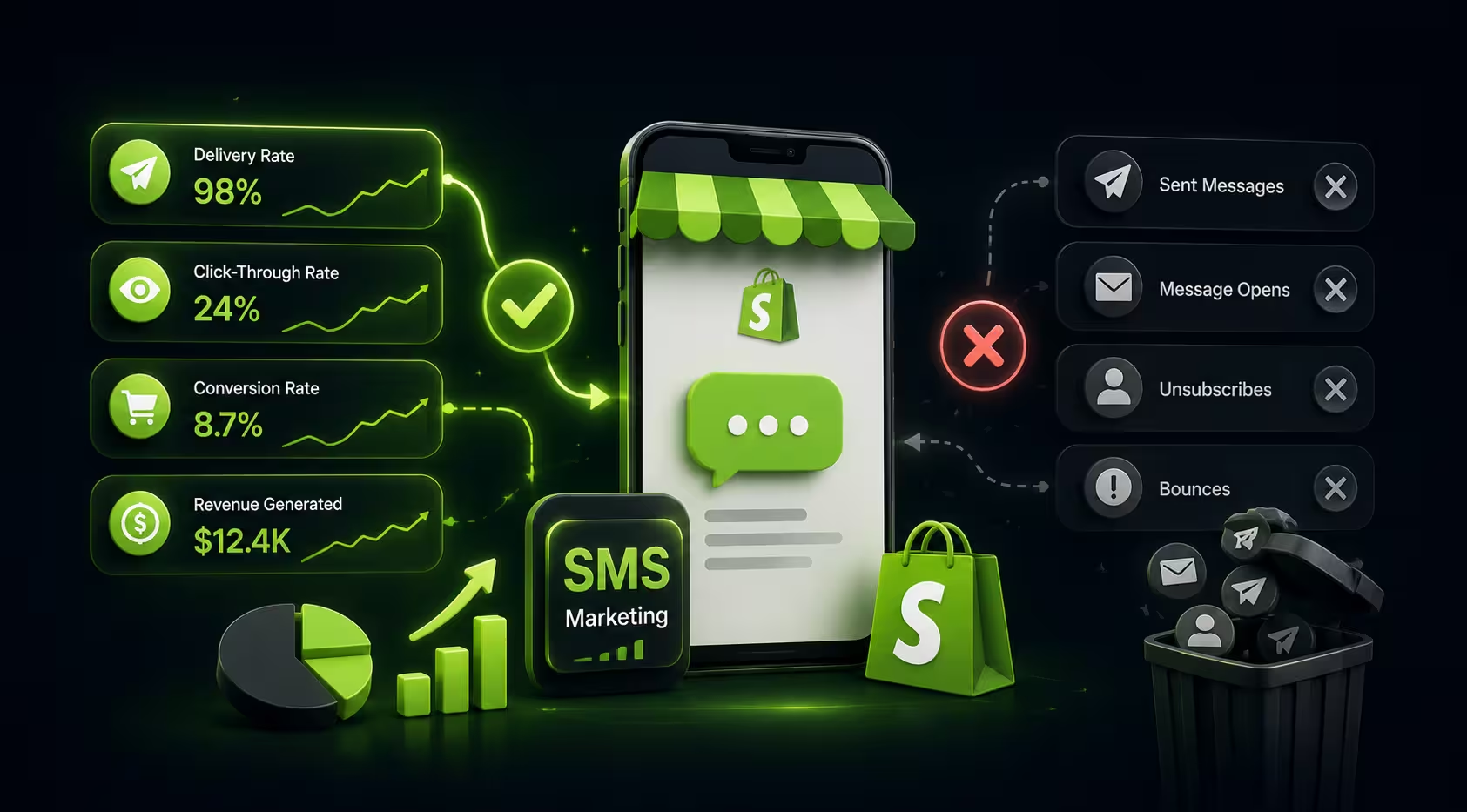
Analytics: Track everything including sends, delivered, clicks, conversion, etc. Know where your money is being spent and how much revenue it is bringing in.
Troubleshooting common issues
When a flow breaks, it is usually due to misconfiguration, sender ID errors or compliance issues. Let's look at some common issues and their resolutions.
Delivery Failures: Check the format for the numbers ( like their international IDs, etc ), if you have enough user credits, if your routes are country compliant.
Sender ID Errors: If your brand is not showing up in the sender ID, it may not yet be approved by your service provider or blocked in a certain region requiring additional documentation.
Authentication Errors: This usually happens due to invalid, expired or wrongly entered API Tokens. If this happens, just regenerate and update your tokens in the app.
Compliance Violations: This could happen due to high opt-outs or reported as spams. Create more robust consent flows, messages and stay aligned with TCPA/GDPR send times.
Comparing SMS providers for Shopify
ROI and business benefits
SMS is one of the highest ROI retention avenues, when implemented properly for a Shopify brand. Let's look at what aspects of your Shopify business SMS impacts positively -
Customer engagement: Open rates and response rates usually are much higher than that of emails, so deals, updates, bonuses, offers which are time sensitive show much better results.
Abandoned Carts: Using this in tandem with emails and push notifications helps recover a much higher percent of abandoned carts, and at a much lower Customer Acquisition Cost.
Better Order Experience: Customers stay informed at all times about their orders which reduces uncertainty. SMS also has all the updates neatly in one chat, which is much less laboursome than an email thread.
Upselling and Repeat Purchases: Post-purchase SMS messages have a higher engagement rate, and these nudges work better than other marketing channels.
Retention and LTV: If your SMS is actually a value add for the customer, it builds loyalty and raises their LTV without much effort or ad spend.
Future trends in SMS
This channel is only going to evolve into a more engaging and conversational customer experience and so it makes sense to look at what the future holds in the SMS landscape
RCS messaging: Rich Communication Services, which offers a more interactive SMS experience by allowing you to add images, buttons and an App like UX within your messages. This builds a much better marketing ecosystem for your business.
AI/ML: AI tools will continue to get better and better, to optimise send times, conditional messaging, variations, testing and in the future offer a much more personalized and engaged customer experience via SMS
Conversational SMS: Use your SMS channel as an avenue to easily connect with your customers using two-way communication, live agents or chatbots to make this a support and sales powerhouse and not just a one-way broadcast.
Privacy and Regulations: As this channel evolves the policies that govern it will get tighter, especially around consent, data transparency and restrictions on how this data can be used. So while the features will get better and better, they need to also be managed more effectively.
What is PushOwl and how it simplifies SMS campaigns?
PushOwl is your go-to Shopify-native omnichannel retention platform, that combines Email, SMS and Push notifications into a simple and unified app. Once you install this into your Shopify store, you only need to perform actions like audience segmentation once, to run flows and campaigns using any and all of the channels from a single dashboard and analytics view.
PushOwl comes with pre-programmed automations for abandoned carts, stock-outs, price drops, sales and much more so as a Shopify store owner you can create, test and launch your SMS campaigns in minutes, rather than custom coding any API Integrations. It also follows all compliance guidelines, so you do not need to worry about any of the compliance regulations when using a pre-programmed template!
Basically PushOwl acts as your SMS Campaign Manager, and enables you to look only at strategy and messaging, leaving the rest to us!
If you are a Shopify Merchant, your most effective path is to use a Shopify-Native app that reduces SMS API complexities and has in-built compliance. This allows you to create a much more sophisticated and holistic SMS strategy that really unlocks the power of SMS.