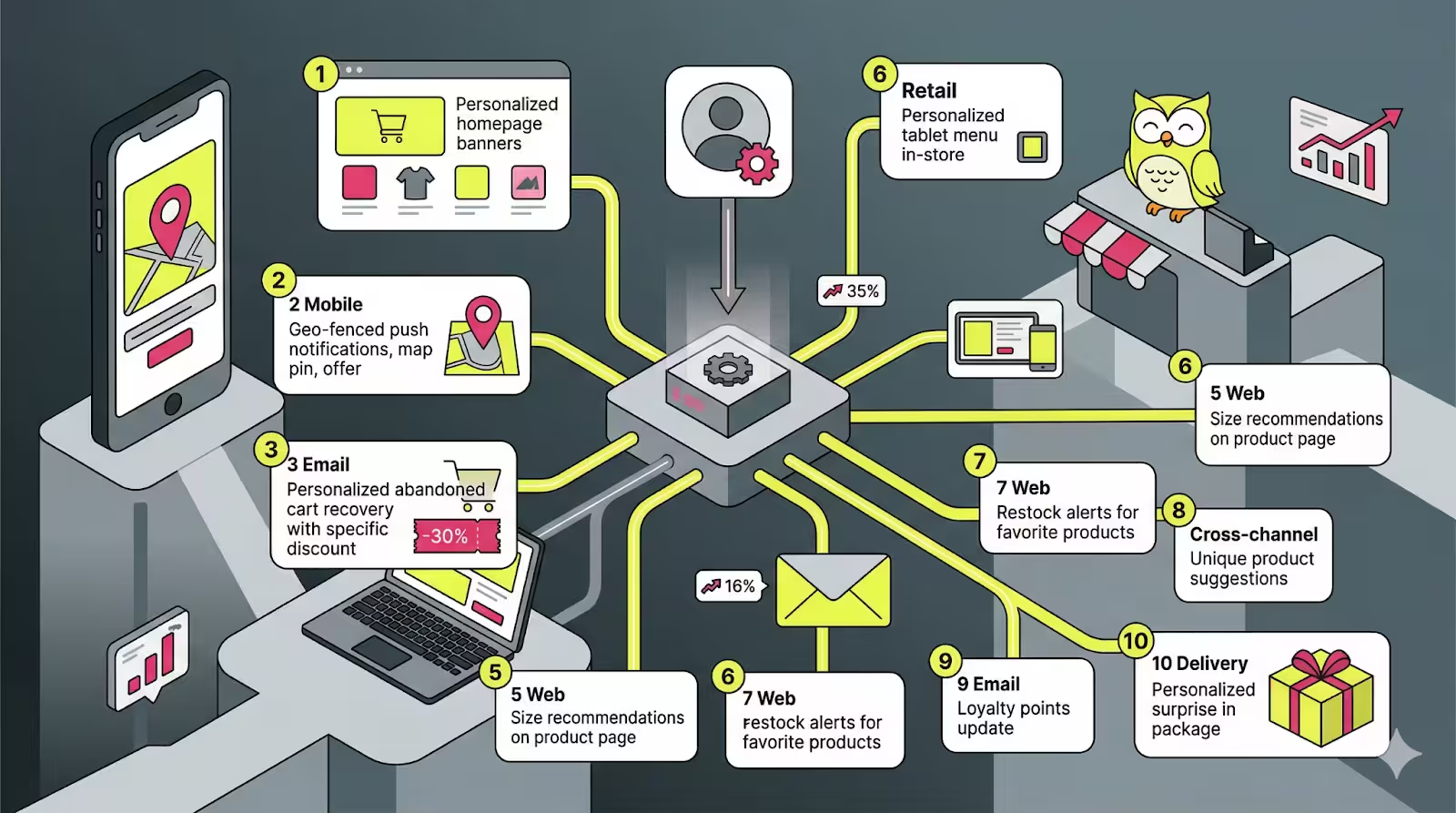
A majority of Shopify stores treat their marketing channels as independent departments. The email team sends emails. Someone schedules an SMS blast. Web push notifications are sent every time one of them goes on sale.
The result? Customers receive the same message three times in three different locations. Or worse, they receive nothing when it actually counts.
It’s not that the stores expanding fastest are firing off more messages. They’re sending connected ones. They implement Shopify omnichannel personalization so that each channel: email, SMS, and web push work with one another, triggered by actual customer behavior, in the correct order.
PushOwl makes the web push layer seamless for Shopify brands. And when integrated with the email and SMS stack you use, it’s a powerful driver of some of the most effective customer journeys you can build.
What is Omnichannel Personalization for Shopify Stores?
An omnichannel personalized experience is one in which each message any customer receives is relevant not just to who they are as consumers, but also to what those customers have done recently, and it doesn’t matter what channel actually delivers the messaging.
These three channels can operate simultaneously for a Shopify store:
- Web push notifications: Browser-based alerts delivered to customers in real time, even when they aren’t on your site. Fast, direct, and permission-based.
- Email: Richer, longer-form communication. Best for visual and product discovery, social proof.
- SMS: Works when you really have to send high-priority nudges. Open rates are highest, but you should use this wisely.
When these three channels have access to the same behavioral triggers and customer data, the experience becomes seamless. A customer who has abandoned a cart shouldn’t receive three of the same “you forgot something” messages, but they should receive a smart sequence in which each channel adds a new dimension.
10 Shopify Omnichannel Personalization Examples
Now let’s look at real-world Shopify omnichannel personalization examples, with exact triggers, channel sequences, timing logic, and copy snippets for you to replicate. No theory. Just playbooks.
1. A Welcome Series That Automates Segmentation From Day One
A new subscriber signs up for web push notifications. PushOwl sends a welcome push within seconds. But instead of sending a generic discount, this brand uses the welcome sequence to discover what the subscriber is shopping for, and every message from here on matches their intent.
Trigger: First push opt-in
Channel sequence:
- Instantly → PushOwl welcome push: Brand introductory message + “Shop your style”
- Day 1 → Email: Preference question (“Shopping for yourself or gifting?”)
- Day 3 → PushOwl push: Curated products based on email click tag
- Day 5 → SMS: Discount personalized with first name
Copy snippet — Welcome Push:
“Welcome to [Brand] 👋 We handpick every product. Your favorites come first, tap to discover.”
Copy snippet — Day 3 Push (after segmentation):
“Based on your love, here are your top picks this week. New in today.”
Why it works: The push opt-in makes the initial connection. The email collects intent. PushOwl delivers the personalized follow-up. And by Day 3, the store already knows what this subscriber wants, and it acts on that information.
2. Back in Stock Notifications at the Variant Level
Back-in-stock alerts are useless unless they’re specific. It will only frustrate the size 10 customer when told that “this sneaker is back” and he can’t buy a single unit of it in his required size, as only size 7 is available. PushOwl’s back-in-stock automation triggers at the variant level, so the customer is only notified for that exact size or color they subscribed to.
Trigger: Specific variant (size/color) restocked
Channel sequence:
- Immediate → PushOwl push: “Your size is back — [Product Name] in [Size].”
- 5 minutes → Email: Urgent copy, variant-specific restock alert
Copy snippet — PushOwl Push:
“[First Name], Your Size Is Back. [Product Name] in [Size], now live — only [X] pairs remaining!”
Copy snippet — Email:
“You asked. We delivered. [Product Name] (in [Size]) is back in stock — but we can’t say for how long. Your shopping window starts now.”
Why it works: The specificity of the push gives it a sense of being a personal alert instead of a mass notification. They are the most motivated buyers on your list, customers who signed up for this variant.
3. Celebrate Loyalty Milestones of your Customers
When a customer achieves some milestone in their loyalty journey, like their 5th purchase, a tier upgrade, or an anniversary, that moment is worth celebration. You can use PushOwl to fire the very first recognition (super fast, happy), with an email to send all of their reward details.
Trigger: Loyalty tier upgrade or points level reached
Channel sequence:
- Instant → PushOwl push: Congratulations + “Claim your prize”
- Minutes later → Email: Complete milestone card + exclusive reward + instructions to redeem
- SMS (only for the highest tier): Personal message from the brand
Copy snippet — PushOwl Push:
“You’ve reached [Tier Name] status 🎉 Hey, don’t miss out on your exclusive reward. Check your email for details.”
Copy snippet – SMS (tier one):
“[First Name], you’re officially one of our top customers. Your [Tier] reward is live, and active for the next 72 hours: [link].”
Why it works: Push notification gets the emotional punch out instantly. Email provides the value and process. SMS, which is reserved for high-value customers, creates the sense that their most valuable segment is truly special.
4. Cart Abandonment Recovery
Cart abandonment is the highest-ROI automation any Shopify store can deploy. Many stores only email once after silence. The best stores have a coordinated sequence running across channels, and PushOwl’s push notifications for abandoned carts are one of the quickest ways to get customers back to their carts.
Trigger: Something was added to the shopping cart, but a purchase was not completed.
Channel sequence:
- 20 minutes → PushOwl push: Product photo + “You forgot something”
- 1 hour → Email: Complete cart overview with product information and review snippets
- 24-hour later → SMS: Last reminder with social proof
Copy snippet → PushOwl Push (20 min):
“Still thinking it over? Your [Product Name] has been saved, but supplies are running out. Finish your order now.”
Copy snippet — SMS (24 hr):
“Hey [First Name], this one’s already loved by 200+ customers. Your cart’s waiting: [link].”
Why it works: Push notifications make it in 20 minutes, faster than any email. It snags the customer when the intent is fresh. Details are where email converts. And SMS is the thing that closes the loop for those who still have not taken action.
5. Cross-Sell After Purchase for Repeat Buyers
There is a 48-hour window after a purchase that has the highest trust of any interaction you will have with that customer. They just bought from you. They’re happy. They’re open to hearing more. So right now, a well-timed cross-sell, delivered on the correct channel for the given context, feels more helpful rather than annoying.
Trigger: Order confirmed
Channel sequence:
- Day 0 → Email: Thank you for your order + “If you like (x), then we think you’ll love (y) too.”
- Day 3 → PushOwl push: Related product suggestion + bundle offer (limited time)
- Day 7 → SMS: Refilling reminder or the next product prompt
Copy snippet — PushOwl Push Day 3:
“Loving your [Product]? Combine it with [Complementary Product] for even greater results — 10% off today only.”
Why it works: PushOwl sends a Day 3 notification to the customer at just the right time, when they are beginning to use the product that they purchased. The cross-sell is timely, relevant, and based on what they already bought.
6. Price Drop Alerts for High-Intent Browsers
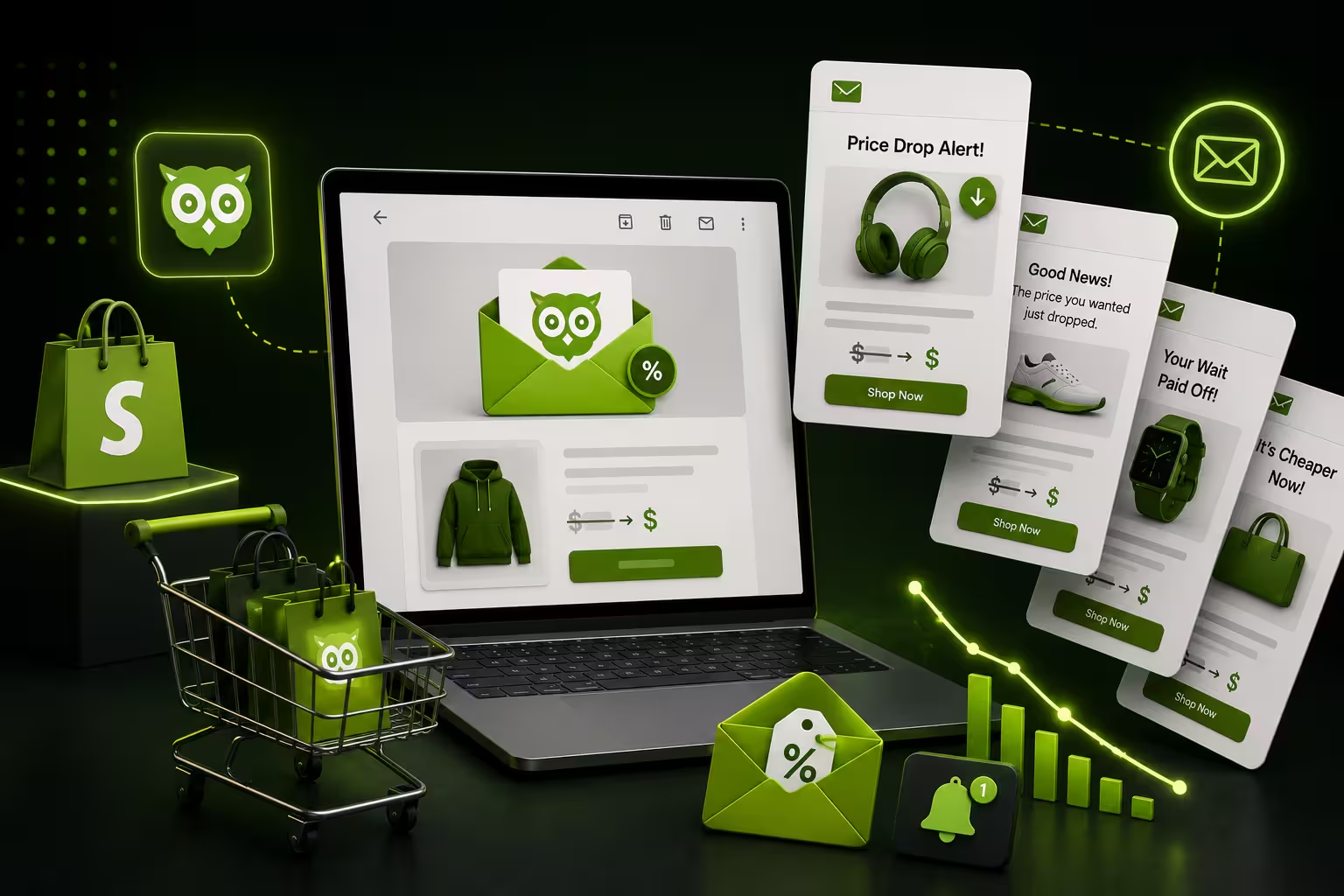
Customers view a product but don’t add it to their cart. They want to buy, but they’re waiting for the right price or time. PushOwl’s Price Drop automation targets exactly these customers and sends an alert as soon as the price changes.
Trigger: Customer has viewed the product of interest more than three times but did not make a purchase + price has been reduced on that product
Channel sequence:
- Immediate → PushOwl push: Price drop alert (old price vs. new price)
- 2 hours → Email: “The price just dropped on something you’re watching.”
Copy snippet — PushOwl Push:
“The price just dropped on [Product Name]. Was ₹2,999 - now ₹2,199. You’ve been watching this one. Now’s the time.”
Copy snippet — Email Subject:
“One of longtime things you have been keeping an eye on 👀”
Why it works: The customer has already made the hard decision to buy this product. The price fall is the last straw they have been waiting for. Push gets the alert there instantly, before they’re seeing that same product on a competitor’s website.
7. Timing of Flash Sale Launch Optimized
Timing is everything when a flash sale goes live. Smarter brands don’t flood all channels at once, but they do channel sequence by speed. Push notification is first in line, because it is the fastest. The second is SMS because it has the best open rate. Email comes last because it turns the visitors into buyers.
Trigger: Flash sale triggered (manual or timed)
Channel sequence:
- Minute 0 → PushOwl push: “Sale is LIVE — 40% off”
- 30 minutes → SMS: URGENT Reminder + link
- 2 hours → Email: Complete sale list with category highlights
Copy snippet — PushOwl Push:
“⚡ FLASH SALE IS LIVE. 40 percent off everything — one day only. Tap to buy before it sells out.”
Copy snippet — Email Subject:
“The sale is on 🔥 Shop the 40% off everything.”
Why it works: Push notification is the fastest channel, unlike an email campaign, where you have to wait for delivery (even in your best-case scenario, if you want people to engage with the sale, you will send at least 2 emails), via Push you reach opted-in subscribers within seconds from the product going live. Patchy traffic generates patchy sales, but social proof, units sold, and low stock indicators lead to improved conversion for the subsequent waves of SMS and email.
8. Only Browse Abandonment of High-Value Products
Not every browse abandonment is worth pursuing. For a ₹500 candle, one polite email suffices. A person buying a ₹15,000 sofa requires more considered, consultative follow-up and not aggressive emails. High AOV Shopify brands should use browse abandonment automation, but segment it by product price to adjust the tone.
Trigger: Time on product page > 2 minutes, no add-to-cart and product price > ₹5,000
Channel sequence:
- 2 hours → PushOwl push: Gentle reminder alongside product image & “Still interested?” copy
- Next Day → Email: Reviews from other customers who browsed the product + delivery and return reassurance
Copy snippet — PushOwl Push:
“Still thinking about the [Product Name]? No pressure, but just so you know, 300+ customers rated it 5 stars.”
Copy snippet — Email Subject:
“A major purchase merits considerable thought. Here’s what 300 consumers loved about this [Product].”
Why it works: Slow and steady wins the race for high-consideration purchases, not FOMO. The push opens the door. The customer has everything they need to feel comfortable pulling the trigger.
9. Win-Back Campaign That Escalates Intelligently
A customer who hasn’t bought in 90 days isn’t dead weight; they just need the right incentive to return. Many Shopify brands have a win-back flow starting soft (email) and moving to more direct channels only if the customer doesn’t re-engage. PushOwl takes care of the middle escalation step.
Triggers: No purchase in 90 days
Channel sequence:
- Day 0 → Email: “We miss you — here’s 15 percent off, for 3 days.”
- Day 4 (if no email opened) → PushOwl push: “Your discount is expiring soon.”
- Day 7 (If No Push Click) → SMS: Closing offer, most urgent
Copy snippet — PushOwl Push (Day 4):
“[First Name], Your 15% off expires tomorrow. One click, and it’s yours.”
Copy snippet — SMS (Day 7):
“Last chance. Your [Brand] discount expires tonight. Visit now: [link].”
Why it works: This is smart because of the escalation. Email tries first. PushOwl catches the non-openers. Thus, SMS only triggers for customers who ignore both, precisely when you need the most direct communication channel.
10. Retention Loop Created by Review Request
A review request goes out seven days after delivery. But the best performing brands don’t only gather reviews, rather they use the review results to branch the journey. Five-star reviewers become advocates. Three-star reviewers receive a recovery experience. The advocacy push for happy customers is handled by PushOwl
Triggers: Delivery confirmed + 7 days have passed
Channel sequence:
- Day 7 → Email: Review request
- Day 8 (if 5-star submitted) → PushOwl push: “Thanks! Refer a friend and earn ₹200.”
- Day 8 (for 3-star or below) → Email: “We want to make this right.”
Copy snippet — PushOwl Push (5-star):
“Thank you for the love 🐾 Refer [Brand] to a friend and earn ₹200 when they order.”
Copy snippet — Recovery Email (3-star):
“We saw your last order was a little wrong. What happened? Can you tell us? We want to make it right.”
Why it works: The PushOwl push is only triggered for happy customers, making a moment after a review an opportunity to get referrals. The unhappy customer never gets the referral message. They get a recovery flow. Different journeys, same trigger.
What All 10 Examples Share in Common
In all 10 examples, we can see a set of distinct patterns about what effective Shopify omnichannel personalization looks like. These are not one-off tactics; they are best practices that lead to increased engagement and conversions.
- Web Push is the fastest channel: Whenever speed is the motive - flash sales, price drops, back-in-stock alerts, cart abandonment, etc., Push notification is your first touch point. Its advantage is structural: no inbox lag, no spam filters, and immediate delivery. When timing is critical, push leads.
- Each channel plays a specific role: Web push creates the moment. Email deepens the context with richer storytelling and product detail. SMS drives urgency and action. Each channel, when employed intentionally, creates an experience that feels cohesive rather than repetitive.
- Triggers are behavioral, not time-based: The interactions aren’t running on arbitrary schedules, but are triggers, based on actual customer behavior, like viewing a product, leaving the cart behind, or hitting a loyalty milestone. That is why each message seems timely and relevant.
- Personalization goes beyond the basics: Highly customized messages are not only about the first name but also about adding examples like product variants, categories, pricing tiers, loyalty status, and even review scores. Personalization with just a first name is the tip of the iceberg.
- SMS is used sparingly for impact: In each flow, SMS is either the last escalation or saved for high-value moments. That restraint makes it powerful, indirect, and makes it important.
How to Get Started with Shopify Omnichannel Personalization
As a brand, you do not need to build all 10 flows at once. The best way is to focus on impact and ease of setting up, then build out complexity over time. Cart abandonment is your best target as it gives the highest ROI, and works for every Shopify store. This can be set up in a matter of minutes with PushOwl and starts delivering results almost instantly.
You could then add back-in-stock alerts and price drop alerts. Once you connect PushOwl to your Shopify inventory, these flows need zero effort and can pocket those high-intent shoppers who are fresh on your products. From there, transition into post-purchase cross-sell flows to drive lifetime value without the need for further ad spend.
Once these foundational automations are firing on all cylinders, add win-back and loyalty flows to retarget churned customers and treat your best ones like the valuable customers they are. Your perfect stack here would be with web push automation, then your email flows according to the customer’s behaviour, and finally, SMS as an escalation channel. This will gradually get you to your advanced journeys as you’re building that foundation.
Final Thoughts
The best Shopify omnichannel personalization strategies have one thing in common: every message earns its place. There is never something sent simply to occupy a calendar. Every push, email, and SMS is linked to an actual action by the customer and sent on the channel that best fits for the moment in time.
PushOwl abstracts the web push layer to be speed, automatic, and intimately integrated with your Shopify store. When paired with your email and SMS tools, it turns disjointed campaigns into seamless customer journeys. No longer broadcasting messages, you start to have meaningful conversations driven by behavior at scale.
The brands winning on Shopify now are not always the ones with the largest budgets. They’re the ones coming up with smarter sequences. If you can just get one flow to work, you’ll find the proper trigger.