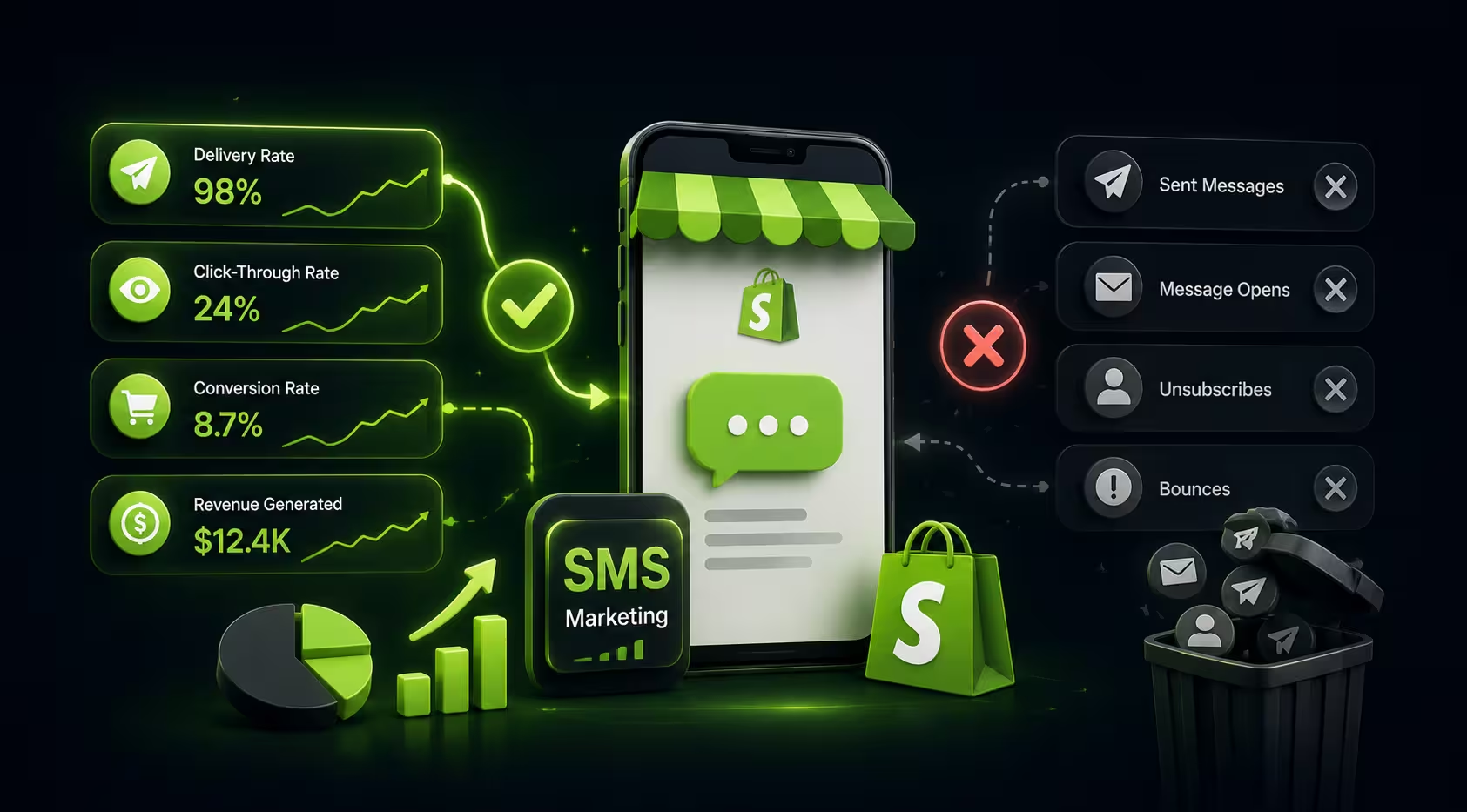
If your SMS campaign says sent but your customers never actually receive the text, you do not have a messaging problem. You have a deliverability problem.
And for Shopify merchants, that distinction matters.
A weak offer can hurt click-through rate. A bad send time can hurt conversions. But when Shopify SMS deliverability breaks, the message never gets a real chance. Your abandoned cart reminder, back-in-stock alert, or post-purchase follow-up may be stopped by carriers, blocked by sender issues, or held back by missing consent data before it ever reaches the customer’s phone.
That is why merchants searching for answers like shopify sms not delivered, shopify text messages not sending, or sms messages not being delivered to customers need more than generic SMS tips. They need a practical diagnostic guide.
This article breaks SMS delivery problems down by actual failure mode: compliance, sender setup, country coverage, quiet hours, message content, links, and carrier filtering. If your texts are going missing, use this guide to identify the likeliest cause and fix it fast.
If you are also evaluating your overall messaging stack, see
Email Marketing for Shopify That Grows Revenue, Not Bills
Turn every store visitor into a customer with Email, Push, & SMS.
What SMS deliverability means in Shopify
SMS deliverability is the rate at which your text messages successfully reach the intended recipient’s device.
That sounds simple, but several checkpoints sit between your Shopify store and your customer’s phone:
- Your SMS app accepts the send request.
- The customer record meets consent and eligibility rules.
- The message is routed through your sender ID, number, or short code.
- Carriers evaluate the content and sender reputation.
- The recipient’s network accepts or rejects the message.
- The phone receives the message.
That means a message can appear as “processed” or even “sent” in your platform and still fail before final delivery.
This is especially important if you use automation for revenue-driving flows. If abandoned cart reminders are central to your retention strategy, you may also want to review 5 Free Shopify Apps That Recover Abandoned Cart Sales, 9 Shopify Apps Proven to Reduce Cart Abandonment, and Abandoned Cart SMS Sequences for Shopify.
The fastest way to troubleshoot Shopify SMS delivery issues
Before diving into edge cases, diagnose in this order:
1. Check whether the customer actually opted in
If consent is missing, invalid, or collected in a non-compliant way, many platforms will suppress the message or carriers may reject it.
2. Confirm the destination country is supported
Some numbers cannot be reached due to country restrictions, sender limitations, or local telecom rules.
3. Verify sender setup
If your 10DLC registration, toll-free verification, or sender profile is incomplete, messages may be blocked, throttled, or filtered.
4. Review quiet hours and sending windows
Sometimes texts are not “failing” at all. They are being delayed because the platform is respecting local quiet-hour rules.
5. Audit the text copy
Certain phrases, URL patterns, capitalization, and discount-heavy language can trigger carrier filtering.
6. Test a clean version of the same message
Remove links, emojis, coupon language, and urgency terms. If the clean version delivers, the issue is likely content related.
7. Look for carrier-specific patterns
If texts fail mostly on one telecom network or region, carrier filtering is the likely cause.
This same methodical approach works well across channels. For broader retention diagnostics, see The Ultimate Shopify Omnichannel Marketing Strategy Guide and How to Measure ROI of Your Shopify Omnichannel Campaigns.
Symptom-to-fix table for undelivered Shopify texts
Reason #1: The customer was never properly opted in
One of the most common reasons behind shopify text messages not sending is also the least glamorous: the subscriber record is not usable.
A phone number in Shopify is not the same as SMS consent.
Many merchants assume that if a customer added a phone number at checkout, that customer can receive marketing texts. That is not always true. Consent rules differ by region and by message type, but the bigger operational point is simple: your SMS platform usually needs a valid, trackable marketing opt-in event.
Common opt-in problems
- Phone number collected without explicit SMS consent
- Consent captured in one app but not synced correctly to another
- Imported contacts missing proof of consent
- Old subscribers grandfathered into email but not SMS
- Checkout forms that save phone numbers without proper marketing checkbox logic
- Keyword opt-ins or pop-up opt-ins not mapped correctly to the subscriber profile
How to fix it
- Audit how consent is collected across popups, checkout, landing pages, and manual imports
- Ensure consent timestamps and source details are stored
- Standardize opt-in collection so all paths feed the same subscriber profile
- Suppress questionable records instead of blasting the entire list
- Rebuild your list quality before scaling volume
For list-building and segmentation support, related reads include Shopify Customer Segmentation Guide, Shopify SMS Segmentation: Rules, Segments, Metrics, and More, and Best Shopify apps to grow SMS subscriber list at checkout.
Reason #2: Your sender setup is incomplete or weak
If your SMS program recently launched and you are already seeing shopify sms not delivered issues, sender configuration should be near the top of your checklist.
Your sender identity tells carriers who is sending the message and whether they trust that sender. If that setup is incomplete, your campaigns may be slowed, filtered, or outright blocked.
Typical sender-side issues
- 10DLC registration not approved or misconfigured
- Toll-free number not verified
- Sudden volume spikes from a fresh number
- Mismatch between brand details and campaign use case
- Using the wrong sender type for the type of traffic
Why this matters
Carriers are increasingly strict about promotional SMS. If your ecommerce store jumps from zero to thousands of messages on an unproven sender, filtering risk rises fast.
How to fix it
- Complete all sender registration steps before serious campaign volume
- Match your use case accurately during setup
- Start with lower, predictable sending volume to build a healthier reputation
- Separate transactional and promotional use cases when appropriate
- Ask your provider for sender-status visibility if reporting is unclear
If you are comparing platforms partly on deliverability readiness, you may find these useful: Best SMS Platform for Shopify (2026): 8 Options Compared, Best Shopify SMS Apps, and PushOwl vs. Klaviyo.
Reason #3: Carrier filtering is catching your message copy
This is the issue most merchants think of first, and for good reason. Carrier filtered SMS Shopify problems are real, especially for aggressive promotional campaigns.
A carrier may filter your message if the content looks spammy, deceptive, or inconsistent with your registered traffic type.
Risky SMS patterns that often hurt deliverability
- ALL CAPS copy
- Too many exclamation marks
- “Act now” or “last chance” style overuse
- Messages overloaded with discount language
- Suspicious or generic short links
- Multiple links in a single SMS
- Claims that resemble scams, sweepstakes, or prohibited offers
- Repetitive sends with nearly identical copy
Examples of risky copy
Instead of:
FINAL HOURS!!! CLICK NOW FOR 70% OFF!!! LIMITED OFFER!!! bit.ly/xyz
Try:
Your cart is still available. Complete your order here: brand link. Use code SAVE10 at checkout.
The second version is clearer, calmer, and more consistent with expected brand messaging.
How to fix it
- Use natural language
- Limit links to one per message
- Avoid link shorteners that obscure the destination
- Reduce hype-heavy language
- Personalize where relevant
- Align promotional intensity with subscriber expectations and send frequency
- A/B test copy not just for clicks, but for actual delivery rate
For practical campaign-writing help, see SMS Conversion Strategies for Shopify, 10 Shopify Email Templates Every Brand Must Use, and Email Subject Lines: A Guide for Shopify Stores. While those last two focus on email, the same principle applies: clarity beats cleverness when deliverability is at stake.
Reason #4: Your links are raising trust issues
Links are essential in SMS. They are also one of the fastest ways to damage delivery if handled poorly.
Carriers and downstream systems look closely at URLs. If your message contains a suspicious domain, a public shortener, or redirect-heavy tracking links, filtering risk can increase.
Link-related problems to watch for
- Generic shorteners instead of branded domains
- Excessive tracking parameters
- Redirect chains
- Sending to pages that do not match the SMS promise
- Broken links that increase complaints and distrust
Best practices
- Use a recognizable branded link whenever possible
- Keep one clear CTA
- Send traffic to a mobile-friendly page
- Match the link destination to the message intent
- Test the final URL on multiple devices before launch
This is especially important in high-intent flows like price-drop and back-in-stock campaigns. Related resources: Turn Price Drops into Sales Instantly, Turn Browsers into Buyers with Push Notifications for Shopify, and The 8 Best Web Push Apps in 2026 for Shopify.
Reason #5: Quiet hours and local timing are delaying sends
Not every “missed” text is actually undelivered. Some are delayed due to time-of-day restrictions.
If your automation should send instantly but does not, check whether your platform respects quiet hours based on the recipient’s local timezone. A customer who abandons cart at 11:45 PM local time may not receive your reminder until the next allowed sending window.
How this creates confusion
- Test sends appear inconsistent across markets
- Merchant expects immediate delivery
- Platform logs show a send queue or scheduled status
- Some contacts get messages instantly while others wait hours
How to fix it
- Review account-level quiet-hour settings
- Check automation timing rules by country or timezone
- Distinguish “queued for legal send window” from genuine delivery failure
- Set expectations internally for after-hours trigger behavior
For merchants building automated lifecycle programs, Shopify Marketing Automation that grows revenue, not just clicks and Automate Web-Push Notifications with Shopify Flow can help you think through timing logic at a broader level.
Reason #6: The destination country or number format is unsupported
Another overlooked cause of sms messages not being delivered to customers is basic send eligibility.
If your list includes international subscribers, landlines, incorrectly formatted numbers, or unsupported destinations, you may see partial delivery failures that look random until you segment the data.
What to check
- Country coverage by destination
- Whether numbers are mobile-capable
- E.164 formatting consistency
- Duplicates and malformed phone fields
- Market-specific legal limits on promotional SMS
How to fix it
- Validate phone numbers at collection
- Normalize formatting before syncing into your SMS tool
- Split reporting by country and carrier
- Exclude unsupported destinations from promotional sends
- Use market-specific workflows where needed
Reason #7: Your list hygiene or sending behavior damaged reputation
Deliverability is not only about compliance and setup. It is also about trust over time.
If subscribers ignore, opt out of, or complain about your messages, performance can deteriorate. Carriers and providers monitor patterns. Poor engagement combined with spam-like copy and inconsistent volume can make future campaigns harder to deliver.
Common reputation killers
- Sending too often
- Texting disengaged subscribers repeatedly
- Irrelevant campaigns to broad segments
- Big promotional spikes after long silence
- No segmentation by buyer behavior
- Weak onboarding that sets no expectation for frequency
How to fix it
- Segment more aggressively
- Remove inactive subscribers from high-frequency sends
- Build predictable sending cadence
- Align flows to lifecycle stag
- Track complaint and opt-out patterns closely
If you need a stronger strategic foundation, start with The Ultimate Shopify Omnichannel Marketing Strategy Guide, 10 Omnichannel Personalization Examples from Shopify Brands, and Free Email Automation for Shopify.
A practical 10-minute diagnostic workflow
When a merchant says, “Our Shopify texts are not sending,” here is the fastest useful sequence:
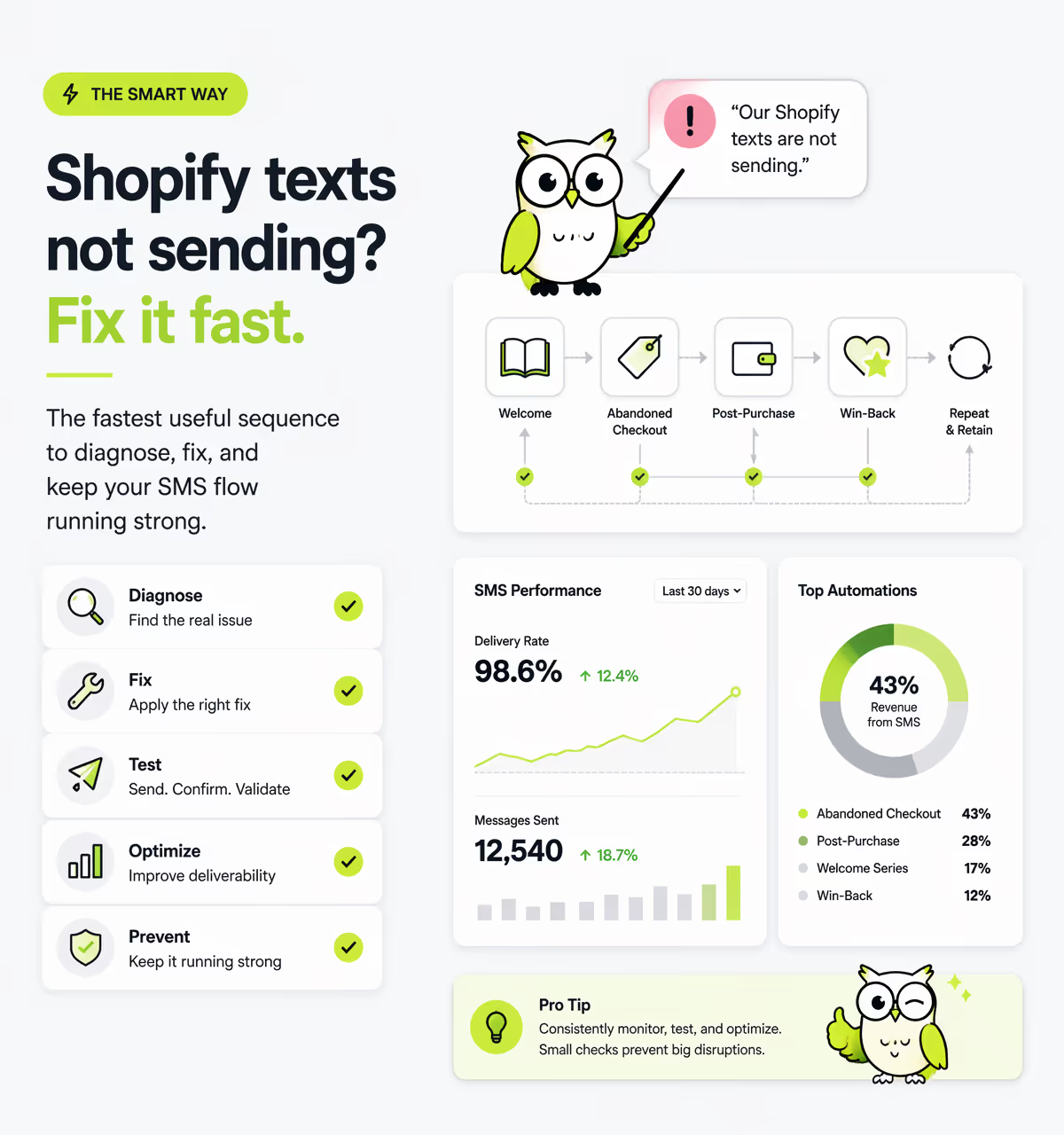
Step 1: Check one failed recipient
Pick a real example, not an aggregate report.
Step 2: Confirm opt-in status
Was valid SMS marketing consent actually present?
Step 3: Verify number quality
Is the number mobile, formatted correctly, and in a supported country?
Step 4: Review sender status
Was the message sent through an approved and healthy sender setup?
Step 5: Inspect message copy
Did the SMS include spam-trigger language, multiple links, or suspicious formatting?
Step 6: Compare by carrier
Are failures clustered on a particular network?
Step 7: Send a stripped-down version
Remove the discount code, urgency wording, emojis, and tracking-heavy link.
Step 8: Check timing restrictions
Was the message delayed due to quiet hours rather than blocked?
Step 9: Review recent changes
Did you switch platforms, numbers, domains, or campaign structure recently?
Step 10: Escalate with evidence
Bring your provider recipient examples, timestamps, carrier info, and content samples. Vague tickets get vague answers.
What good Shopify SMS deliverability looks like operationally
Strong deliverability is usually a process advantage, not a hack.
Merchants who consistently reach inboxes and phones tend to do the following well:
- Collect clean, explicit consent
- Register senders properly
- Warm volume instead of spiking it
- Write clear, trustworthy copy
- Use branded domains
- Respect timing and frequency
- Segment based on customer behavior
- Monitor deliverability, not just clicks and revenue
That last point matters. If you only track attributed sales, you can miss a delivery problem until it becomes expensive.
For a more complete measurement framework, read How to Measure ROI of Your Shopify Omnichannel Campaigns, Email Marketing for Shopify: The 2026 Platform Comparison Guide, and Are Your Shopify Marketing Emails Going to the Spam Folder?.
Conclusion
When shopify sms deliverability drops, the fix is rarely “send more messages” or “switch apps immediately.” Most failures come from a handful of root causes: bad consent data, incomplete sender setup, risky copy, weak links, unsupported destinations, quiet-hour confusion, or carrier filtering.
The good news is that SMS delivery issues are usually diagnosable if you troubleshoot in the right order.
Start with consent. Then verify sender setup. Then audit the message itself. If needed, isolate by country and carrier. That sequence will solve most cases of shopify sms not delivered, shopify text messages not sending, and related merchant complaints far faster than guessing.
And if you want an SMS, email, and push setup built for clearer automation and better conversion visibility, explore Pushowl, SMS Marketing for Shopify, and Start free, upgrade anytime.