Email deliverability is one of those things most teams only think about when something breaks.
Campaigns are still going out.
Automations are firing.
Revenue hasn’t dropped.
Then open rates soften, and suddenly every email feels harder to ship with confidence. By the time deliverability becomes visible, the damage has usually been compounding for a while.
That is because email deliverability is shaped by a series of technical decisions: how lists are grown, how sending patterns change over time, how infrastructure is configured, and how consistently those choices hold up as volume increases.
This guide breaks down email deliverability, focusing on what actually influences inbox placement and how to build systems that protect deliverability as you scale.
What Is Email Deliverability? (+Why Email Deliverability Matters)
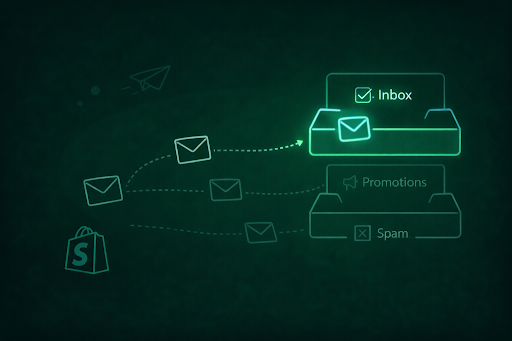
Email deliverability means ensuring your marketing emails land in a subscriber’s inbox rather than their spam folder. If a subscriber sees your email in their inbox, they are more likely to read it, which will further boost other e-commerce metrics, such as open rates and CTR.
If your marketing communications get exiled to the spam folder, your email list will probably not even realize you are sending them something. All the newsletters you curated with high-level research and care, and the time-sensitive sales promos that need fast opens? They will not see the light of day.
Factors That Affect Email Deliverability
Inbox placement is the outcome of how trustworthy your emails look, how responsibly you send them, and whether real subscribers engage over time. While inbox providers evaluate dozens of signals, you can trace back deliverability issues to a small set of core factors:
Email Authentication and Domain Trust
Meeting SPF, DKIM, and DMARC parameters proves that your emails are legitimately sent on your behalf and have not been tampered with. When authentication is weak or misconfigured, mailbox providers apply stricter filtering.
Sender Reputation and Sending Behavior
Sender reputation is shaped by how recipients respond to or engage with your emails over time. Inbox providers evaluate engagement patterns and complaint rates across sends to determine whether a sender is trustworthy.
Volume alone is not a problem; brands can send frequently without harming deliverability as long as engagement remains strong and negative signals stay low. But issues with email deliverability occur when sending behavior changes faster than engagement can support, such as:
- Rapid volume increases
- Reactivating long-dormant lists
- Repeatedly emailing unengaged subscribers
The above practices can lead to drops in opens and clicks, or to customers being more inclined to mark your emails as spam.
List Quality and Subscriber Hygiene
Deliverability problems start with the list, not the content. High bounce rates indicate issues with email delivery. But spam complaints and large pools of inactive subscribers signal to providers that emails are being sent to recipients who are no longer responsive, which can help you infer that your email delivery is poor.
Do regular list cleaning and pruning of inactive contacts to help maintain healthy engagement ratios and, in turn, protect your sender reputation.
Technical Configuration and Sending Infrastructure
Inbox providers evaluate the technical environment from which emails are sent. This includes the sending IP and domain configuration.
If there are issues in the broader infrastructure management, it can affect inbox placements.
Email Authentication: What To Set Up (and What To Check)
Missing or broken email authentication is a one-time setup-and-verify step. Mail authentication helps inbox providers verify that emails are legitimately sent on your behalf and haven’t been altered. SPF, DKIM, and DMARC are email sender rules and protocols that help with this:
- SPF (Sender Policy Framework): With this protocol, inbox providers know which servers are allowed to send emails using your domain. If an email comes from a server not listed in your SPF record, it may be rejected.
- DKIM (DomainKeys Identified Mail) adds a cryptographic signature to your emails. This allows mailbox providers to confirm that the message has not been modified after it was sent and that it genuinely comes from your domain.
- DMARC (Domain-based Message Authentication, Reporting, and Conformance): It ties SPF and DKIM together and specifies how inbox providers should handle messages that fail authentication.
Periodic checks with your ESP help catch misconfiguration.
How To Avoid Getting Blacklisted When Sending Emails
In most cases, getting blacklisted is a downstream signal that something in your sending setup or behavior has gone wrong over time. Other than the above factors related to email deliverability and authentication, you also have to steer clear of buying email lists or doing mass emailing to a list that has never heard from you before.
Here is a snippet of a comment to a post asking about sending emails to a mailing list of around 600K cold prospects. The key factor here is “cold prospects,” i.e., these are contacts who are not expecting an email from your brand because they did not sign up:
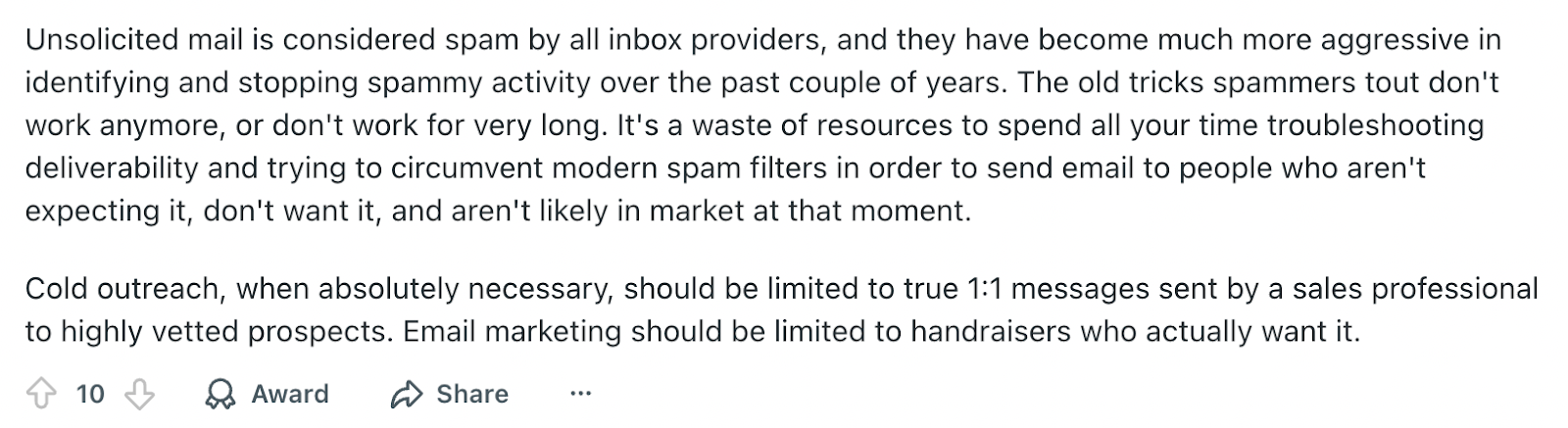
These contacts have not given explicit consent, leading to higher complaint rates, lower engagement, and, eventually, blacklisting.
Not every blacklist listing requires action. Many blacklists are informational or low-impact and do not directly influence inbox placement. Automated alerts can flag these listings even when email performance remains unaffected, which often leads teams to chase issues that do not actually exist.
When a Blacklist Requires Action
A blacklist requires attention when it coincides with clear signs of deliverability decline:
When a Blacklist Does Not Require action
How To Warm-Up Your List To Build Sender Reputation
Warm-up is relevant when the reputation is new. This typically applies to new domains or IPs (brands resuming sends after a long pause) or teams making significant changes to their sending setup.
In these situations, inbox providers have limited historical data, so early sending patterns carry more weight in shaping future delivery outcomes.
Warm-up does not require following rigid schedules. Sending volume should increase in sync with demonstrated stability. Warm-up becomes necessary when sending behavior changes faster than mailbox providers can establish a reliable baseline. It is also essential to distinguish warm-up from ongoing sending behavior.
Even established senders can damage their reputation through sudden, unsupported changes (such as large one-off campaigns or reactivating dormant lists).
The following list contains warm-up mistakes you should avoid:
- Ramping volume before stability is established: Increasing send volume without first confirming low bounce rates and complaint levels makes it harder for mailbox providers to establish trust.
- Including inactive or cold subscribers too early: Warm-up performs best when early sends go to highly engaged recipients. Introducing dormant segments suppresses engagement signals and slows reputation building.
- Changing multiple variables at once: Switching domains, email types, cadence, or infrastructure simultaneously creates inconsistent signals and obscures what’s affecting performance.
- Treating warm-up as a fixed schedule: Following rigid day-by-day volume plans rather than responding to actual delivery and bounce data often leads to premature scaling.
- Assuming warm-up is a one-time task: Long sending gaps or sudden volume shifts can reset trust expectations, requiring renewed attention to sending behavior.
List Management and Hygiene
List management is one of the most decisive factors in long-term email deliverability. Poor list hygiene compounds quietly and is often the root cause behind deteriorating inbox placement.
Double Opt-In vs. Single Opt-In
The opt-in method shapes list quality from the start. Single opt-in means asking the prospect for their email address once to confirm subscription. It allows faster list growth but increases the risk of invalid addresses, bots, and accidental sign-ups.
Double opt-in adds friction, but it confirms intent and significantly reduces bounces and complaints. A double opt-in email is simple, as this example by The Honest Kitchen shows:
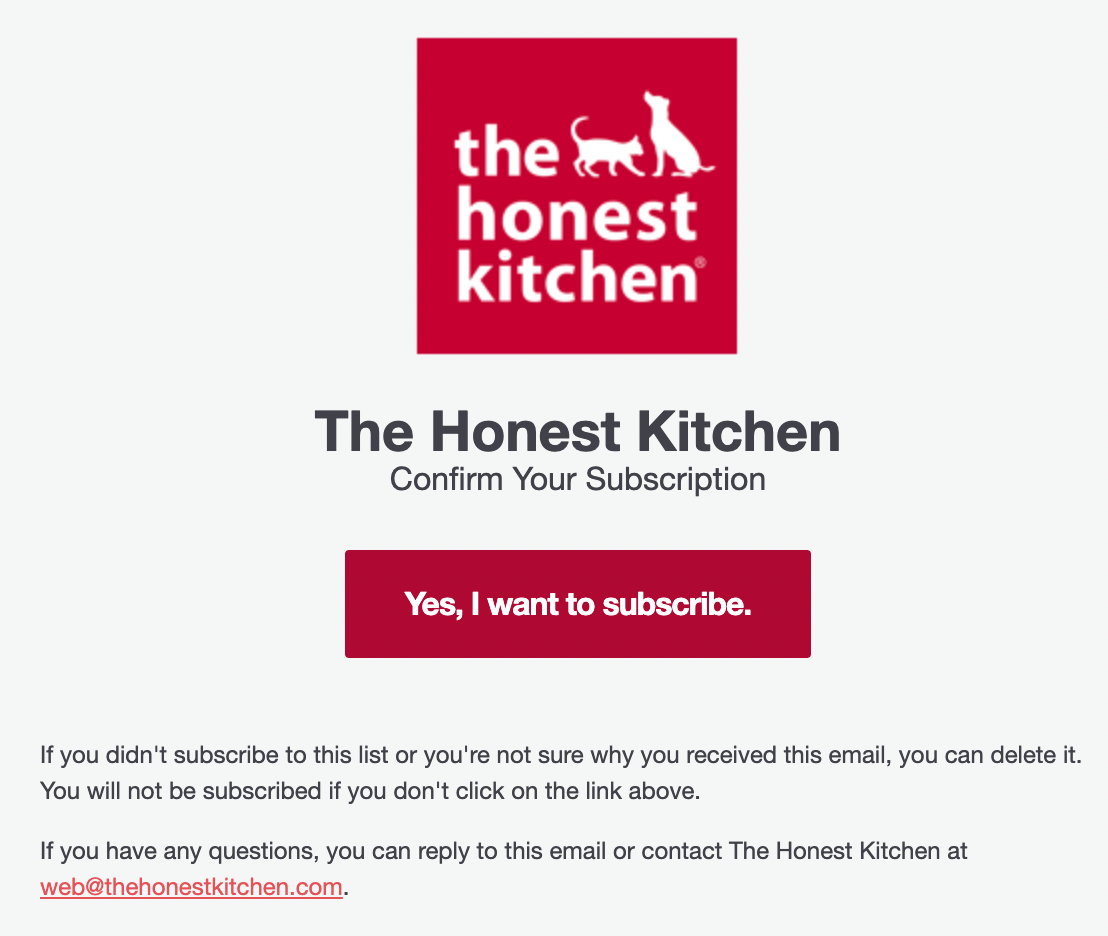
Using a double opt-in mechanism will improve email deliverability.
Email Content & Technical Best Practices
While email content does not determine deliverability in isolation, it does influence how inbox providers interpret sending patterns over time.
The golden rule is to match what your recipient expects. Sounds easy? It can be, if you focus on the following elements:
Subject Lines
47% of email recipients open an email based on the subject line.
Overly salesy or misleading subject lines may be the easiest way to get opens, but they will not work long term. Including a barrage of emojis or aggressive capital letters will catch attention, but might alienate subscribers.

Using relevant, personalized subject lines that match your brand's tone will improve email deliverability and support overall customer retention and loyalty.
Formatting Structure
Your email copy should be formatted so that it makes structural sense across any device. Ensure that quote boxes, headings, and other elements are placed in the correct position. Faulty formatting detracts from the overall reading experience and might prompt subscribers to mark the email as spam.
Images, Links, and CTA Buttons
An email that has too many visual elements or too much text will not have the impact you desire. GIFs or complex creatives can also slow down email load times and trigger spam filters.
When adding links and images, skim through the email from a big-picture perspective to get a visual sense.
Stick to 1-2 CTAs to avoid overwhelming the subscriber with multiple next steps.
All the links in the email should lead to different web pages. With each link, you are taking away your subscriber’s attention from the email, so include all the essential information you absolutely need your subscriber to read above the CTAs and links.
Monitoring Metrics To Check Email Deliverability
When choosing an email service provider, ensure that they do not guarantee a specific email deliverability rate.
That is because email deliverability is not an e-commerce metric that appears on your dashboards; it cannot be measured because you cannot tell whether an email landed in the spam folder or the inbox.
Email Delivery vs. Email Deliverability
What you can measure is email delivery rate, which is the percentage of emails that make it to your subscriber’s inbox, spam, or any other folder, and does not bounce back with a mail delivery failure message.
Deliverability and delivery/send rate are different concepts.
How will you know whether your email deliverability is failing and your emails are going into a customer’s spam folder? When they tell you about it. You can also use metrics such as your unsubscribe rate, spam complaint rate, and other engagement metrics to gauge whether your marketing is failing at email deliverability.
Bounce and complaint metrics provide early visibility into delivery stress. Unexpected increases can signal technical misconfigurations or sending behavior that does not match the recipient’s expectations.
These metrics are most useful when tracked relative to historical baselines rather than absolute thresholds.
Using Mailbox Provider Dashboards
Mailbox-provider dashboards, such as Postmaster Tools, provide aggregated insights into how sending domains are evaluated at scale. These tools are diagnostic: they help confirm whether recent changes are improving or degrading trust, but they should be interpreted directionally rather than used as standalone decision-makers.
Additional Considerations for Email Deliverability
Factors that are unrelated to day-to-day campaigns also affect email deliverability. Inbox providers differ in how they evaluate risk, which means deliverability patterns may vary across providers even when sending behavior remains consistent.
For Shopify brands, sending behavior spikes around launches, seasonal campaigns, the holiday season, and other high-traffic periods.
This can temporarily stress deliverability if not planned for. Understanding how your e-commerce platform influences send frequency and timing helps explain fluctuations that are not tied to list or content issues.
ESP limitations can also be an obstacle. Shared infrastructure and restricted configuration options may affect how quickly changes take effect or how much control teams have over delivery behavior. In these cases, deliverability constraints are not caused by campaigns but by platform boundaries that must be accounted for.
Email Deliverability Mistakes To Avoid
Issues with email deliverability do not arise from a single or two missteps. It’s the result of a series of mistakes over time. Here are a few fundamental email deliverability errors to avoid:
Scaling Volume Without Reassessing the Audience
Increasing send volume without reviewing who is included in the audience often leads to a gradual decline in inbox performance. Continuing to send them dilutes overall responsiveness and weakens trust signals over time.
Overreacting to Short-Term Fluctuations
Deliverability metrics fluctuate naturally. Pausing sends or switching domains based on brief dips can make things worse. Sustainable improvements come from observing patterns.
Blurring Email Intent
Mixing promotional content with transactional emails, or changing the send intent without proper preparation, erodes recipient expectations. Over time, this consistency makes it harder for mailbox providers to classify and trust your emails.
Pre-Send Delivery Checklist
Before sending a campaign or increasing volume, confirm:
This checklist won’t guarantee email deliverability, but it helps prevent avoidable mistakes before they compound.
Don’t Let Email Deliverability Issues Undermine Your Marketing
PushOwl is built to support reliable, scalable messaging for growing brands, reducing the operational gaps that often lead to deliverability drift. By making sending patterns and subscriber management easier to manage in one place, it helps teams focus on sending relevant messages without constantly second-guessing inbox outcomes. Your e-commerce marketing strategy will thank you.
Deliverability works best when it’s boring, so let us take it off your plate.