Introduction
For your Shopify store, when you are considering reliable email delivery methods, SMTP relay becomes a key option. It helps send large volumes of emails without issues like spam filters or blacklisting. Tools like PushOwl use strong email features for abandoned carts and newsletters, but they need a good setup to reach inboxes. Without it, messages fail or land in junk folders. A proper setup boosts open rates and sales recovery. In this blog post, you will learn what SMTP relay is, how it works, and the steps to use it with your store.
1. What Is SMTP Relay?
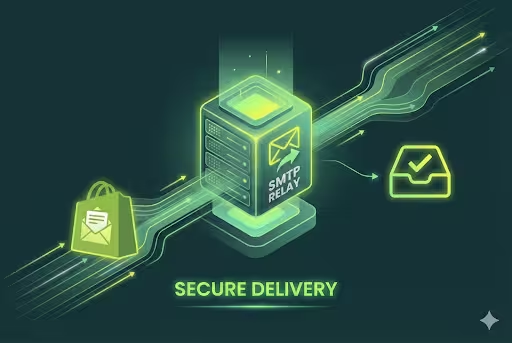
SMTP relay is a system that forwards emails from one server to the next until they reach the recipient's inbox. It acts as a middle step in the email delivery process. When your Shopify store sends bulk emails, such as newsletters or order updates to the user, the smtp server hands them to the relay for secure transfer. This setup helps prevent any direct sending issues, like blocks from email providers. Using these reliable relays ensures that the messages arrive quickly and stay out of spam folders for users.
2. SMTP vs SMTP Relay
Let us understand how SMTP and SMTP relay differ in ways for email sending to your users.
3. SMTP Relay vs SMTP Server
SMTP relay and smtp server can serve very different purposes in email delivery for your Shopify stores.
4. SMTP Relay Service Explained
To be able to send high volumes of emails reliably, SMTP relay service providers offer different tools. These third-party services take emails from your Shopify store and route them through their secure servers, which is done to mainly avoid any blocks from providers like Gmail or Outlook.
Plus, for your marketing campaigns, such as abandoned cart reminders, choosing a good smtp relay provider can help your messages reach the right inboxes, where the users connect via simple settings to start sending without any of the setup hassles.
5. Why SMTP Relay Matters
When you want a reliable email delivery service for your Shopify stores, SMTP relay matters, as it efficiently protects your domain from any blocks when sending high volumes, like abandoned cart notices, and other emails that are usually considered as bulk emails.
Without it, these emails can easily end up in the spam folder for your users or fail completely, so this setup maintains a good sender reputation with the email providers. By doing this, businesses can see higher open rates for their emails and better sales from consistent delivery. The tools for marketing emails can depend on free smtp relay options or paid ones to make sure there is proper reach.
6. Benefits of Good Delivery
Having a proper smtp relay setup in place can help improve your email performance for Shopify marketing, because this makes sure the messages land in inboxes instead of spam folders.
- With this, the emails can reach more customers with higher delivery rates.
- The open rates for your emails increase because recipients trust the sender.
- You can recover any lost sales from your campaigns, like abandoned carts, to grow faster, gain your customer’s trust, and provide value to them.
7. Important Statistics on Email Delivery
To get easy, efficient, and proper email delivery, the use of the best smtp relay achieves 83% email delivery rates on average. Without it, these rates can drop below 20%, which is why the there is a high importance and value of a good setup for Shopify marketing emails. Stores with strong delivery can easily see higher open rates and benefit more from their sales campaigns, because the difference impacts their revenue directly.
8. How SMTP Relay Works Step by Step
To set up the smtp relay efficiently, you can follow this easy step guide for your Shopify store.
Step 1: Your Shopify app creates the email message with all the relevant and necessary recipient details. The system then prepares it for sending through the secure channels.
Step 2: The smtp relay server connects to the app using the right login details from your customer, and the authentication checks for the sender's permission to use the given service.
Step 3: Next, the relay checks the email content and sender validation, so that it can approve or reject the email depending on any spam rules before going forward.
Step 4: The relay then redirects the email to the right recipient's mail server, and here, multiple hops can make sure it avoids any blocks during the transfer process.
Step 5: The recipient's server delivers the email to their inbox, where the tracking confirms the successful placement in the right inbox without any spam folder issues.
For email handling, SMTP relay uses four important things, which are the MUA, which is the email client that allows users to write their emails/messages.
- The MSA component then receives emails from the MUA and verifies if they have the correct authentication before forwarding them.
- MTA then moves emails between servers across different domains as required and in the correct manner.
- Finally, the message is delivered to the recipient's mailbox by the MDA.
In Shopify store setups, the MSA checks the marketing emails, while the MTA directs them properly to prevent any spam filters, to provide safe, step-by-step delivery for high volume emails.
9. Understanding the Open Relay Risks and Security
In the case of open relays, they can be very risky for email senders because they let anyone use the server without checks, which can lead to misuse. But on the other hand, a closed SMTP relay setup needs authentication for safe use in Shopify marketing, which helps protect your domain from being blacklisted.
- Spammers can easily take advantage of the open relays to send large amounts of junk mail.
- Some of the issues such as your IP address being blocked by providers after misuse, can be a problem.
- Some security benefits, like using closed systems, can help check senders before forwarding the emails.
- To stop any unauthorized access to your account, you can use prior authentication and authorization.
- Secure relays keep a good sender reputation to provide improved delivery and help prevent any security issues.
10. Learning About the Common SMTP Ports
SMTP relay setup requires certain ports for safe email sending from Shopify stores. And here, the marketing tools in Shopify choose these ports according to various provider rules/guidelines. To improve the delivery rates of your emails, and avoid any kind of connection failures, it is important to choose the right port. It is a good idea to always test each port during initial setup to confirm its proper compatibility.
11. Understanding SMTP Response Codes
For Shopify, SMTP relay providers return three-digit codes to show the appropriate and corresponding email status. These codes help in identifying any issues in Shopify campaigns. You can always check logs from your provider to track these delivery success and fix errors, if any, immediately and quickly.
12. Understanding Authentication Protocols
In your Shopify store, these protocols work together to protect Shopify marketing emails from any spam blocks. Since the providers check all three before inbox placement, you need to set them up in DNS for proper, reliable delivery.
- To pass different spam checks, SMTP relay requires authentication protocols.
- SPF lists approved sending servers in DNS records.
- To make sure and verify that your email content hasn't changed, DKIM adds a digital signature.
- DMARC sets rules for failed checks and requires alignment between sender details.
13. SMTP Relay vs Email Service Provider (ESP)
Let us understand the differences in smtp relay and the email service provider, for Shopify different needs.
14. How to Choose the Right SMTP Relay Provider
- You can check the deliverability rates to be above 98% from smtp relay providers.
- It is best to verify SPF, DKIM, and DMARC support for security.
- You can start by comparing the pricing based on email volume, not subscribers.
- You should confirm 24/7 support and Shopify integration ease before choosing.
- It is good to always test free trials for uptime and inbox placement.
15. Step-by-Step SMTP Relay Setup
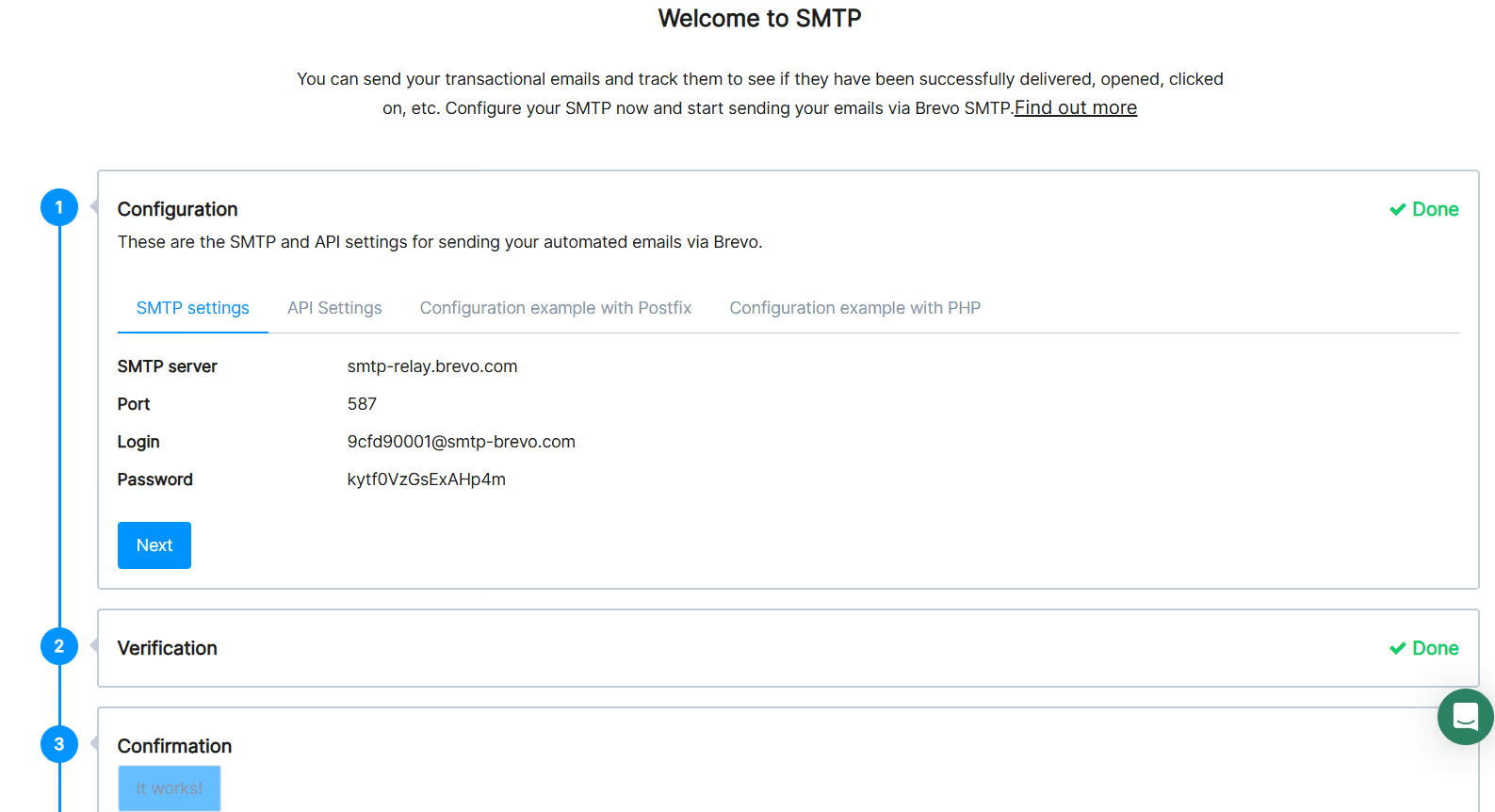
https://app-smtp.brevo.com/real-time
Here is an easy step guide for you to follow to set up your smtp relay for your Shopify store.
- You need to first choose a reliable smtp relay provider and sign up for an account.
- Next, get your SMTP credentials, including the hostname, port, username, and password.
- You can now log into your Shopify admin and navigate to email or app settings.
- Next, enter the SMTP details in the outgoing mail configuration fields.
- It is a good idea to test the connection by sending a sample email to verify delivery.
- You can monitor logs for response codes and adjust the settings if needed.
16. Platform-Specific Guides
SMTP relay providers work with well-known and efficient e-commerce platforms for reliable email delivery. For Shopify apps handling marketing campaigns, you need to enter the smtp credentials in the app's email settings page.
- You can connect using port 587 with TLS for secure connections.
- WordPress sites include the important settings in plugins such as WP Mail SMTP under general settings.
- WooCommerce users can easily set it up through the official SMTP extension in the store admin.
You should always test after setup to make sure that the emails reach the right inboxes without any issues.
17. Best Practices for SMTP Relay
Check out these best practices that can be useful for you when using the smtp relay on your Shopify store.
- It is good to first warm up your smtp relay by sending small volumes before starting to build a reputation.
- You should consider cleaning email lists regularly to remove any email bounces and inactive users.
- You can monitor delivery rates and response codes daily for any issues.
- It is good to use double opt-in for subscribers to make sure there are valid permissions.
- You can also rotate the IP addresses with providers when you are using the high-volume campaigns.
18. Common SMTP Relay Issues
These are some of the most common smtp relay issues that are found in Shopify, and how you can solve them efficiently and easily.
- Your emails may bounce because of invalid addresses in smtp relay sends, and to solve this, you should effectively remove bad emails from lists before campaigns.
- During your Shopify setup, the connection fails on the wrong ports, so here you should switch to port 587 with TLS encryption.
- Sometimes, your messages may land in spam folders without proper authentication. So it is best to add SPF and DKIM records to DNS.
- The relay rate can sometimes limit the number of emails and high-volume email sends to inboxes, so it is best to pace out emails or upgrade to higher plans.
- There may be authentication errors that can occur from using too many chances of wrong credentials. So, double-check the username and password in settings before using them.
19. Compliance and Legal Considerations
SMTP relay providers must follow email laws for sending marketing information and emails. CAN-SPAM requires emails to have very clear sender info, physical address, and unsubscribe links in every email, and GDPR applies to EU customers to have explicit consent and data rights.
You have the option to use double opt-in to verify permission and maintain records of subscriber approvals for audits. Remember, the Shopify stores that operate globally must follow local regulations such as CASL in Canada. In these situations, failing to comply to these regulations can result in fines or getting blacklisted, so always provide opt-out options and process removals within 10 days.
20. Overview of Popular Providers for Your Shopify Store
The most popular smtp relay service providers help your Shopify stores in sending bulk marketing and transactional emails to customers, enhancing deliverability and tracking. Here, each one offers different advantages like pricing, features, and ease of use for campaigns such as abandoned cart flows and order updates. Let us check each of them and their USPs.
Brevo
If you are looking for a provider that mainly focuses on high-volume email delivery, you can go for Brevo as it provides you with some powerful APIs, comprehensive analytics, and strong IP reputation tools to address email problems. It provides you with different templates and automation that can integrate easily with push and SMS campaigns. For Shopify stores, it is beneficial when you need both transactional and marketing emails via a single SMTP relay with excellent reporting.
Mailgun
For your developers and product teams to send transactional and triggered emails, Mailgun is a good option, since it gives you flexible APIs, good inbox placement tools, and advanced log options. This suits any setup where the automation platform manages various journeys, and you depend on Mailgun solely for dependable SMTP server delivery, testing, and analytics across multiple domains.
AWS SES (Simple Email Service)
If you need an affordable email sending platform that can grow with your business and is suitable for stores with limited budgets, this is a good choice. It offers SMTP and API sending, along with built-in features for SPF and DKIM, which also manage email bounces. When paired with an omnichannel marketing app, SES acts as the backend system that can reliably send all outgoing emails at a low cost.
ZeptoMail
This provider from Zoho mainly focuses on transactional emails, including order confirmations, password resets, and alerts. It has several benefits, such as providing users with a user-friendly interface, SMTP support, and template management for applications and stores. For Shopify configurations, this provider works well if you keep your transactional emails separate from the numerous promotional ones, using ZeptoMail as the SMTP relay provider layer only.
Mailtrap
This provider is designed and useful for secure testing and staging of emails before going live. Your teams can easily preview, debug, and validate the email headers, HTML, and authentication on a sandbox SMTP. This is helpful when building new flows in your marketing and automation stack, making sure the designs and SPF/DKIM settings work properly before connecting a production smtp relay setup.
21. Security Practices
One of the important aspects that starts with SMTP relay, and providing security on ports 587 or 465 for Shopify marketing tools, is TLS encryption. So, it is a good idea to always enable starttls to protect data during transfer, and use strong SMTP keys and rotate them regularly to prevent unauthorized access.
You can choose to set up approved or allowed IP to allow only your store's servers and use different records in DNS to check for the accurate sender identity. If there is any failed authentication, you can always check the logs, which can help you block spam and keep your campaigns compliant with important provider rules.
22. Optimize the Email Performance
Using an SMTP relay service can help improve the email performance for different campaigns in your Shopify stores. You can follow these steps for improved speed and delivery.
- You can use port 587 with TLS for faster and more secure connections.
- It is a good idea to first warm up the domains by sending low volumes.
- Using clean lists can help you remove bounce rates that are below 2% monthly.
- Try sending the emails during peak open times based on your analytics.
- You should frequently monitor the reputation scores weekly and adjust volume.
23. Different Email Types
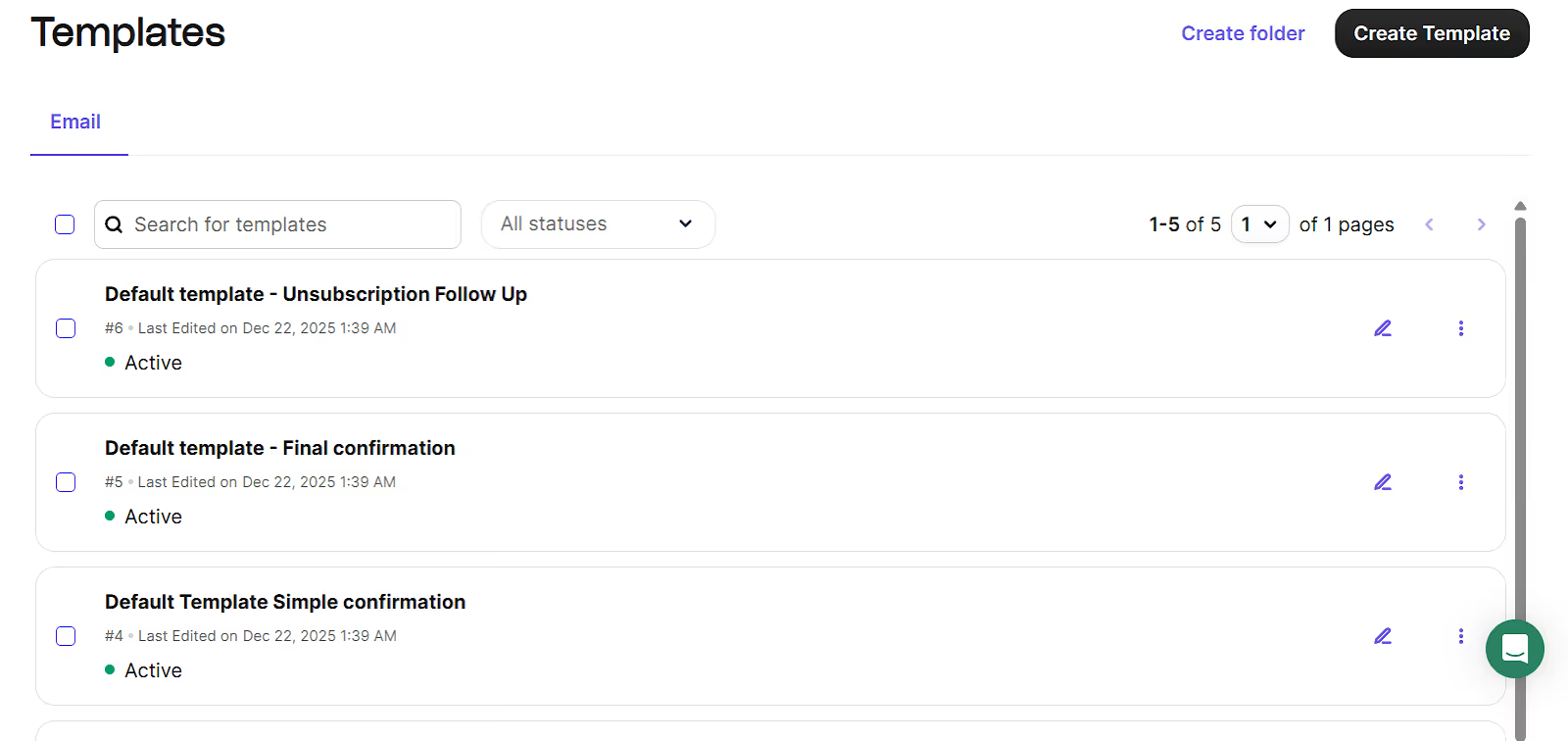
https://app.brevo.com/templates/listing
Transactional Emails: These emails can be triggered because of some specific actions like order confirmation or shipping updates, and provide important information to one customer, with no opt-in required. They usually have high open rates of upto 70% due to their relevance, so Shopify sends them automatically through smtp relay for trust and compliance.
Marketing Emails: These are sent to groups of your target audience to let them know about different promotions, newsletters, or sales, and also require explicit subscriber consent and unsubscribe links. These usually have a lower open rate of around 20%, and you can use smtp relay providers for bulk sending in campaigns such as abandoned carts, along with push notifications.
Abandoned Cart Emails: These emails are sent when customers leave items in carts, and can be transactional if reminding them to take the action or marketing if you are promoting any product upsells. These emails have a high recovery rate of 10-15%, and SMTP relay provides you with fast delivery to help recover sales across various channels.
24. Scaling Strategies
- You can choose to upgrade to dedicated IP addresses in smtp relay setup to get high volumes of over 100,000 emails daily.
- You can switch to providers with unlimited throughput, like Brevo SMTP, in case there are any traffic spikes.
- It is good to use multiple relay accounts to distribute the load across servers automatically without causing any issues later on.
- You can implement queue systems to handle the peak hours without any delivery delays.
- It can help to monitor sender reputation weekly and adjust volumes to stay under limits.
25. Understanding Common SMTP Relay Misconceptions
- Many people think open relays are safe for sending, but they actually put the servers at risk of spam abuse and blacklisting.
- Some believe that SMTP relay ensures 100% inbox delivery, but the spam filters and recipient settings can still block or delay messages.
- It is commonly thought that any SMTP server can be used for bulk sending, but here, a bad sender reputation can still result in rejection by providers.
- Users often think that here the setup is immediate without DNS changes. But in reality, SPF and DKIM records can take up to 48 hours to update.
- People think free relays can send unlimited amounts, but most actually limit daily sends to avoid any issues and misuse.
26. Future Trends in Email Delivery
- AI can help improve the send times for SMTP relay services by understanding and analyzing their user behavior, and thus raising open rates by 13% and increasing revenue by 41% for those Shopify campaigns.
- Interactive emails can now incorporate buttons and forms within the messages, so that the users can easily engage without moving away from their inboxes, which improves click rates for marketing flows.
- The sender identity can now be authenticated and identified visually with enhanced authentication, like BIMI, plus your browsers show logos next to emails.
27. ROI and Business Impact of Using Providers
Going with reliable and efficient SMTP relay providers can greatly improve your business results when applying Shopify marketing automations. The reliable delivery of emails can help businesses to recover abandoned carts and increase their sales from campaigns. Your emails can have better and higher open rates and improved customer engagement.
Businesses can also see an improvement in their brand recall across channels, plus see strong returns from consistent email sends in different email flows. Email campaigns return $36 for every $1 spent with proper relay use.
Conclusion
Using an SMTP relay helps stores send emails faster and more reliably. It improves delivery to inboxes, reduces bounce rates, and supports large email volumes for marketing and order updates. Setting it up with proper DNS records, authentication, and testing ensures every message reaches the right customer.
PushOwl supports automated email, push, and SMS campaigns built on secure smtp relay connections. It gives Shopify stores one platform to send, track, and optimize engagement across all channels, ensuring better communication and consistent growth.