The email marketing process for Shopify is simple on paper: collect subscribers, send campaigns, set up automations, and observe. But in reality, there are so many moving parts that need to run together.
Your…
List growth affects your automations.
Automations affect how your customers move through the buying journey.
Email deliverability can unravel everything when your emails end up in the spam folder.
Most Shopify brands struggle with prioritization and coordinated execution.
When even one piece is missing or inconsistent, performance drops, leaving you to wonder what to fix and how. The stores that see consistent revenue from email are approaching email marketing as a process with a clear structure and rhythm.
This guide breaks down exactly how you can do that, too, right from setting up the foundation to weekly reviews when everything is in place.
The Email Marketing Operating System (EMOS) Overview
Many brands often see the email marketing process as a fixed checklist. Pick a tool, start writing emails, send emails, and you are done.
They may even spend hours refining the email's content and aesthetics. But the “strategy” part is missing.
We have conceptualized the Email Marketing Operating System (EMOS) to help you inject that strategic element. When you treat email as an ongoing system that you can iterate at different stages, your email marketing efforts will compound.

Our EMOS has 4 stages:
- Foundation: You focus on establishing the essentials: the email platform, email deliverability, list capture, and email templates.
- Automation: Builds on the foundation by converting traffic through always-on flows.
- Campaigns: Layers in consistent, planned sends that drive incremental revenue.
- Optimization: So that you can tweak based on ongoing performance and data.
Most brands stop after the first stage and go with the flow. But the e-commerce metrics eventually do not paint a happy picture.
That is because emails do not compound unless all four layers are running together.
You cannot fix weak campaigns with better copy if your deliverability is off, nor can you scale email marketing automations if your list quality is poor. And without regular optimization, not even the most well-planned email marketing systems hold up.
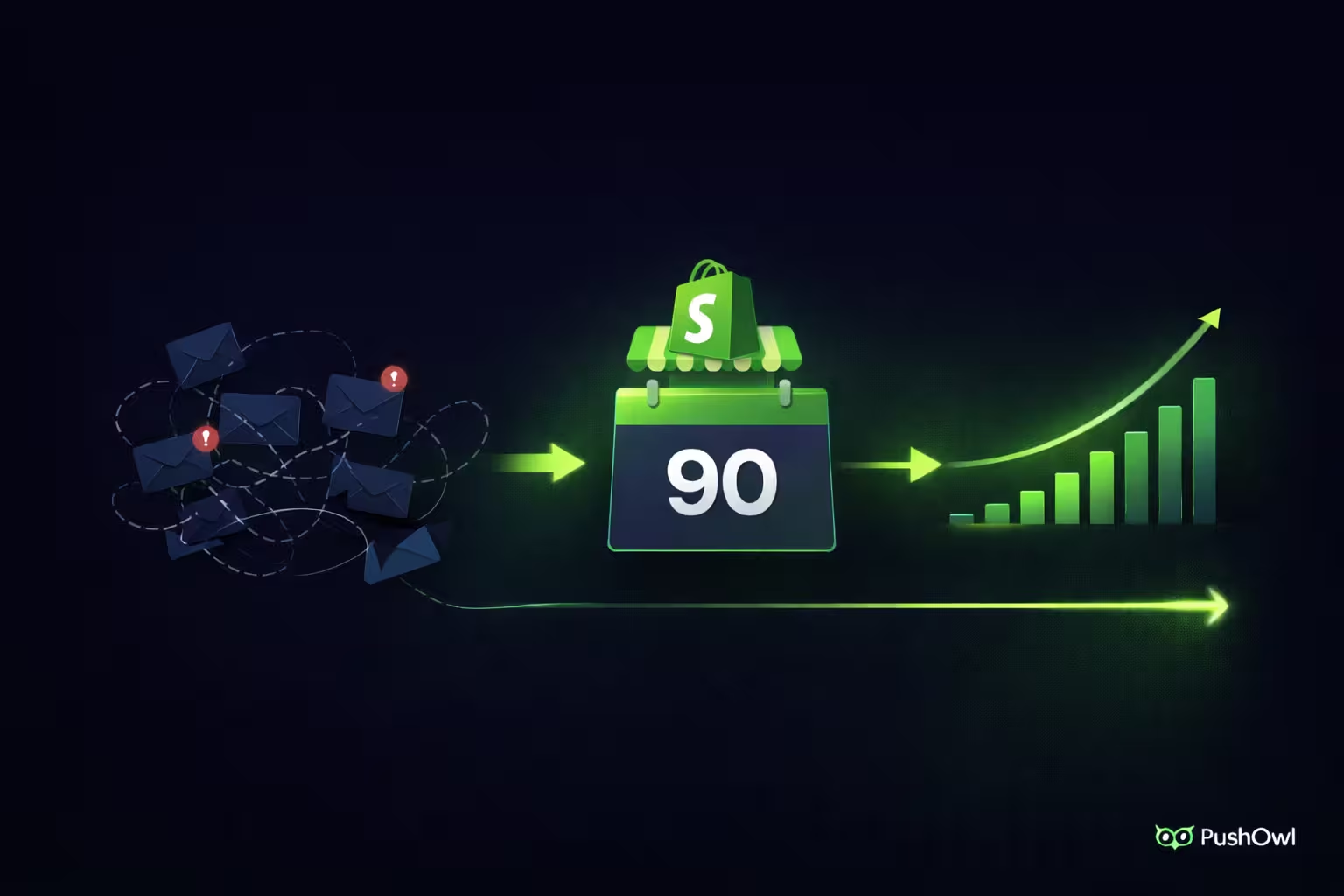
A more realistic way to approach this system is through a 90-day rollout:
Let’s look at the steps you need to take as part of each phase:
Phase 1: Foundation (Week 1 and 2)
Before you send a single campaign, your email setup infrastructure determines whether your emails land in the primary inbox or the spam folder. So your first phase in building the email marketing process should be based on a clean, scalable foundation.
Step 1: Choose and Connect Your Email Platform
Your email platform decides how far you can actually go with retention.
Look for three things when picking an email platform:
- How deeply it integrates with Shopify
- How flexible the automations are
- Whether the email platform can be used in coordination with other marketing channels
- Does the pricing scale based on list size or total number of sends?
The last part is especially relevant for mid-sized Shopify brands with a long email list. Why get charged for a long list when the actual metric should be the number of sends?
PushOwl stitches together email, push, and SMS into a single system with Shopify-native data syncing and pre-built automations. And more importantly, you do not get penalized with higher-priced plans as your list grows.
Multiply revenue with PushOwl’s omnichannel solutions
Once you pick the platform, it’s time to set up some safeguards.
Step 2: Authenticate Your Email Domain
Skipping this step could cost you valuable inbox placement.
Domain authentication (SPF, DKIM, DMARC) tells inbox providers that your emails are legitimate. Without these authentications, you are treated as an unverified sender who cannot be trusted:
- Sender Policy Framework (SPF): Confirms that your email platform is authorized to send emails on behalf of your domain.
- DKIM (DomainKeys Identified Mail): Adds a digital signature to your emails, allowing inbox providers to verify that the message has not been altered in transit.
- DMARC (Domain-based Message Authentication, Reporting & Conformance): Builds on SPF and DKIM to define how unauthenticated emails should be handled.
Set up all three, then verify your sender address inside your platform. This step is crucial for email deliverability, i.e., ensuring your emails are not marked as spam or blocked.
Step 3: Set Up List Collection Points
You need multiple entry points to build your email list:
- Homepage popup
- Exit-intent popup
- Footer form
- Checkout opt-in
- Post-purchase opt-in
And yes, discounts and lead magnets in exchange for subscribing to your email list are effective tactics for growing your subscriber base.
You can A/B test various pop-up offers (percentage discounts vs. fixed-amount discounts) to gauge which is more persuasive to customers based on their order value.
But many Shopify brands make one crucial mistake: they leave the list growth with zero filters.
Carlos Correa, COO of Ringy, points out, “When top-of-funnel form submissions aren’t filtered, sophisticated bots target them and even try to use the inputted payment method to purchase items.”
Not only would this be an issue from a data security standpoint, but it would also skew your metrics.
As Correa explains, "Bots can fog the entire Shopify database with incorrect customer data. It skews all the conversion rate statistics, making it appear like there’s a larger market than there really is. Above all else, the ISPs see high zero engagement rates, destroying sender reputation and funneling your legit emails into spam.”
Proper authentication can help to some extent, but you can also perform early-stage filtering.
Step 4: Design Your Brand Template
Most brands overcomplicate the process. You do not need a new design for every campaign.
Instead, a reusable template that matches your store branding is sufficient.
Our automation templates help you pre-define your content blocks and footers. Once you have all these in place, with some minor variations and insertion of the marketing copy, the entire process becomes plug-and-play.
Your brand template also needs to be mobile-friendly, since 64% of email opens occur on mobiles. If your email doesn’t load or if it is hard to read or click, it will not convert.
Phase 2: Automation (Week 3 to Week 4)
The subsequent two weeks will focus on automation. Many Shopify stores underestimate this stage because it takes time to set up and does not generate immediate revenue. Instead, they end up blasting the same email to everyone.
“When every email goes to every subscriber, regardless of behavior or purchase history, the automation has no logic behind it. That pattern almost always means that someone set up the tool, built a flow or two, and never came back." - Cal Singh, Head of Marketing and Partnerships at Equipment Leasing Canada, an e-commerce brand
When you build automations (predefined email sequences sent based on specific triggers/customer behavior), you meet them where they are in their customer journey.
Your customer segmentation strategy will determine how well-developed your automations are.
Step 5: Activate Core Automations in Priority Order
Depending on your marketing budget, you may not be able to set up all e-commerce automations, but since automations can drive 13x more orders than promotional campaigns, you need to prioritize them.
Here is the list, in order of importance, that you can build on:
Some of these email alerts, especially in relation to post-purchase communication, may not be relevant to your Shopify store. For example, a home decor store does not need to send a replenishment reminder if it sells items that are typically one-time purchases, as opposed to a skincare brand (which sells items that need regular replenishment).
Focus on building the foundation of each flow (the bare minimum every brand, regardless of niche, needs) before moving on to the next one. To ensure you are on the right track, follow this method:
- Launch one automation
- Let the automation run for 5-7 days
- Review the performance of the automation
- Launch the next one with insights based on the performance data collected
Step 6: Add Cross-Channel Automations
To run an omnichannel email marketing strategy, you need to add cross-channel automations. Here is what the sequence would look like for various automations:
When multiple channels work in a coordinated manner, not only do you increase the chances of your message landing, but you also reduce the overwhelm on any single channel.
When looking for inspiration for automations, a common mistake at this stage is copying what other brands are doing without considering the fact that the customer journey may differ.
“I have observed how outlets grab an abandoned cart sequence of a well-known DTC brand, timing and everything, and ask why the conversions remain stagnant. It builds the trigger logic based upon the behavior of a customer of another brand.” - Khris Steven, founder of KhrisDigital, a digital marketing agency
You will see more revenue from your audience when you design automations based on how your customers respond, and therefore, studying the customer journey of your brand is vital.
Phase 3: Campaigns (Weeks 5-8)
Now that your automations are squared away, you can focus on your other weekly campaigns. At this stage, the goal is not to “send more emails” but to introduce a consistent sending rhythm that complements your automations.
Singh warns that “most stores have no separation between automated flows and campaign sends. Everything is the same to the subscriber and the behavioral triggers that automations are supposed to respond to get buried in broadcast noise.”
With campaigns, you can create demand for new products, highlight your store’s vision, and talk about your best-sellers.
Consider these two steps for your weekly campaigns:
Step 7: Build Your Weekly Campaign Calendar
You need a consistent system for your campaigns so that you are not stuck with “what are we sending today?” each day.
Based on our experience, 2-4 campaigns per week are sufficient. But there is no uniform one-size-fits-all figure. Some brands might learn that 7-8 campaigns are the right amount.
“Brands often believe that sending too many emails guarantees that customers will mark them as spam. The issue with this belief is that customers at different stages of the journey have varying thresholds for how many emails they consider spam.” - Himanshu Agarwal, co-founder of Zenius, a remote hiring platform
Never assume what your customer’s threshold is. 3-4 campaigns give you enough volume to learn what works and then pivot accordingly.
The next step is to decide the content mix for each week. Too many promo emails, and your customers will not find you trustworthy for anything beyond a discount code. If you send only brand updates, no one will read your emails.
A 60:30:10 content mix is ideal:
- 60% promotional emails: the goal is to sell
- 30% value-based emails: the goal is to educate
- 10% brand updates: the goal is to update/introduce
A balanced mix, such as the above, will keep your customer list engaged.
Plan campaigns 1-2 weeks in advance. If you operate week-to-week, decisions get rushed, and messaging can overlap, causing conflicting offers and other inconsistencies.
“We also see confused pricing tactics, like you may have a 10% welcome code and a 20% sitewide sale going on simultaneously. It confounds customers and erodes your profits. It means there is no strategy or calendar.” - Xhensila Lala, marketing manager at William Morris Wallpaper, an e-commerce brand
Such errors stem from last-minute decisions about which campaigns to send and from faulty campaign tracking.
H3: Step 8: Create Campaign Types You Will Rotate
Consistency gets easier when you are not starting from zero every time.
Based on the 60:30:10 mix you are using with your calendar, define a few repeatable campaign types under each.
With weekly promotional campaigns, target your subscribers with flash sales, bundle offers, and other time-sensitive campaigns.

Your value-based emails should include product education, such as how-to guides, checklists, tutorial videos, and information on making the most of your products. You can also send UGC videos and other curated content that teach your customers how to use your products.
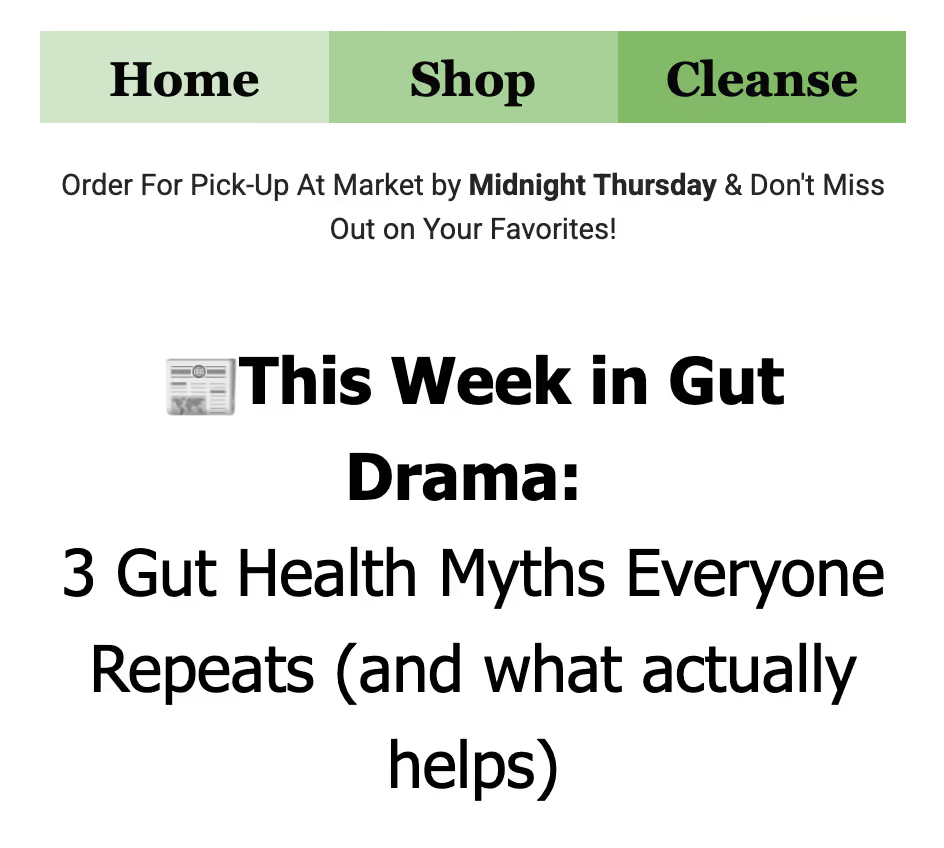
The final component of your content mix is brand storytelling, which includes all your brand-related updates.
Did your brand have a significant environmental impact? Talk about it.
Did your brand win an award or make it to the news? Make it a joint celebratory moment with your customers.
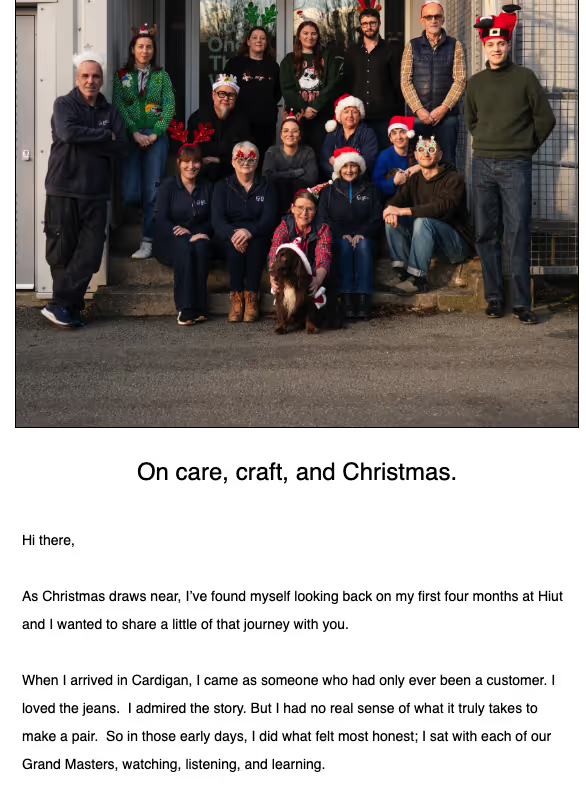
Behind-the-scenes updates and founder stories also come under this category. Brand stories help your customers see the humans behind the brand, rather than just a shop they transact with.
When you have these campaign buckets in mind, all you have to do is execute them each week.
Step 9: Segment Before You Send
Once you have rough campaign formats in mind, it is time to send emails, right?
No.
When you send campaigns without segmenting, no matter how good the copy and offers are, the email will not land.
As Lala explains, in relation to the wallpaper business:
“Subjects such as 'Look at our new designs’ demonstrate a failure to segment, and this tells me the brand is not looking at their data. I'm guessing they are sending the same bird-and-botanical theme to a new customer and a high-value VIP who spent $1200 last month. Well, that's a quick way to be flagged as spam. I would recommend segmenting your customers by what they looked at and only send them product information relevant to them.”
Unsegmented or poorly segmented lists can cause your emails to land in spam. So how do you prevent that?
At the beginning, you do not need complex email segmentation. Start simple with three segments:
- New subscribers (signed up to your email list in the last 30 days)
- Active customers (made one purchase in the last 90 days)
- Lapsed customers (no purchase for 90+ days)
But that is not sufficient.
As you scale, create segments based on specific behavior. With behavioral segments, you meet customers where they are in their customer journey. Your segments can be based on whether the customer has:
- Browsed a category
- Purchased from a specific product collection
- Clicked on a campaign
- High lifetime value (LTV)
AI has become increasingly useful for segmenting customers. Correa illustrates how it can help:
“Integrating AI-driven sentiment analysis into the CRM tagging system is a high-leverage segmentation strategy. Mentions and support tickets are categorized as negative, neutral, and positive.”
Correa provides an example of an e-commerce electronics store that delivered a batch of defective charger accessories.
Since AI-driven sentiment analysis had tagged the support tickets as negative, customers who received defective goods were suppressed and were not sent standard campaigns.
Instead, they were sent a separate support-based email flow to resolve the issue.
With advanced segmentation, such as in Correa’s case, you are not just identifying who should receive which campaign. You are also preventing badly timed sends.
Phase 4: Optimization (Weekly)
The final phase is all about monitoring and reviewing email performance.
Step 10: The Weekly 30-Minute Email Review
You do not need dashboards open all day. Pick one day per week for a focused review. Start a Monday morning marketing review ritual and do the following checks:
- Total email revenue: Is it trending up or flat?
- Top-performing automation (by RPR): Which email marketing automation is driving the most revenue per recipient?
- Campaign CTR + Conversion rate: Are people clicking, and are those clicks converting?
- List growth: Net new subscribers vs unsubscribes
- Email deliverability: bounce rate and spam complaints
You do not have to do a deep analysis. Spot patterns quickly to identify one element of a high-impact campaign or automation to improve. It should not take more than 30 minutes.
Keep an eye on customer behavior in real-time with PushOwl for free
The “one thing to improve could be” any of the following:
- Fixing a weak email subject line pattern
- Adjusting an automation delay that is underperforming
- Tightening segmenting for upcoming campaigns
- Improving a low-converting email template
Small, consistent improvements compound faster than occasional overhauls.
Step 11: Monthly Deep Dives
Monthly reviews help with strategic pivots. This is where you zoom out and evaluate whether your email marketing is contributing to revenue.
Focus on five areas:
Revenue Attribution
What % of total store revenue is coming from emails?
Lala points out one revenue attribution benchmark to keep in mind:
“One major red flag is a Shopify dashboard showing a revenue from email flow metric below 15%. The reason is typically that they only send out blasts when they want. I see so many owners use their list as a bullhorn for newsletter sales.”
With this benchmark in mind, you can go over the phases to see which step needs optimizing.
Automation Performance
Are all core automations active and stable?
For example, according to Singh, abandoned cart recovery automations should produce revenue within 2-4 weeks, with a recovery rate of about 8-15%.
As for the welcome series, Singh observes that “since the intent signals are weaker and the relationship is more recent, it takes time to produce revenue.” His pro tip? Product education over a discount.
In Steven’s case, a Shopify fashion store he was working with had 4,000 subscribers, and the store’s ACR automation generated less than 1% of total revenue over six consecutive weeks.
How did they fix it?
“We moved the original email from 4 hours to 47 minutes after the abandonment, and revenue attribution after that individual flow went up by 6% within 30 days.”
A simple tweak in timing made all the difference.
List Health
How are your engaged vs. unengaged segments trending?
This is an early warning signal. If engagement is dropping, your email list needs to be scrubbed.
As Steven points out, continuing to push campaigns on a declining list only accelerates the issue:
“One home goods retailer I was working with had a 14% open rate and 1.1% click rate on day 30, and continued to keep pushing campaigns instead of repairing their senders before having it. They could not reach the 8%-12% revenue contribution target since the emails were landing in spam by Day 60, causing a massive decline in deliverability.”
The takeaway? Fix list health before scaling sends to avoid trying to wrangle your way out of the spam folder or wondering why your email open rate is low.
Fixing list health could look like:
- Suppressing unengaged users
- Cleaning inactive subscribers
- Slowing down campaign frequency temporarily
You can expect to see recovery within weeks by maintaining list hygiene.
A/B Test Results
Focus on testing the following:
If a test does not produce clear outcomes, do not pick a “winner.” The goal is to identify what is worth rolling out across automations and campaigns, rather than running more and more tests.
Campaign Calendar
Is your content mix balanced or skewed towards promotions?
When email marketing calendars skew towards promotions, engagement drops over time. Use this checklist to reset the balance:
- Are you maintaining the 60/30/10 mix?
- Are campaigns aligned with what is happening on-site?
- Are you repeating the same offer too often?
A strong email calendar will keep your audience responsive.
Step 12: Quarterly Expansion
Once your system is stable, do not scale everything all at once. Instead, focus on high-leverage changes such as:
Phase 4 is a never-ending process, so dividing it into weekly, monthly, and quarterly reviews will help you keep up with and improve campaigns in real time while also focusing on big-picture concerns.
The 90-Day Email Launch Roadmap
How would the 4 phases of the email marketing operating system play out in terms of an email roadmap?
When brands implement a system from the ground up, momentum may run out, which is why milestones along the way help.
This 90-day email launch roadmap shows how implementing the four stages in succession looks like:
By the end of the 90 days, emails should drive 25–30% of the total store revenue.
Automation accounts for a large chunk of this roadmap because it takes longer, but it is also the core of any email marketing process. If you skip Phase 2 or leave it half-baked, your email marketing campaigns will have to rely on revenue spikes from disconnected campaigns.
While Phase 3 revenue can help weather low-margin months, it cannot hold the entire system together, so if there is one piece of advice we give to struggling Shopify stores, it is: take your time developing your automations.
How To Build Your EMOS With PushOwl
You have the structure. You know what needs to happen in each phase and the timeline involved.
Now it is time to execute.
Most Shopify brands end up stitching together multiple tools and setting up flows manually. That can slow everything down, and the 90-day deadline looms larger.
Instead of building each layer from scratch, our Shopify clients bring their email marketing process to life in our Pushowl + Brevo dashboard, with preconfigured components and three marketing channels (email, push, and SMS) to give your store every chance to maximize ROI.
Phase 1 (Foundation)
PushOwl handles the Shopify integration in one step, so your customer data and product catalog syncs automatically.
You can pick from various opt-in templates and personalize the text and visual aesthetic. You can also control the frequency of displaying opt-in forms across the website (excluding product pages) and of specific promo pop-ups on individual product pages.
You can also restrict the pop-up's visibility based on user behavior.
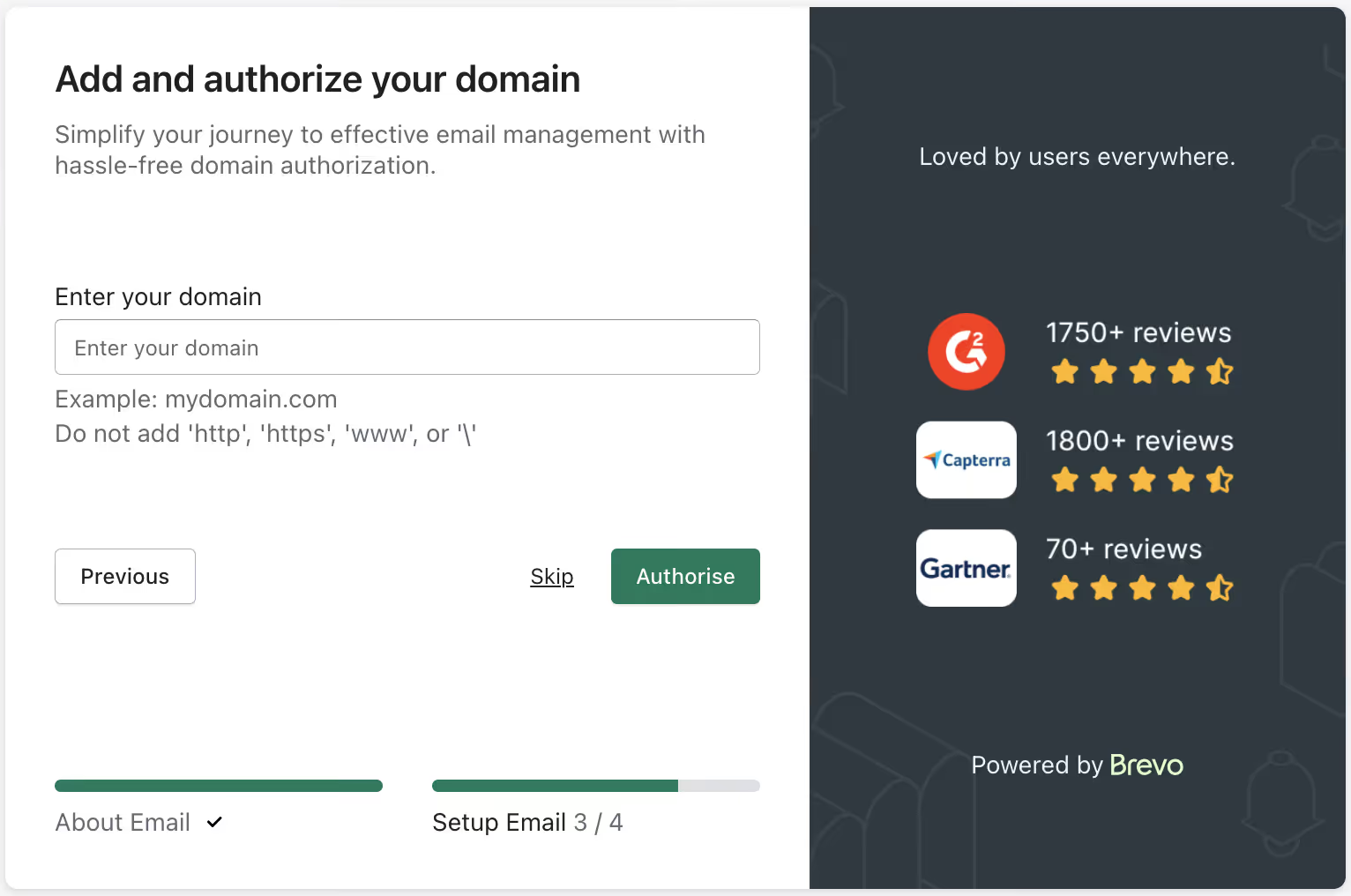
We also help you through the entire domain authentication process, so that your SPF, DKIM, and DMARC safeguards are up to date.
Finally, the drag-and-drop email template editor will help you complete the final step of Phase 1, i.e., preparing brand templates.

You can customize every parameter without needing to supplement with an external tool.
Phase 2 (Automations)
You can set up automations for push, email, and SMS using our automation templates for your welcome series, abandoned cart recovery, post-purchase communication, and more.
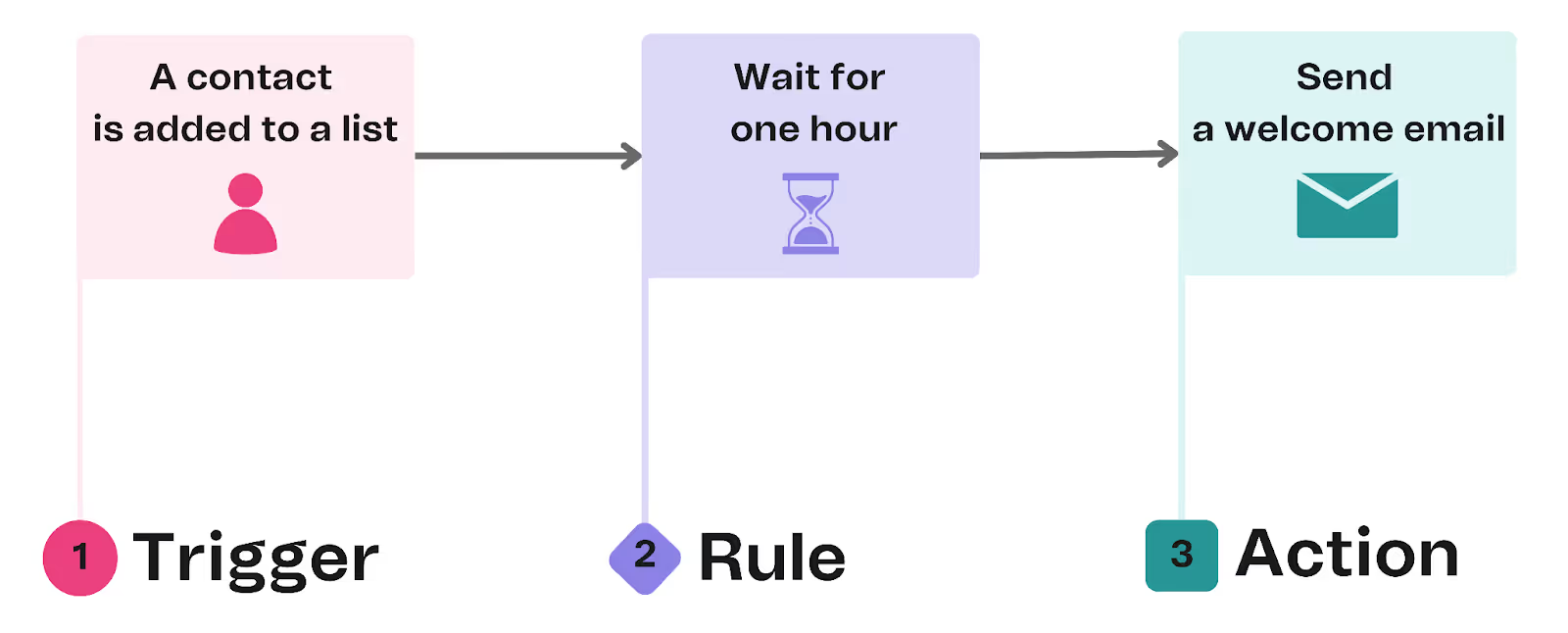
Each automation takes only minutes to set up, and you can also create your own custom automations.
Phase 3 (Campaigns)
For automations and one-off campaigns to work, you need strong segments and persuasive copy.
Our segmentation builder helps you create advanced customer cohorts based on a variety of user behaviors, such as clicking on a product collection or product or purchasing a product (and how many times).

Once you create a segment, PushOwl automatically updates it to include subscribers who meet the conditions set for that segment.
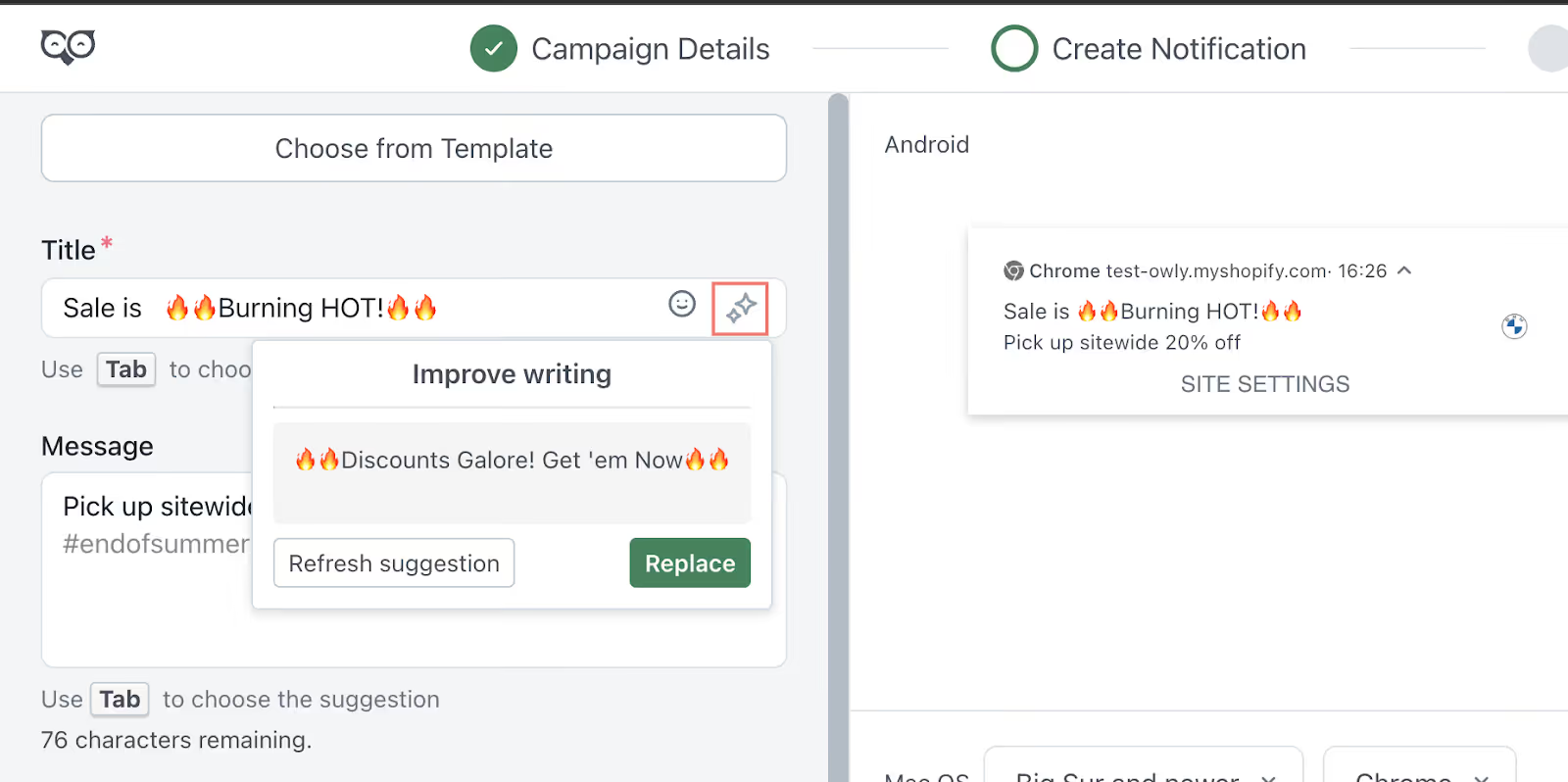
If you need to send an email to a specific segment and struggle with deciding what to write, our AI copy tool assists you. Just give the tool a general idea of what you want the campaign's title and message to communicate, and it will suggest options.
Once you have written the copy, you can also add visual blocks of your products within the email, like this:
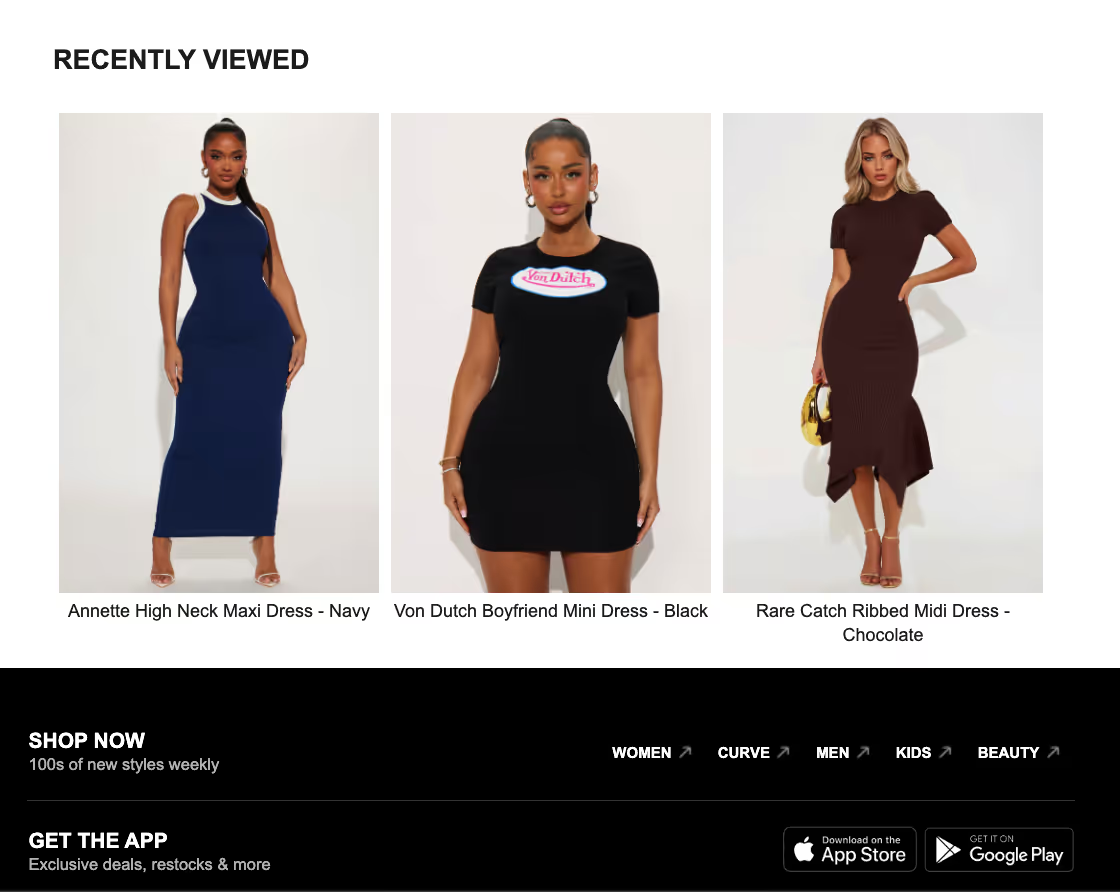
Shopify's product block auto-pull allows you to customize your emails with best-sellers, specific cross-sells based on what the customer has purchased, and other personalized product recommendations.
Phase 4 (Optimization)
For the final phase, you need a comprehensive dashboard that provides a 360-degree view of revenue generated by each campaign. You can also monitor e-commerce metrics related to each marketing channel and segment.
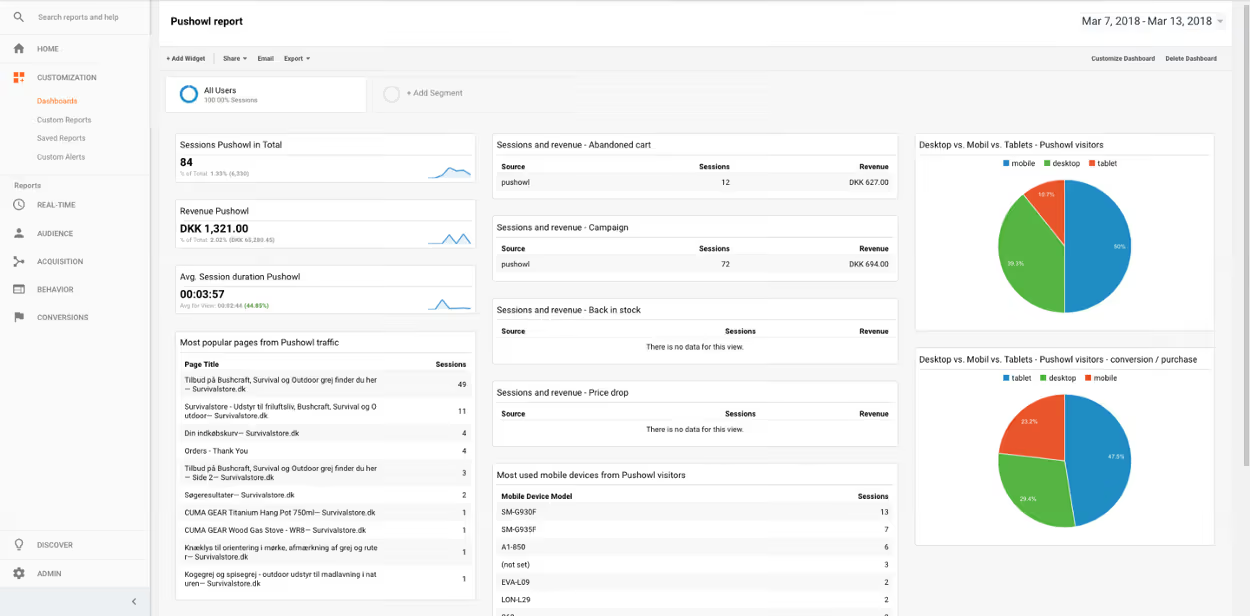
Optimization based on various parameters allows you to identify gaps faster than by looking only at overall numbers without identifiable attribution.
Watch Your Email Marketing Process Come to Life With PushOwl
The moment you treat email marketing as a process rather than a list of tasks to complete, you will unlock marketing ROI that seemed inaccessible in the past.
Dividing the process into 4 stages (foundation, automation, campaigns, and optimization) ensures you can start seeing consistent revenue in as little as 90 days and also keeps you accountable throughout.
And the biggest overhead (a complicated tech stack) is just not required, as our Shopify clients can testify. Many of them started with our free plan and saw results, and so can you!