Which of these marketing faux pas have you committed while sending out email campaigns?
A new subscriber receives a discount code for a product they have just bought.
A high-intent shopper receives no follow-up.
A past customer hears from the brand only during sales.
Once a customer buys from you, there’s radio silence.
If any of these resonate, your brand is probably getting low engagement and even lower revenue from your email campaigns.
High-performing brands approach the situation differently.
They map their email marketing to their customer journey, so every message is tied to what the customer has done and where they are in the buying process, rather than stemming from what the brand wants to say.
This guide breaks down how to build that system across five stages and what to send at each step.
What Is an Email Marketing Customer Journey?
An email marketing customer journey is a sequence of automated emails that guide a potential customer from their first interaction with your Shopify store to becoming a loyal brand advocate who makes repeat purchases.
When you map your customer’s journey before sending them email marketing campaigns, you will be able to tailor your communication based on where they are in the buying process.
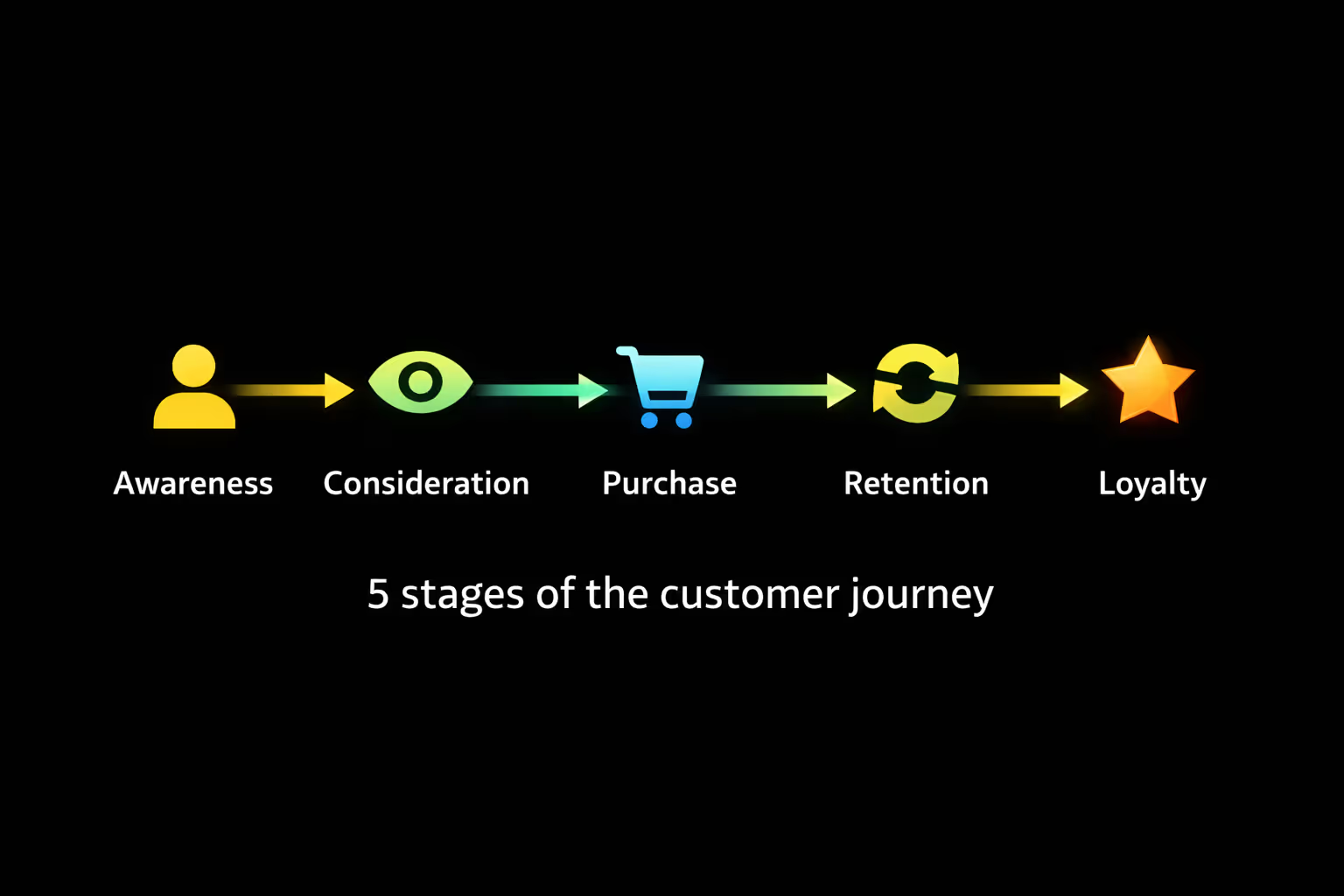
Therefore, you are not sending campaigns based on a generic plan, but rather in response to a behavior-based trigger.
Here is a simple example of a customer journey:
- You land on a skincare website while looking for an effective vitamin C serum.
- When you visit the website, you see that the store has a newsletter, so you sign up for email updates.
- Once you are on their email list, the brand sends you a welcome email with a first-purchase discount that you can use to buy the vitamin C serum.
- The brand then sends you useful information on how to use the product, and you start trusting the brand more.
- Based on your experience, you buy more products.
The example above is a linear representation of the buying journey.
But in reality, the customer does not progress through the stages of the buying journey this smoothly.
Customers drop off without even opening a product page, return days later, compare competitors, ignore emails, re-engage through other channels, or sometimes just skip all the steps and buy based on a recommendation they got from a friend.
“Some customers require three days to make their decisions. Others need three weeks.”
- Ruth Young-Loaeza, Founder and CEO of NEET Sheets, an ergonomic bedding brand
You need to account for all these variations.
And this is all before the first purchase is even made.
Even after a purchase, retaining a customer might involve the following frictions: abandoning the cart during their second purchase, returning through a different campaign, purchasing without using the discount in the email, and then disappearing for 4 months.
Customer journey mapping will help you capture this back-and-forth process that occurs before a customer finally converts. Since this form of email marketing is based on the customer's lifecycle stages, it is also called lifecycle marketing.
“Many teams plan customer journeys based on their marketing calendar rather than customer intent, such as browsing patterns, product category interest, or lifecycle stages.”
- Michael Salvaggio, CEO of SEO Brand, a marketing agency
When you are not factoring in customer behavior, your email marketing is not based on the customer journey. And if it’s not based on the customer journey, it's unlikely to perform well.
Email marketing based on user behavior (which involves creating customer segments) is integral since it receives 54.79% more clicks than non-segmented campaigns.
Is Every Email Campaign Based on a Customer Journey?
No, one-off email campaigns are single broadcasts or messages sent to a customer segment or the entire subscriber list at a specific moment. This email could be a sales announcement, a product launch, or any other general promo.
Email marketing based on a customer journey, on the other hand, is ongoing and specific to a customer or a customer segment. It runs in the background based on user behavior, independent of one-off campaigns.
Campaign-based email marketing focuses on "What should we send today?”
Email marketing customer journeys require you to gauge customers' needs based on the behavior they have exhibited on your website.
3 Customer Journey Mapping Mistakes to Avoid
Customer journey mapping is a deliberate process rooted in understanding customer psychology.
Shopify brands that are unable to tap into their subscribers’ needs make these three mistakes when mapping customer journeys and doing lifecycle marketing:
Mistake 1: Skipping Lifecycle Segmentation
Lifecycle segmentation means dividing your email list based on where your customers are in their buying journey.
“In reality, a customer who’s just discovered your brand has fundamentally different expectations than someone on the verge of converting. When emails don’t reflect that shift, brands miss out on opportunities.”
- Brenda Buckman, Senior Director of Digital Web Presence at Huntress, a US-based cybersecurity company
Shopify brands that treat all subscribers the same, i.e., they do not take the time to segment their email list based on customer journey, will send email blasts or identical messages to everyone on their email list.
These generic emails will not lead to high engagement or conversion rates because you aren't meeting the customer where they are.
And when you do not meet your customers where they are, as Young-Loaeza puts it, you are
“treating email like a broadcast channel when it should work more like a conversation.”
Sending one-off generic campaigns to all subscribers is okay, but when you want to persuade a customer to buy a specific product, you need advanced customer segmentation.
Use the RFM-based segmentation model:
- Recency (active vs dormant)
- Frequency
- Monetary value of the order (high cart value vs. low cart value)
You can also segment based on browsers vs. purchasers.
By segmenting customers by their last engagement, AOV, purchase frequency, and other micro-behaviors, you can target your most active customers with timely promos, thus helping you generate the most revenue.
Mistake 2: Building Email Automations in Isolation
Email automations do not exist in silos; they are rooted in the customer journey and are triggered by a specific customer action. Occasionally, a single user action can qualify a customer for multiple automations simultaneously.
This is the stage where things can fall apart.
When you build email automations in isolation from each other, they do not account for each other’s trigger points and may overlap.
That is when they compete (or worse, contradict each other) in the subscriber’s inbox.
Consider this: a visitor lands on your Shopify website, browses products, adds a product to the cart, and then leaves the website. At this point, they qualify for:
- A welcome series (new subscriber)
- Abandoned cart automation (high-purchase intent)
If these automations aren’t mapped to keep each other in mind within a unified customer journey, both will be triggered. You will create friction if:
- The two automations send competing incentives
- The email copy of both automations contradicts each other
- The two emails get sent one after the other, thus potentially spamming the customer
When automations are not connected, they do not “know” what the customer has already done: what they have purchased, ignored, or engaged with.
“There's nothing worse than recommending a product your customer has already purchased.”
- Juan Castells, Marketing Manager at Arke Agency, a marketing agency
The fix for both scenarios is simple: prioritize automations based on intent and stage.
Include the correct suppression points to prevent multiple automations from being triggered simultaneously. That is possible when they are built as part of a connected system, rather than as standalone sequences.
Mistake 3: Sending Generic Post-Purchase Automations
Post-purchase automations are one of the highest-performing emails your Shopify store will send. Order confirmations, shipping updates, and delivery notifications consistently achieve email open rates that far exceed those of promotional campaigns.
“Brands can transform their transactional emails from simple receipts into important revenue drivers by leveraging their very high open rates. These emails can generally range beyond 70% open-rate compared to typical promotional emails.”
- Alys Reynders, CMO at Quickbase, a project management platform
And yet, most brands resort to generic one-line updates.
“Every transactional email is a warm touchpoint, and to treat it like a dead end is one of the biggest missed opportunities in email marketing.”
- Cal Singh, Head of Marketing and Partnerships, Equipment Leasing Canada, an e-commerce brand
This missed opportunity is massive for both engagement and revenue.
When post-purchase emails are treated as endpoints, brands cut off their customer at their highest-intent moment: when they are actively engaging with the brand and most receptive to what comes next.
Thus, Shopify brands lose both immediate upsell potential and future repeat revenue when committing this customer journey mistake.
The 5-Stage Revenue Journey Map
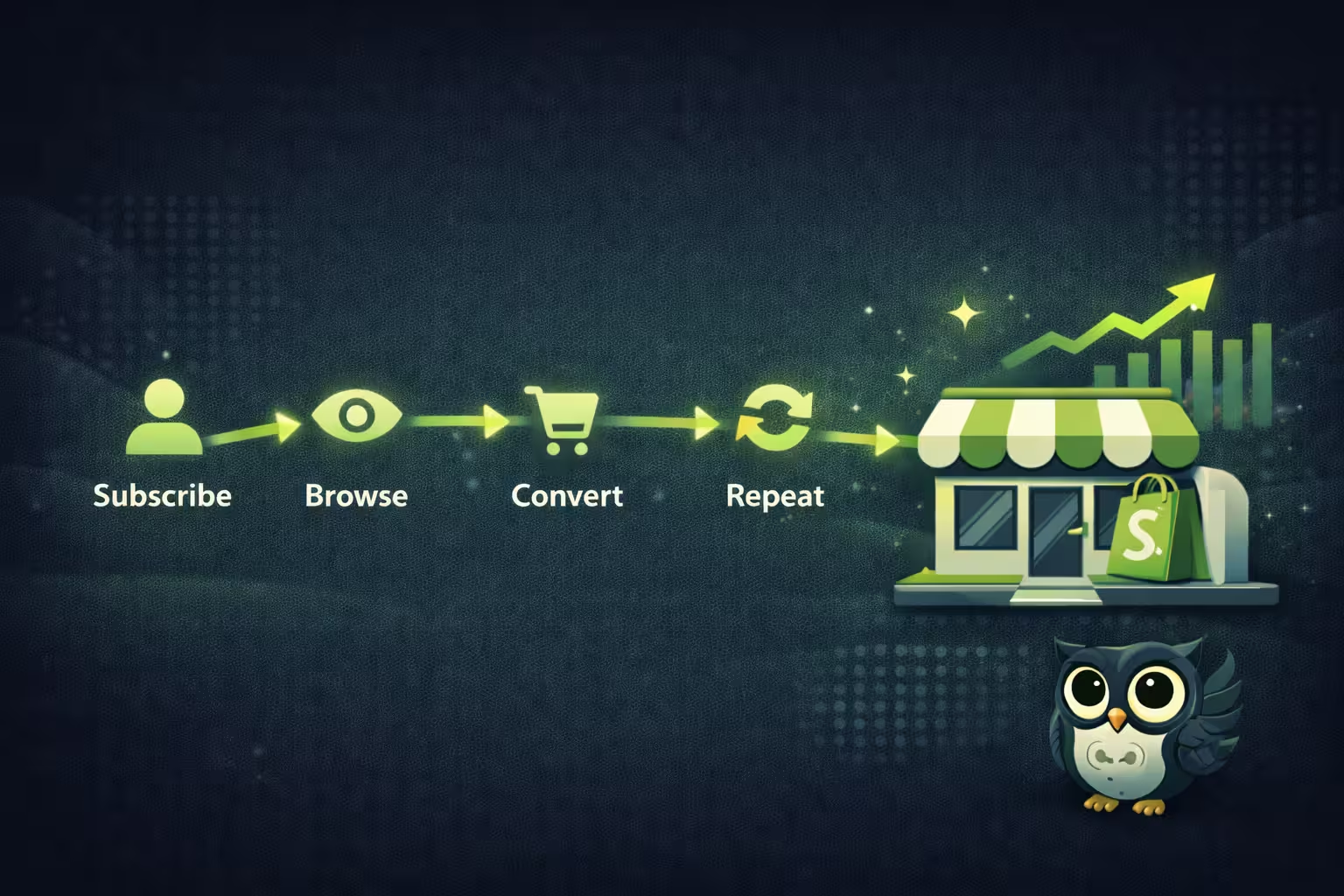
The 5-stage revenue journey map organizes every email touchpoint across five customer states: subscribe, browse, convert, repeat, and advocate. Each stage has distinct triggers and content needs, so you have to shape your e-commerce campaigns accordingly.
When you map the customer journey across these stages, you can clearly identify where to optimize the overall marketing process.
Buckman cautions, “if your data shows a repeated trend of abandonments at the same stage (sign-up forms, trial-to-paid conversion, checkout pages), rethinking the customer journey from the ground up might be the only solution.”
Frequent reviews allow you to spot any patterns of decline.
When brands see a repeated drop in engagement, they often think it’s a copy issue. But often, that is not the case.
Young-Loaeza explains, “If you're seeing drop-offs at all stages of your funnel, and you're making adjustments to your subject lines or your send times, and it's not working, it's not your execution. You created a journey that does not match how your customers actually want to buy from you.”
How do you match the customer journey to how customers want to buy from you?
Follow these 5 stages:
Stage 1: Subscribe (Capture + Welcome)
New leads will discover your website based on internet searches and social media. Your goal at this stage is to convert them into subscribers.
One way to get them to subscribe is to use a website pop-up that offers an incentive.
This method could be a welcome discount or a lead magnet. Adapt the pop-up to your brand palette and tone, and without sounding salesy, offer them the incentive in exchange for their email address.
When you make it sound like subscribing will benefit them more than you, the email list grows.
Another way to capture them is with a checkbox on the checkout page that they must tick to subscribe to marketing updates. Ensure that the checkbox is not pre-checked (they need to opt in to receiving updates rather than opt out).
A third method is to offer downloadable lead magnets (e.g., checklists, guides, tutorials) that address common customer pain points in exchange for their email addresses.
Once you collect someone’s email address through the methods above, it is time to send them a welcome email via automation. These can be 3-5 messages (across email, SMS, and push) over 10 days, with the first sent immediately after the user subscribes.
How do you time your welcome flow?
According to Salvaggio, for welcome automations:
- First message: Sent immediately after the user signs up (intent is highest)
- Subsequent emails: Based on how much time it takes for the user to make their first purchase
When Salvaggio was optimizing the welcome automation for a brand, they tested sending the second email after 24 hours rather than 48 hours. The result? Sending the second email sooner led to a 14% increase in first-purchase conversions.
Testing the send time is crucial. Sending back-to-back emails too far apart does not help with brand recall, and sending them too close together can be annoying.
Here is an example flow in terms of what kind of content to include:
The first email could be a “thank you for signing up and welcome to our community” kind of email, where you can talk about the “why” behind the brand.
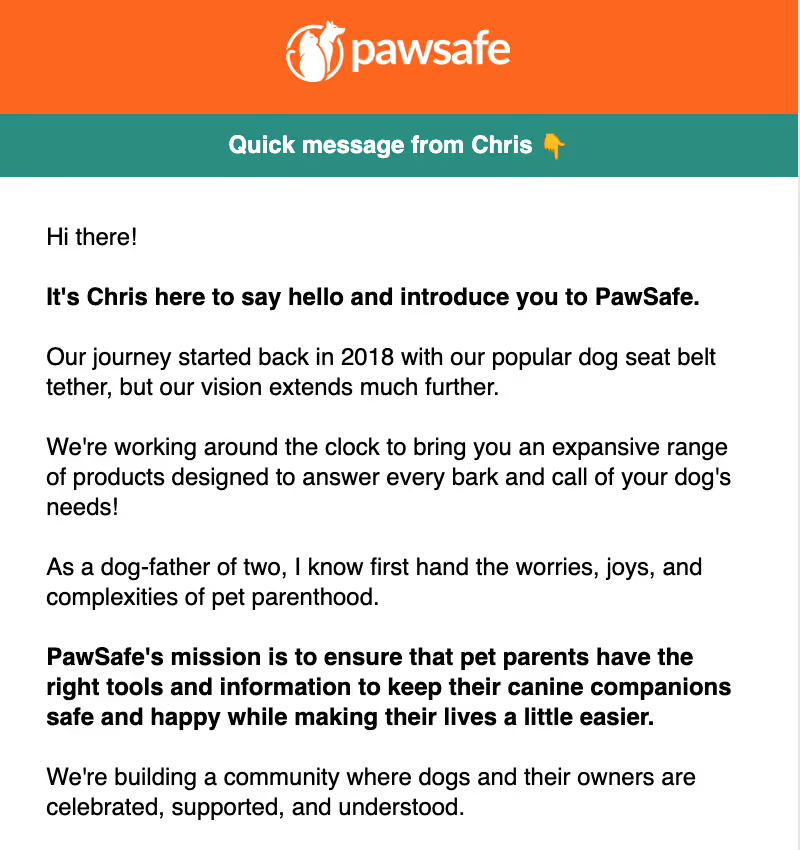
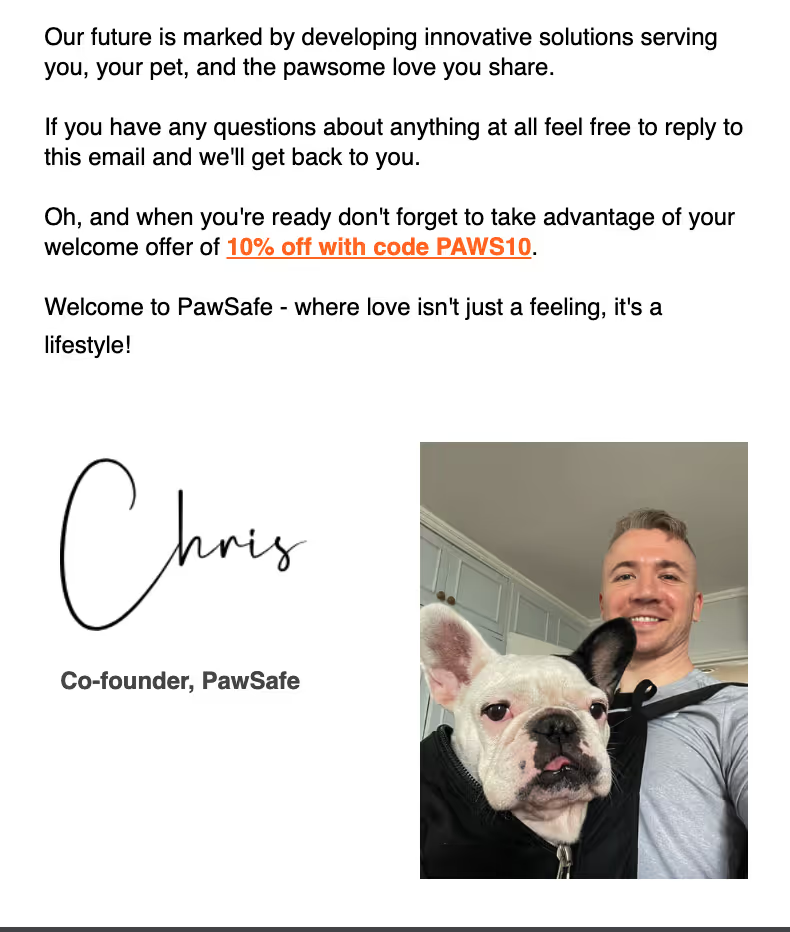
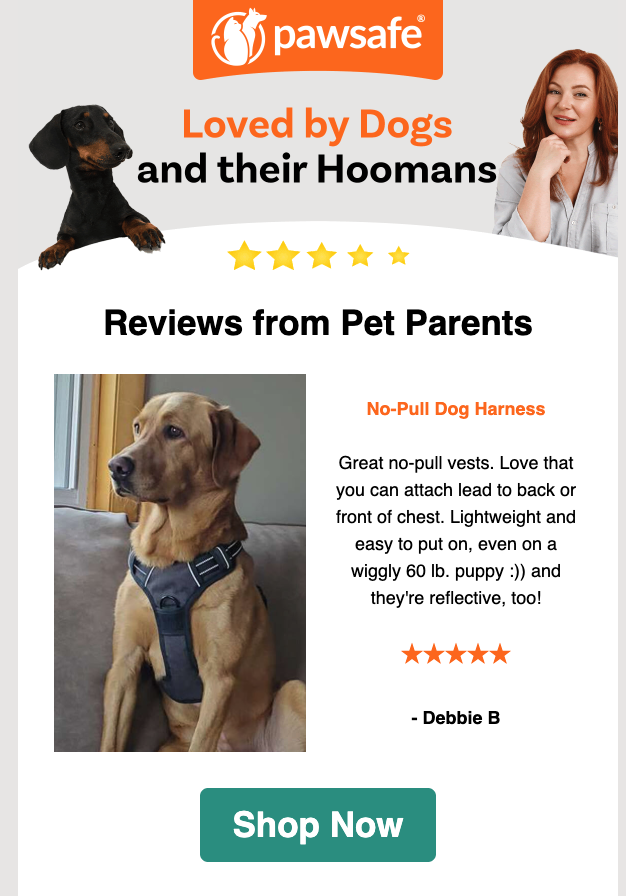
The second email could highlight the best-sellers along with some testimonials, so the customer can dive straight into shopping rather than browsing your product categories. You can also include an opt-in to subscribe to push notifications.
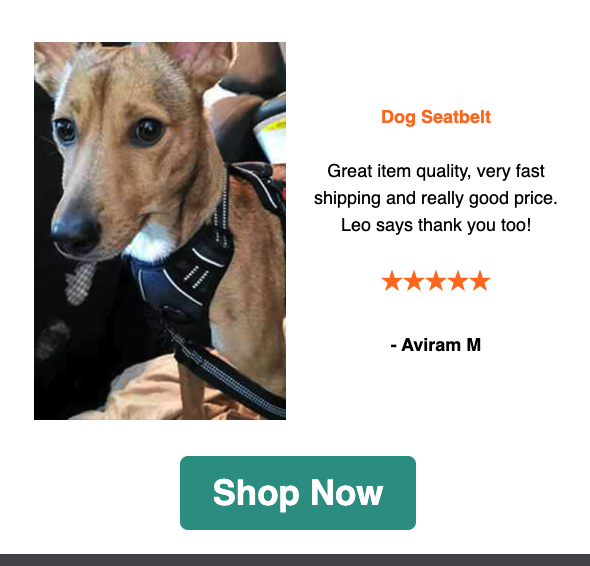
If, by the second email, the customer has not purchased from you, send them an email or SMS (if they have opted in to text updates) offering a first-purchase discount, with a couple of reminder emails.
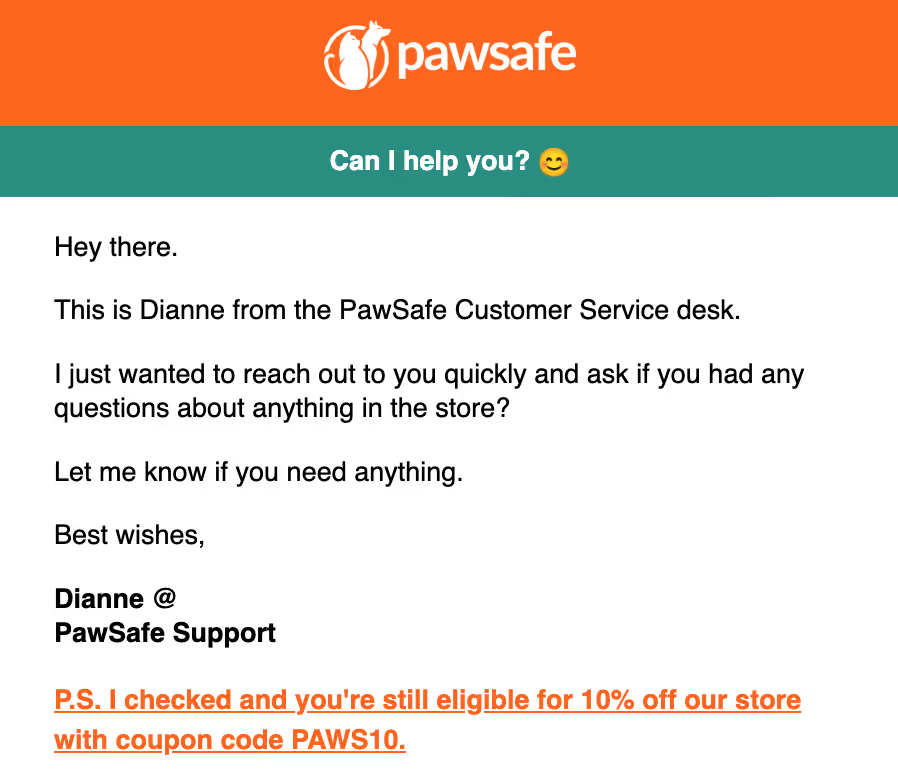
Spreading the above across 7-10 days ensures you are not spamming the new subscriber. The goal is to gradually build trust by explaining what the brand is about and how current customers perceive it.
Stage 2: Browse (Consideration + Nudge)
The next stage of the customer journey will involve your customer browsing through your Shopify store.
Beyond making browsing a positive experience with optimized store designs, you need to track user actions to trigger an oft-ignored automation: the browse abandonment automation. Browsing could mean:
- Product page viewing without adding to cart
- Browsing through a category page
- Repeated site visits without adding to the cart
The above signifies medium intent; the customer is interested in your products, but perhaps they need a little nudge towards a specific product that they can purchase.
When a customer is browsing your website but not adding anything to their cart, you can send them a couple of browse-abandonment emails. If those do not lead to a customer moving to the next stage (adding something to the cart) or purchase, it is time to highlight specific products.
If you have already highlighted your best-sellers in the welcome automation, you can instead focus on highlighting back-in-stock products:
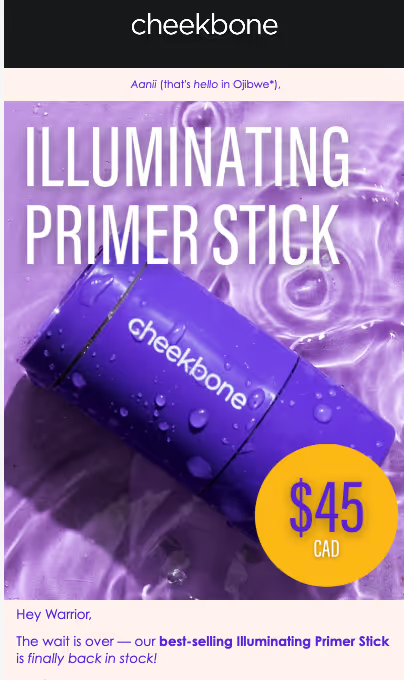
…or send out rice drop alerts/flash sales to lower the barrier for first purchase:

Some users who are browsing may be evaluating different competitors. To cover this subscriber category, you need product comparison emails that highlight your product's USP. Hiya Health, a vitamin brand for children, displays this table on its website:

The table highlights 5 parameters parents are likely to consider when choosing a vitamin supplement for their children and shows how four of its competitors stack up. At the consideration stage, seeing a visual comparison with competitors can help push the customer to the next stage of the journey.
Another category of browsers includes those who are still mulling over whether they need the product at all or which specific product will help. Educational content goes a long way in nudging them to add something to the cart.
Soft Services consistently sends educational emails related to tattoo care:
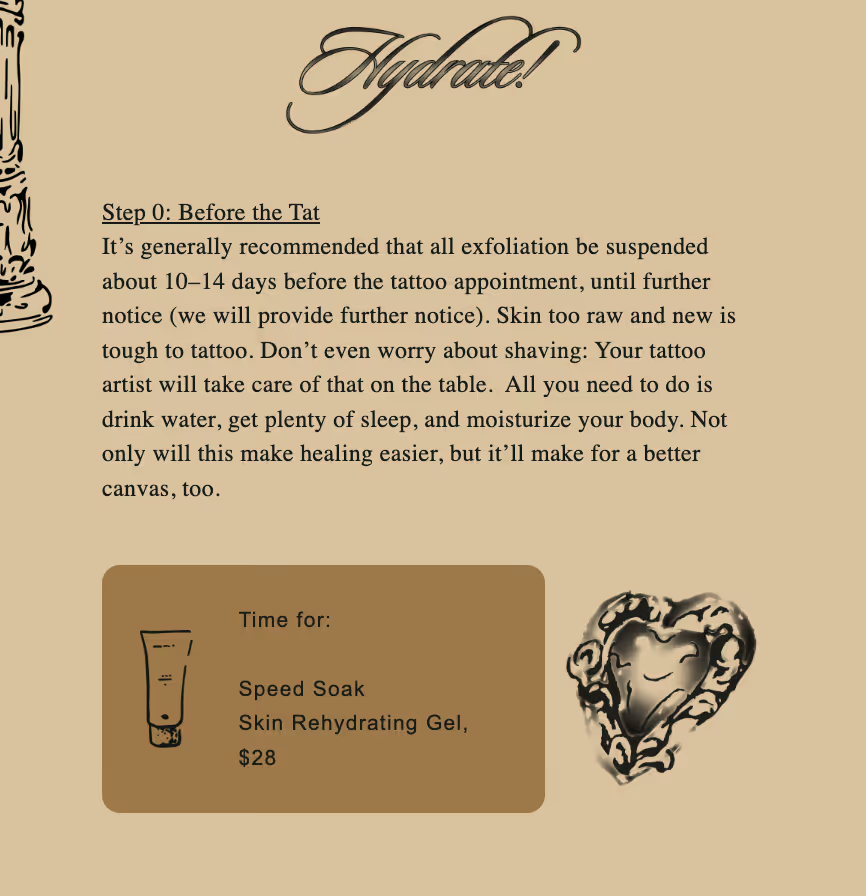
It soft-sells its products as part of the educational content, but the subscriber is still learning something valuable even if they do not buy the products.
For educational content and product comparisons, email is best. For communication that is more urgency-based (flash sales and price drops), you can use SMS and push notifications.
Many Shopify stores skip including browse abandonment in their automation stack, but since they have a 0.96% conversion rate, it is worth including it as a separate stage of the customer journey.
Stage 3: Convert (Cart Recovery + Purchase)
The next stage begins when a customer adds items to the cart without purchasing or reaches the checkout page with items in their cart but does not complete the purchase.
At this point, the intent is very high, since the customer has identified a product they want to buy. You need to capitalize on this intent by sending a series of abandoned cart recovery emails with a simple goal: to encourage them to complete the purchase.
Stage 3 is where most Shopify stores stumble. Given that the average revenue per recipient for abandoned cart recovery is $6.77, the stakes are high.
Customers abandon their cart for various reasons, and your ACR automation has to address them all:
The biggest mistake Shopify stores make is that they assume only one reason, i.e., a pricing objection for cart abandonment, and end up sending a discount immediately as an incentive.
Because of this, customers are trained to expect a discount; those who never had an issue with the price are given one needlessly, and if they have buying objections related to quality or use, those are never addressed.
Instead, brands should begin with a simple reminder that includes no incentive, using clear language and an image of the product to remind the customer what they have placed in the cart.
If that does not work, you can send an email with testimonials and UGC videos.
“For example, for a subscription-based brand, the cart recovery emails were performing really well in terms of opens but were underperforming in terms of conversions. After reviewing the flow, we realized that the user actually needed content on the benefits of the product first.”
- Salvaggio
Content on product benefits and usage is sufficient to instill confidence in the product, so the customer feels that buying it would be the right decision.
If the above tactics do not lead to a conversion, you can send a discount code. The discount should be proportionate to the cart value.
Channel Escalation
The sequence and timing of channels matter more in abandoned cart flows than in most other automations because customer intent is highest at this stage. A little trial and error helps, but one thing is clear: instead of relying on a single channel, using a coordinated sequence is better.
But how do you decide the sequence?
Having a systematic, time-based sequence for your automation can help you avoid overwhelming your customer or communicating poorly.
Our Smart Delivery tool analyzes subscriber activity to determine when they are most likely to engage with your notification. Since the “most active” window will vary by subscriber, the tool will personalize campaign send times accordingly.
Reach your customers at the right time with PushOwl
The goal is not to send more messages but to use the right channel at the right moment without overwhelming the customer.
Stage 4: Repeat (Post-Purchase + Loyalty)
Once your customer has bought from you, you will naturally send them a series of delivery-related updates via email or SMS. The average revenue per recipient for post-purchase emails is $1.80, so take advantage of the attention they receive.
This is what a typical order confirmation and delivery confirmation message looks like:
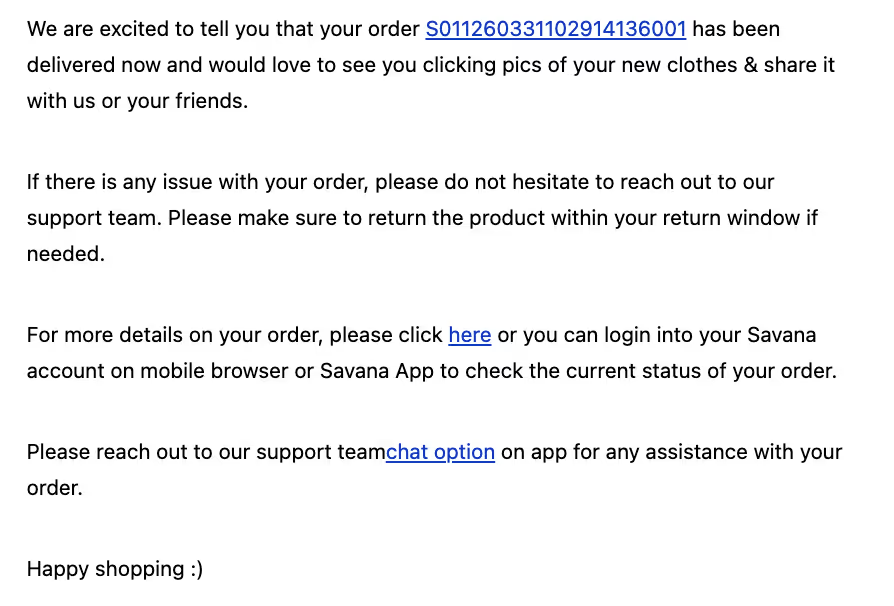
But you can do more with your transactional emails.
As Buckman points out, “while transactional emails are vital to how companies communicate with customers, they don't have to remain bland automated messages. Instead, they offer marketers just another opportunity to build a close relationship with their audience.”
One popular tactic is to include product recommendations (such as cross-sells) in these order updates.
“Behaviorally adjacent product recommendations in such cases work better than generic ones because they personalize the cross-sell.” - Himanshu Agarwal, co-founder of Zenius, a remote hiring platform
Agarwal provides an example: “For instance, a customer who has just bought running shoes shouldn't be shown the best sellers from the same category. Instead, they should get recommendations for socks, insoles, or hydration gear that match their recent purchase.”
Personalized cross-sells turn your generic transactional emails into promo emails, while still focusing on the delivery update.
Another tactic is to include an incentive for a second purchase within the transactional emails. Medina tested this strategy with a client: “We added 15% off the next activity to the shipping confirmation email, which resulted in an additional 12-18% AOV on repeat purchases in the first 30 days.”
An increase in AOV to this extent with a simple addition is something many brands miss out on.
The customer is already checking these emails for updates on their purchases, so they are bound to see the discount. It won’t get lost among the inundation of generic marketing emails.
Once the product is delivered, the second half of this stage starts. You can send the customer how-to content. This content could cover:
- How to use (makeup, skincare, electronics)
- How to assemble (furniture)
- How to wash (pet care accessories, apparel, and shoes)
- How to maintain (furniture and home decor, etc.)
Educational content cements customer trust, so they do not feel abandoned once the purchase is complete.
Within a week of the delivery, you can send a review request email.
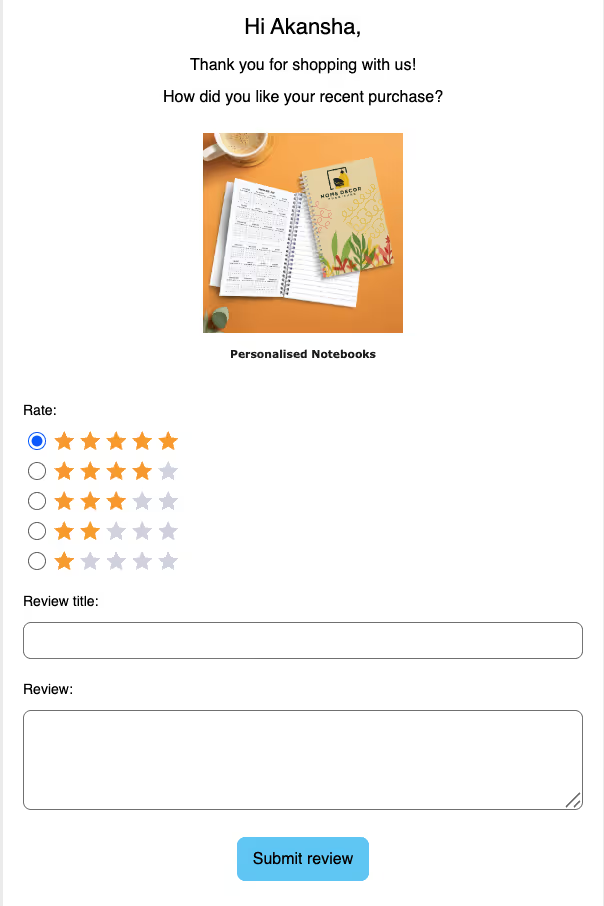
Review request emails are also a great opportunity to plug cross-sells. You can also send the review request via SMS since it doesn’t have to be a long email.
At the end of this stage, your customer should feel like they can trust you with a second purchase.
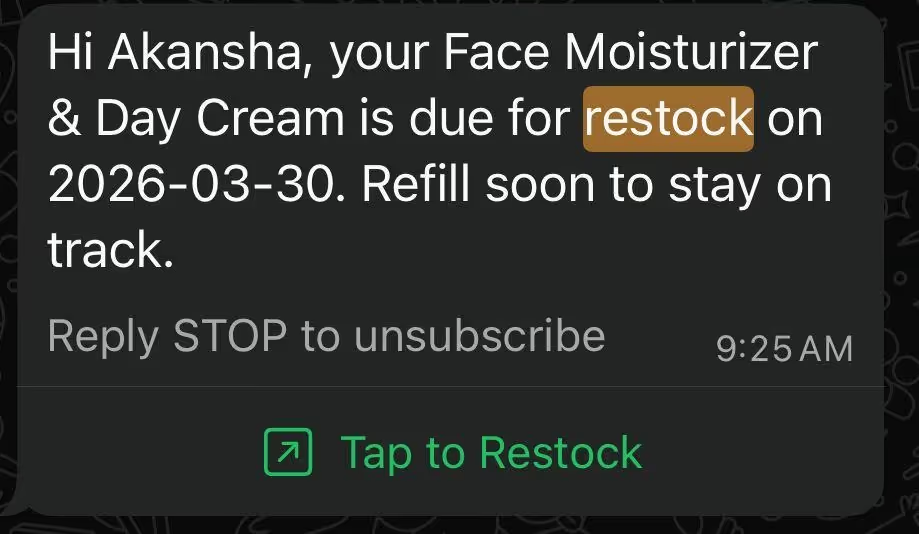
For brands with product usage cycles, such as food, makeup, and skincare, the final step in this stage is to send a replenishment alert reminding the customer to restock.
It is important to send it after a reasonable period has passed.
Otherwise, a repurchase message soon after the initial one can frustrate a customer who is not even halfway through your product. A replenishment message can be a simple email or SMS with a minor incentive (such as free shipping or a small discount) to encourage them to buy again.
At the end of this stage, the customer should be ready to make a repeat purchase.
Why put in so much effort at this stage, with replenishment updates, product education, and constant updates?
It is easier to retain a customer who is already aware of your product, so you are not building trust and authority from scratch.
Stage 5: Advocate (Win-back + Referral)
The final stage is turning the customer you have retained into a loyal customer.
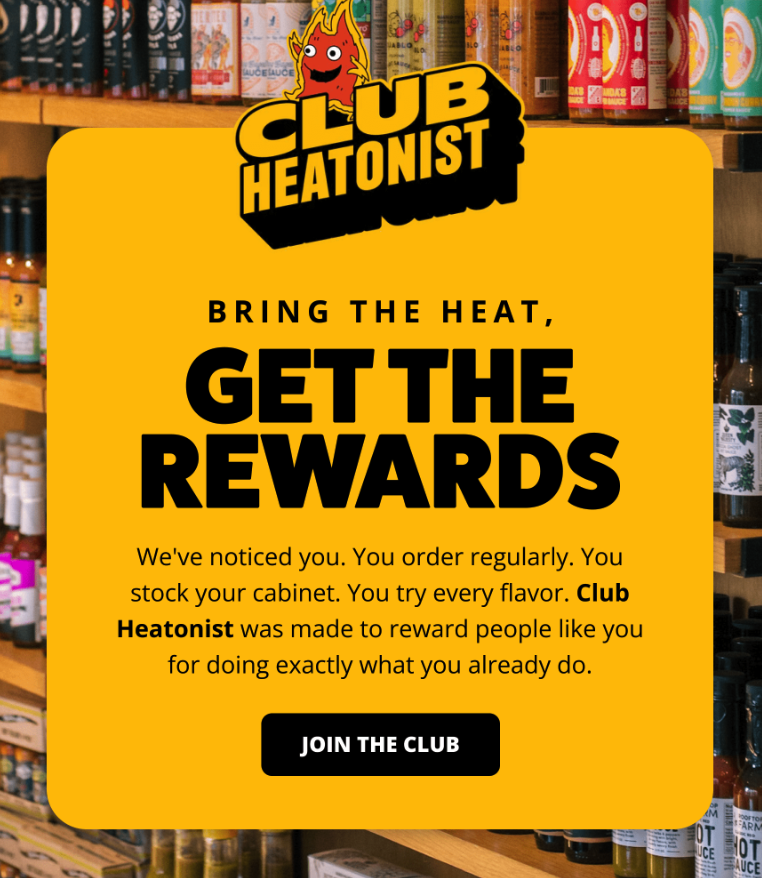
An obvious tactic is to send them a loyalty email automation that introduces your loyalty program. The second email in this sequence could dive deep into the benefits the customer can gain by continuing to purchase from you, as well as the various tiers/levels involved.
P.S.: Points are not the only way to structure a loyalty program!
Here is an example of a loyalty program email by Heatonist, a hot sauce brand:
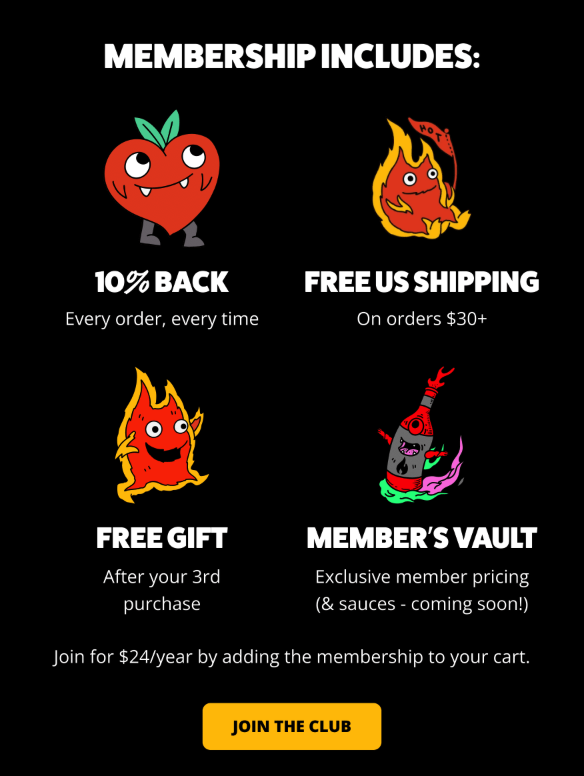
If the customer does not sign up for the loyalty program, lower the stakes. Introduce them to a referral program that gives them a quick incentive.
This is how Aloha, a protein bar brand, does it, with the email subject line “Share the ALOHA love!”:
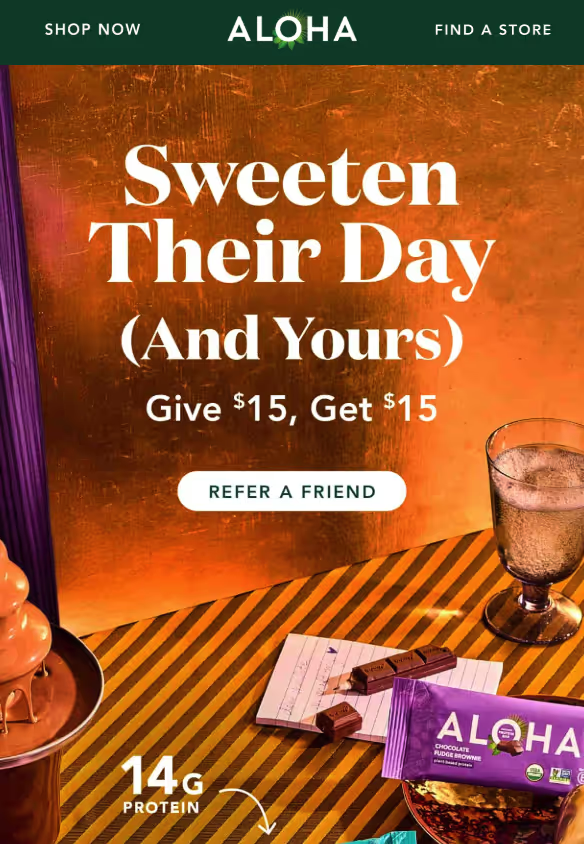
But what if the customer just disappears despite these emails about the referral program and VIP incentives? Brands often label these customers as inactive and take them off the list, but that is a huge mistake.
Win-back campaigns help target dormant customers who have not purchased from you in 60-90 days.
Since they have engaged with your brand before, they are familiar with it and its products, so it might just be a matter of nudging them a little.
A win-back series, much like an abandoned cart automation, should consist of around 3-4 alerts, with a reminder first (a simple “we miss you, come back”), followed by escalating incentives.
You can use a combination of email and SMS to encourage the customer to come back. A “start of the month” email is a great strategy:
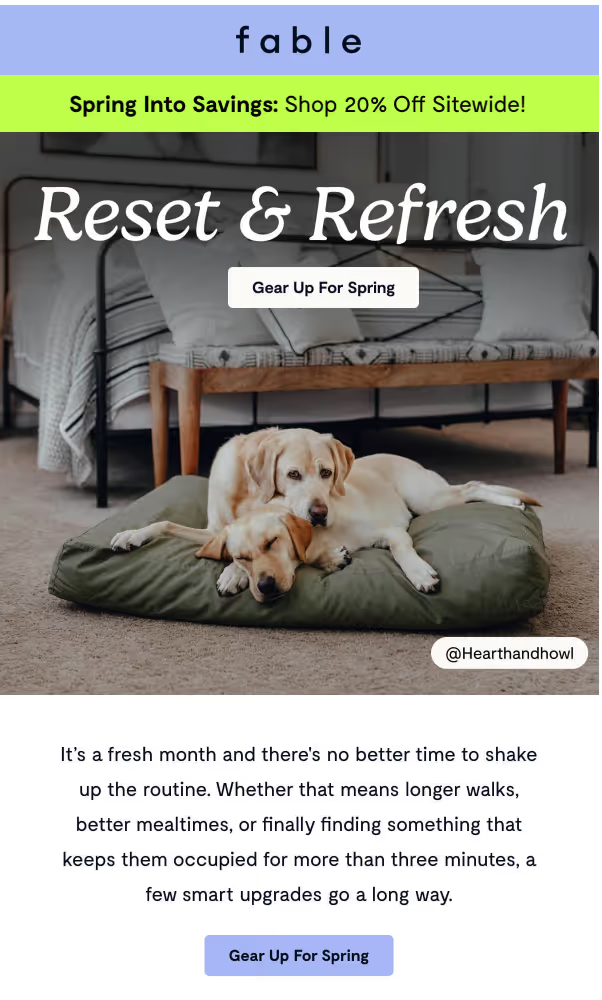
The above email works because it sets the tone for the spring season. The email goes on to list some of the best-sellers and key essentials for the season, which can help the customer re-engage with the brand.
If the customer does not come back, you can send an incentive like Milani Cosmetics does in this email:
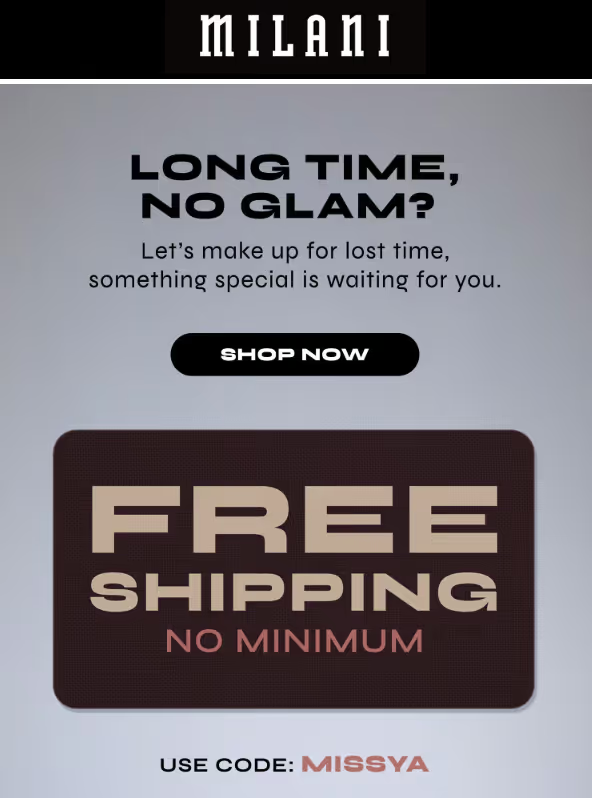
If, by the end of the email automation sequence, the customer has not engaged, you can send them a final email informing them that you are removing them from the list.
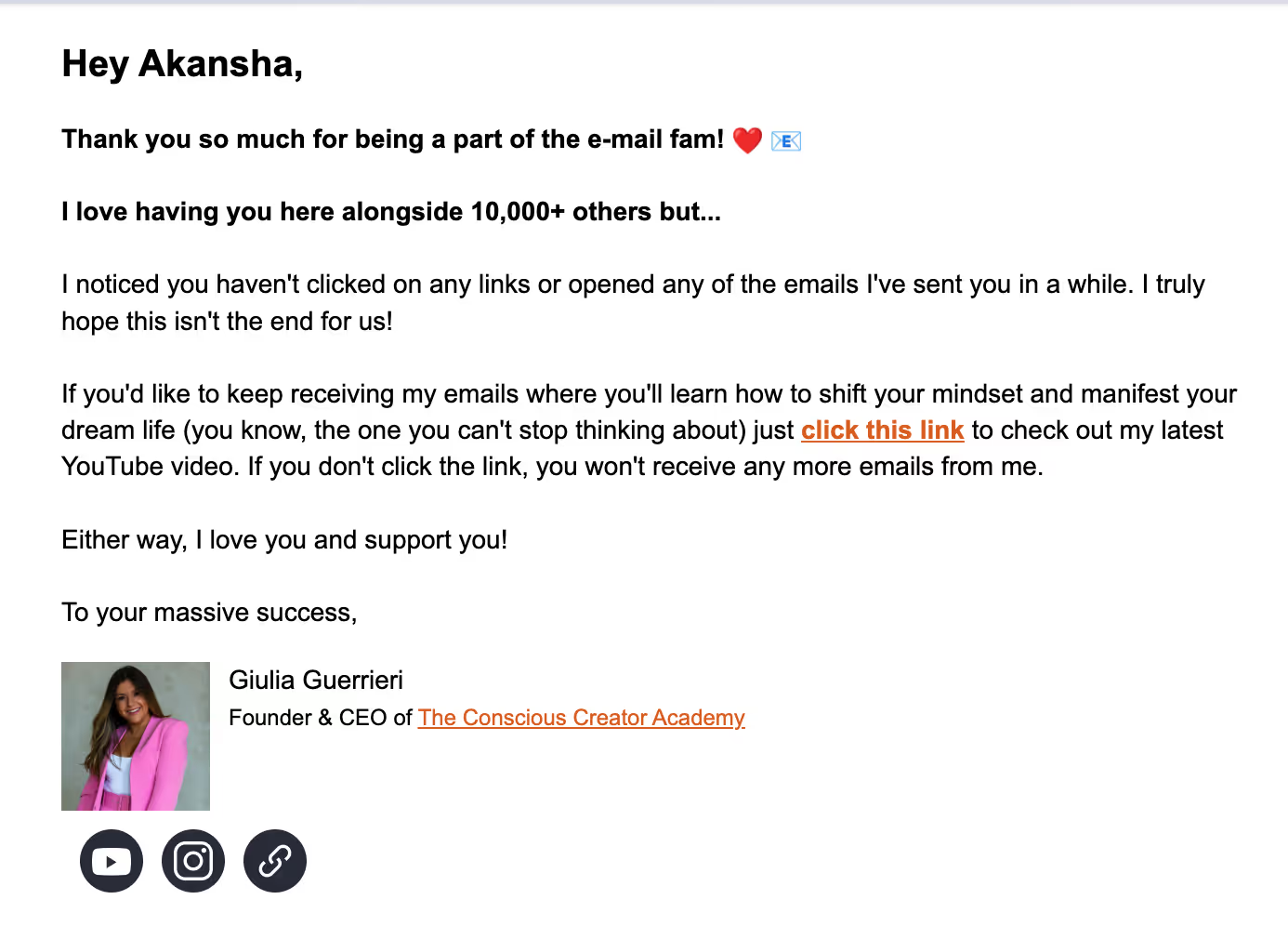
Removing customers who have not engaged in 90+ days may seem like “list shrinkage” (and therefore, a drawback), but it will actually improve overall list health.
The Trigger-Content-Channel Matrix
Knowing how to map the customer journey along with the required automations might seem like an unnecessary and tedious task. But once you set it up, you will have a trigger-content channel matrix that will help you run automations in the background without friction.
You will be able to meet your customers at every stage of their customer journey and send them relevant messaging based on their behavior.
This trigger-content-channel matrix will help you plan a messaging strategy and content for every customer touchpoint based on behavioral triggers. It will also help you choose which channel(s) to use.
How To Build the Customer Journey Mapping Matrix
While building your trigger-content-channel matrix, you will need to answer some key questions. The first is deciding which marketing channel to pick. Use these rules:
Channels should be used sequentially, not in a conflicting manner (where messaging is repeated or contradicted).
While adapting our template for your Shopify store, ask the following three questions in relation to each automation:
- What customer behavior triggers this?
- What is the message trying to do?
- Is the channel aligned with intent?
Here is the customer journey matrix for you to screenshot and repurpose to use in email marketing strategies:
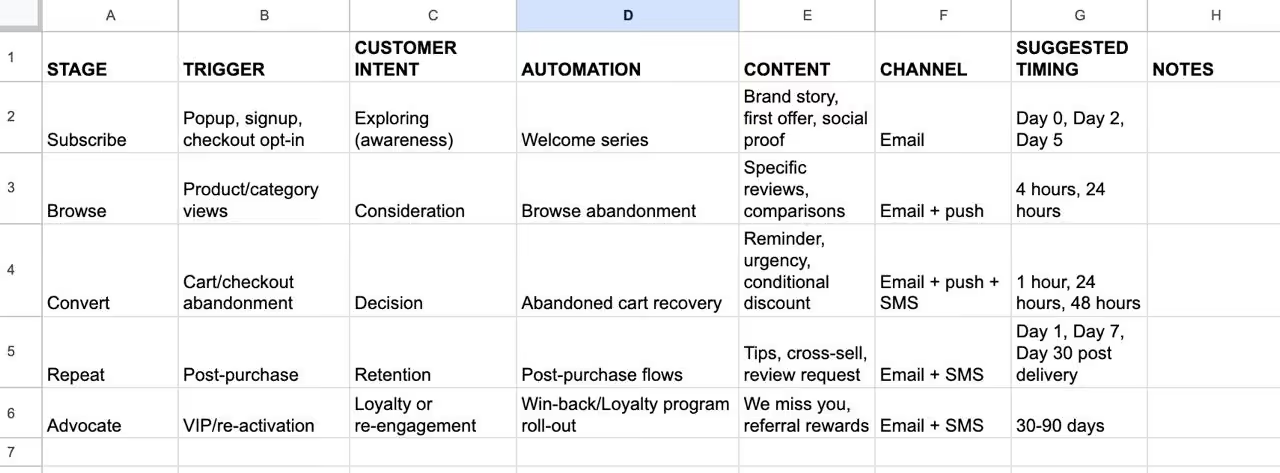
You will notice that not every stage needs multiple channels. For low-intent stages like subscribe or browse, email is usually enough. Omnichannel sequences are more effective for high-intent stages, such as abandoned cart recovery.
During the post-purchase and win-back stages, you can use channels based on timing.
How To Measure Email Marketing Performance Based on the Matrix
The goal is to track revenue stage-wise, rather than measure revenue per send.
When you focus on the customer journey stages and the automation involved, you can assess exactly which parts of the journey need further optimization.
When Medina observed a decline in revenue from their post-purchase flows, they redesigned the process, increasing the repeat rate by 37% within 4 months.
Give the matrix a go, and watch your e-commerce metrics improve.
Customer Journey Mapping Checklist: Shopify Edition
Use this 7-point checklist to audit and structure your email marketing customer journey:
Let the above checklist guide customer journey decisions for your email marketing efforts.
How PushOwl Helps Capture Your Entire Customer Journey
With the five stages in mind and the checklist above, you can create strong email campaigns based on your customers’ journey.
Our Shopify clients execute their e-commerce automations using the following:
Pre-Built Automation Templates
You do not need to write each automated email from scratch.
PushOwl provides pre-built templates for core lifecycle automations, including welcome emails, ACR automations, post-purchase communication, and win-back campaigns.
You can launch faster without starting from zero.
These templates save you time; just customize the message for your email segment.
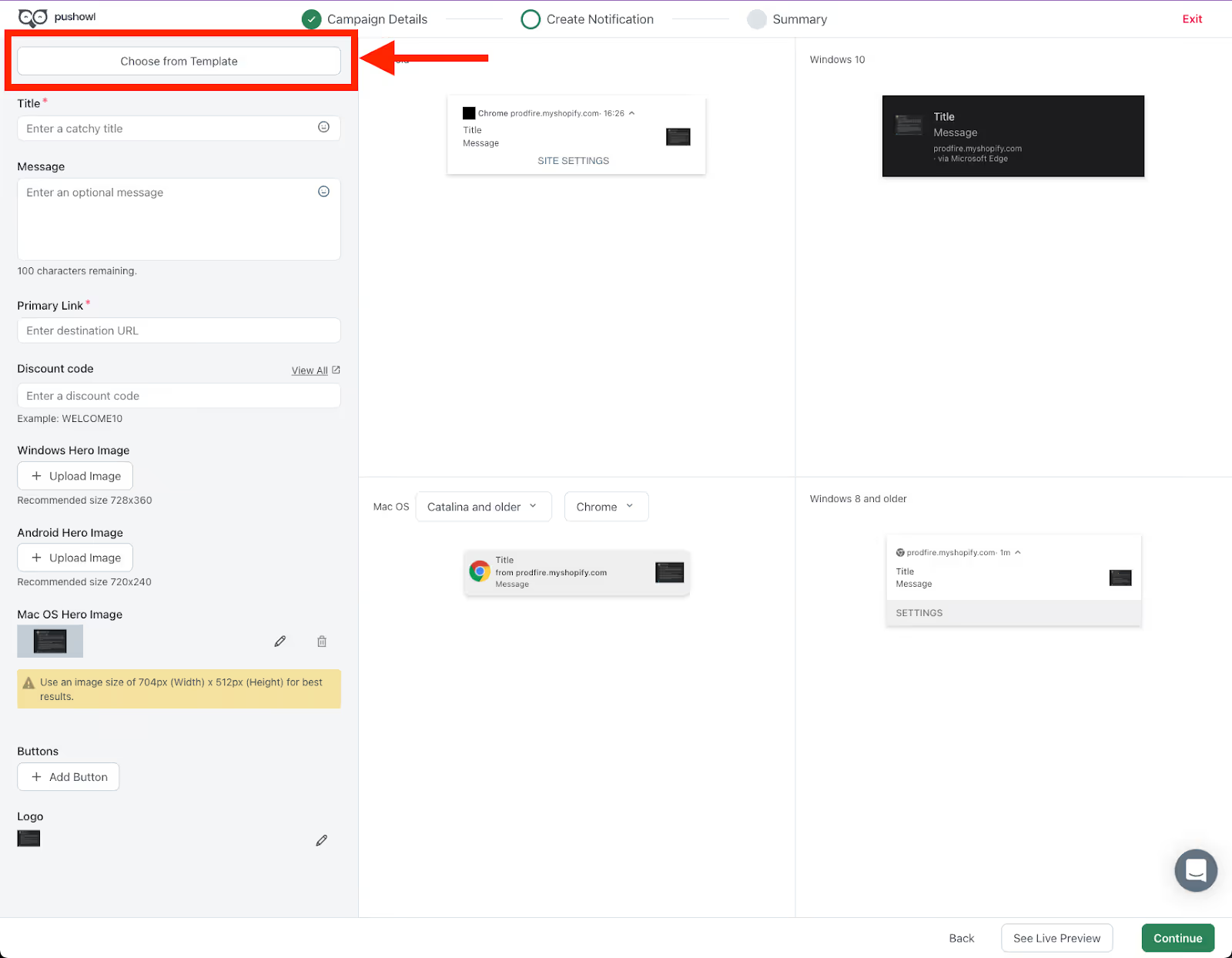
Each template is structured around triggers and messaging sequences you can pick from, so the setup time is minimal.
Unified Customer Profile
To build an effective customer journey, you need a clear view of where each customer is, i.e., what they have browsed, purchased, ignored, and engaged with.
PushOwl’s unified customer profile brings all the data into a single view across email, push, and SMS. Instead of tracking interactions in silos, you can see the full content behind every customer move.
This makes it easier to trigger the right automation and suppress irrelevant messages. With a customer profile, you can smoothly nudge them across their journey.
Behavioral Segmentation
Since customer journeys work only when your audience is segmented by behavior, you need a strong segmentation builder. Our segmentation tool will help you classify customers based on browsing history, purchase history, engagement recency, and LTV tiers.
Some segmentation conditions include:
- Clicked: How often has a customer clicked on their notifications, and when?
- Purchased: How often has a customer purchased and within what time frame?
- Subscribed: When did they subscribe to your store?
- Purchased from collection: Which collection did the shopper purchase from?

You can tailor automations to what customers have actually done, rather than just their location or demographics.
Cross-Channel Coordination
Your customer’s buying journey is across multiple marketing channels. A customer can ignore an email or swipe a push notification without reading, but convert with an SMS reminder.
Leave the headache of cross-channel marketing to PushOwl
Instead of running separate campaigns on different channels, you can build sequences that escalate based on customer behavior and intent.
Revenue Attribution by Flow
To improve your customer journey, you need to know which attributes are driving revenue.
PushOwl provides revenue attribution at the flow level, so you can see how much each automation contributes. That way, you get more than just metrics related to each email; you evaluate the entire email marketing customer journey.
This makes it easier to identify high-performing stages and fix underperforming flows.
Build Advanced Customer Journeys With PushOwl
Most Shopify brands are in a rush to send emails; after all, launching campaigns brings in revenue, and you need those numbers to show that your email marketing is working.
But in that rush, they skip the most important step: mapping the customer journey.
Without that structure, emails become reactive. Automations overlap, and messages miss the mark.
When you slow down and map every touchpoint to a clear stage (Subscribe, Browse, Convert, Repeat, and Advocate), your email marketing becomes more intentional. Your marketing decisions stem from a lived customer journey and not assumptions.
Execute your customer journey-based email marketing with our free plan (no daily sending limit!).